Copilot Studio Authentication Explained | Day 61
Understand Copilot Studio authentication: how users sign in, identity providers verify access, tokens protect data, and secure agents serve the right people with the right permissions.
- Published
- Reading time
- 7 min read
Week 9 · Day 61 of 365 in 365 Days of Copilot Studio — view the full series
Before you start
Use this guide with the right context
- Best entry point
- 365 Days of Copilot Studio
- Time investment
- 7 min read
What you’ll learn
- What Authentication Means in Copilot Studio
- Authentication Is Not the Same as Authorization
- When an Agent Needs Authentication
- The Authentication Flow
- Identity Providers and Microsoft Entra ID
On this page (13 sections)
Day 61 of 365 Days of Copilot Studio explains authentication in Copilot Studio: how secure agents identify users, verify access, protect data, and deliver the right experience to the right person.
Day 60 focused on bringing Copilot Studio agents into Microsoft Teams. Day 61 moves into the security layer behind every serious agent experience. Before an agent answers with internal information or performs business actions, it needs to know who the user is and what that user is allowed to do.
This lesson builds on Day 60: Microsoft Teams AI Agent Integration, Day 59: Microsoft 365 Copilot Integration, and Day 55: Omnichannel Deployment.
Note: Authentication answers the first security question: who is using this agent?
What Authentication Means in Copilot Studio
Authentication is the process of verifying a user's identity before the agent gives access to protected capabilities. A user signs in, an identity provider verifies the user, and the agent receives a trusted signal that can be used to support secure experiences.
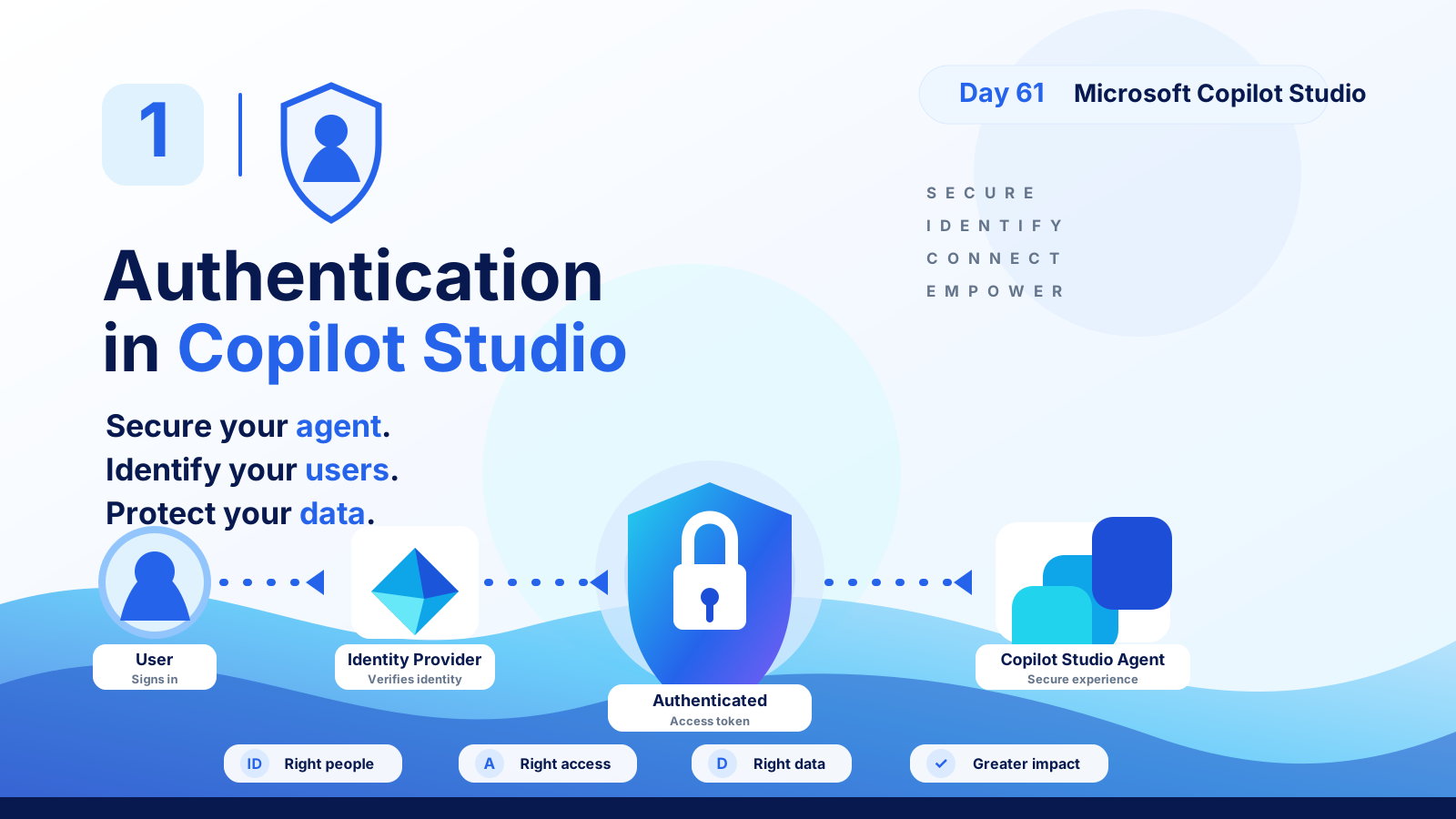
The basic flow is: User signs in -> identity provider verifies identity -> authenticated session or token is issued -> Copilot Studio agent serves a secure experience.
| Layer | Purpose | Example |
|---|---|---|
| User | Starts the conversation and signs in when required. | Employee, partner, customer, or guest. |
| Identity provider | Verifies who the user is. | Microsoft Entra ID or another configured identity provider. |
| Token or session | Carries the trusted authentication result. | Authenticated user context for the agent experience. |
| Copilot Studio agent | Uses identity-aware design to respond securely. | Grounded answers, actions, tools, and business workflows. |
Authentication Is Not the Same as Authorization
Authentication and authorization work together, but they are not the same thing.
- Authentication: proves the user is who they claim to be.
- Authorization: decides what that authenticated user can access or do.
A signed-in user should not automatically see every document, row, action, or workflow. Authentication opens the door. Authorization decides which rooms that user can enter.
Security rule: A Copilot Studio agent should not reveal data or perform actions beyond the user's normal business permissions.
When an Agent Needs Authentication
Not every agent needs sign-in. A public website FAQ agent may answer general questions without identifying the visitor. But authentication becomes important when the agent uses internal data, personal information, business actions, or role-based experiences.
| Scenario | Authentication need | Reason |
|---|---|---|
| Public marketing FAQ | Usually optional | Answers are public and non-personal. |
| Employee HR policy agent | Usually required | Answers may depend on employee identity, region, or eligibility. |
| IT support agent | Required | Actions may check access, devices, tickets, and workspace permissions. |
| Sales or CRM agent | Required | Customer records and pipeline actions must be permission-aware. |
| Agent that creates or updates records | Required | Business actions need identity, auditability, and least privilege. |
The Authentication Flow
The slide deck frames authentication as a secure path from user to agent. The user signs in, the identity provider verifies the user, an authenticated access context is created, and the Copilot Studio agent can provide a secure experience.
- User signs in: the user starts the conversation and is prompted to authenticate if the agent requires it.
- Identity provider verifies identity: the configured provider confirms the user's identity.
- Authenticated context is created: the agent can use the trusted sign-in context as part of the conversation.
- Agent responds securely: the agent uses permitted knowledge, actions, and tools for that user.
The goal is not simply to show a sign-in screen. The goal is to create a secure chain between identity, data, actions, and user experience.
Identity Providers and Microsoft Entra ID
For many Microsoft 365 and Power Platform scenarios, Microsoft Entra ID is the identity foundation. It provides organizational identities, sign-in policies, conditional access patterns, app registration concepts, and governance controls used across Microsoft cloud services.
In practical terms, your identity provider helps answer questions such as:
- Who is this user?
- Is this a member, guest, customer, or external user?
- Does the user meet sign-in requirements?
- Which tenant, group, role, or audience does the user belong to?
- Should this session be allowed for the requested experience?
For internal agents, align authentication with the identity model your organization already governs.
Secure Agents Protect Business Data
Authentication matters because agents often sit in front of sensitive information: HR policies, employee records, support tickets, project data, customer details, finance processes, legal documents, and operational systems.
A secure agent design protects four things:
- Right people: only intended users can access the agent.
- Right access: users only get the actions and data they are allowed to use.
- Right data: knowledge and records are permission-aware and appropriate for the user.
- Greater impact: secure agents can safely support more valuable business workflows.
Authentication Across Channels
Authentication design also depends on where the agent is published. An agent used in Microsoft Teams, a website, Microsoft 365 Copilot, or another channel may have different sign-in expectations and user experiences.
| Channel | Authentication design question |
|---|---|
| Microsoft Teams | Can the agent use the signed-in work identity and provide a smooth employee experience? |
| Website | Is the site public, customer-facing, partner-facing, or internal? |
| Microsoft 365 Copilot | How does the agent respect Microsoft 365 identity, permissions, and user context? |
| Custom channel | How will sign-in, token handling, and user context be passed safely? |
Do not treat authentication as an afterthought. Decide early whether each channel is anonymous, authenticated, internal-only, guest-enabled, or customer-facing.
Authentication and Actions
Authentication becomes even more important when an agent can take action. An answer-only agent has risk. An action-taking agent has more risk because it may create, update, submit, approve, notify, retrieve, or trigger workflows.
For every action, document:
- Who can run the action?
- Which identity is used when the action runs?
- What data can the action read or change?
- What happens when the user is not allowed?
- Where are audit logs or records stored?
The user experience should be clear when access is denied. A good agent explains the limitation and gives a safe next step instead of exposing technical errors.
Example: HR Policy Agent
An employee asks: Am I eligible for parental leave? This is not just a general policy question. The answer may depend on the employee's location, role, employment type, tenure, and local policy rules.
A secure design might authenticate the user, verify that the user is an employee, retrieve only allowed policy context, and offer an action such as View Policy or Start Leave Request. The agent should not expose another employee's data or reveal restricted HR records.
Example: IT Access Agent
An employee asks: Can you restore my access to the project workspace? The agent needs to know who the user is, which workspace is involved, whether the user should have access, and whether the action is allowed.
The flow may involve Microsoft Entra ID, SharePoint permissions, Teams membership, Dataverse request records, ITSM tickets, and Power Automate actions. Authentication identifies the user. Authorization and business rules decide whether access should be granted.
Common Mistakes
- Assuming sign-in equals full access: signed-in users still need authorization checks.
- Using one broad service account for everything: this can hide who requested an action and overexpose data.
- Testing only with administrators: admins often bypass the restrictions normal users face.
- Ignoring channel differences: authentication in Teams, web, and custom channels may behave differently.
- Forgetting failure paths: users need helpful messages when sign-in fails or access is denied.
Authentication Readiness Checklist
- Agent audience and access model are documented.
- Authentication requirement is clear for each channel.
- Identity provider configuration is validated.
- Test users include allowed users, denied users, guests, and normal non-admin employees.
- Knowledge sources are permission-trimmed where needed.
- Actions use least privilege and clear audit paths.
- Denied access produces safe, understandable responses.
- Token/session behavior is tested across desktop, browser, Teams, and mobile where relevant.
- DLP, environment, connector, and tenant governance policies are reviewed.
- Owners know how to monitor and troubleshoot sign-in issues.
Key Takeaway
Secure your agent. Identify your users. Protect your data. Authentication is the foundation that lets Copilot Studio agents move from simple public answers to trusted business experiences.
When authentication, authorization, channel design, data permissions, and action security work together, agents can safely serve the right people with the right access to the right data. Next: Day 62.
Related resources
Topics covered
Security · Permissions · AI Agents · Governance · Integrations
Frequently asked questions
What is authentication in Copilot Studio?
Authentication verifies who the user is before an agent exposes protected knowledge, data, actions, or personalized experiences.
Why does Copilot Studio authentication matter?
It helps agents serve the right people, protect sensitive data, respect business permissions, and avoid giving anonymous users access to internal resources.
What is the difference between authentication and authorization?
Authentication proves identity. Authorization decides what that verified user is allowed to see or do.
Does every Copilot Studio agent need authentication?
No. Public FAQ-style agents may not need sign-in, but internal, personalized, action-taking, or data-connected agents usually need authentication and authorization.
What should I test before publishing an authenticated agent?
Test sign-in, token refresh, allowed and denied users, role-based data access, channel behavior, SSO expectations, action permissions, audit logs, and graceful failure messages.
Sources
Have a Microsoft 365 topic idea?
Share article suggestions, community session ideas, corrections, or real-world scenarios for future nextM365 learning notes.
Keep learning Microsoft 365
Explore more practical tutorials for SharePoint, Power Platform, Copilot Studio, migration, automation, governance, and security.
Continue learning
Related tutorials
Related questions
Related comparisons
Next action