ALM for Microsoft Copilot Studio | Copilot Studio Day 49
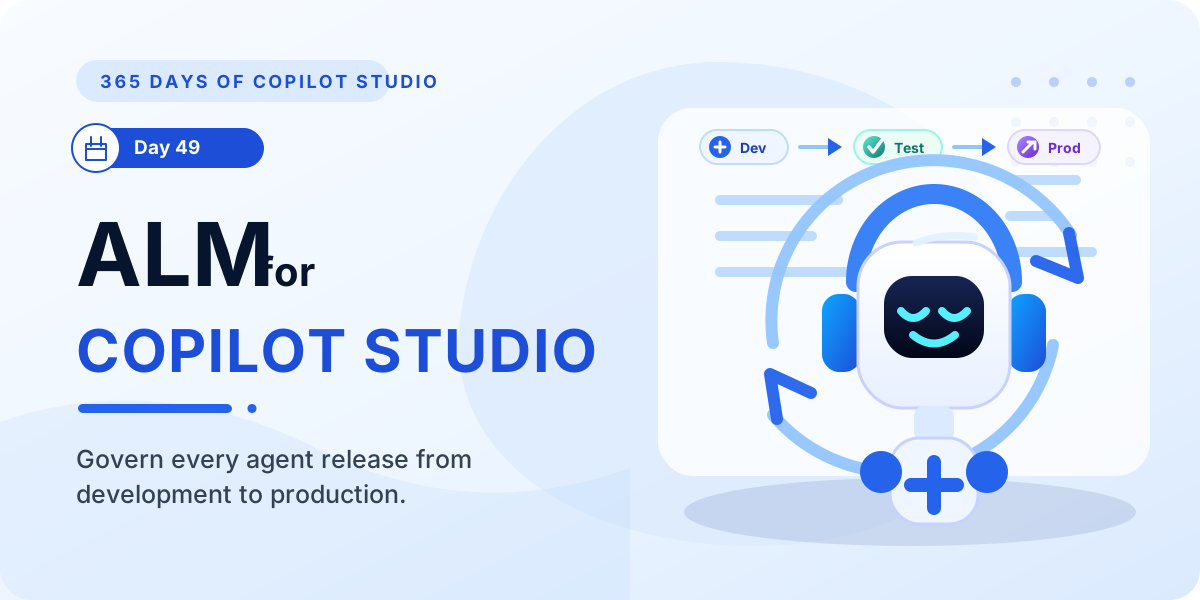
Learn how ALM in Microsoft Copilot Studio helps teams plan, build, test, deploy, monitor, and improve agents across development, test, and production environments.
- Published
- Reading time
- 7 min read
Week 7 · Day 49 of 365 in 365 Days of Copilot Studio — view the full series

What you’ll learn
- What ALM Means for Copilot Studio
- Why ALM Matters for Copilot Agents
- The Copilot Studio ALM Lifecycle
- Use Development, Test, and Production Environments
- Solutions Are the Foundation
On this page (15 sections)
Day 49 of 365 Days of Copilot Studio focuses on ALM for Microsoft Copilot Studio. After solution management, environment variables, and connection references, ALM brings those parts together into one controlled delivery process.
ALM stands for Application Lifecycle Management. In Copilot Studio, it is the way you plan, build, test, deploy, monitor, and improve agents without treating production as the place where experiments happen.
[!NOTE] The goal of ALM is not process for its own sake. The goal is to move the right agent to the right environment with quality, security, and confidence.
What ALM Means for Copilot Studio
Copilot Studio agents are business applications. They can call actions, trigger flows, use connectors, depend on configuration values, and interact with production users. That means they need the same release discipline as other Power Platform solutions.
A practical ALM approach answers five questions:
- Where do makers build and experiment?
- Where do testers validate behavior before release?
- How does the agent move from development to production?
- How are environment-specific values and connections handled?
- How are changes versioned, documented, monitored, and improved?
Why ALM Matters for Copilot Agents
Without ALM, teams often edit production directly, manually reconnect flows, hardcode URLs, skip release notes, or lose track of what changed. That may work for a simple demo, but it becomes risky when the agent supports real employees or customers.
Strong ALM helps you:
- Improve reliability: changes are tested before users depend on them.
- Increase security: production access, connections, and environment values are controlled.
- Support scale: more makers can collaborate without breaking production.
- Release faster: repeatable deployment steps reduce last-minute confusion.
- Improve continuously: monitoring and feedback become part of the lifecycle.
The Copilot Studio ALM Lifecycle
A Copilot Studio ALM lifecycle is continuous. You do not just build once and stop. You plan, build, test, release, observe real usage, then improve based on evidence.
- Plan and design: define the business outcome, target users, topics, actions, integrations, security needs, and environments.
- Build: create and update the agent in a development environment where makers can iterate safely.
- Test: validate conversation paths, actions, flows, variables, connection references, permissions, and edge cases.
- Deploy: move the solution through controlled release steps into production.
- Monitor: review analytics, errors, user feedback, fallback patterns, and operational signals.
- Improve: refine topics, fix issues, add capabilities, and start the next release cycle.
Use Development, Test, and Production Environments
A simple three-environment model gives most teams enough control to start.
| Environment | Purpose | Typical activities |
|---|---|---|
| Development | Build and experiment | Create topics, configure actions, connect flows, adjust prompts, and try new ideas. |
| Test | Validate before release | Run functional testing, user acceptance testing, regression checks, security checks, and release validation. |
| Production | Serve real users | Publish stable versions, monitor adoption, review analytics, manage access, and support business operations. |
Solutions Are the Foundation
In Power Platform ALM, solutions are the packaging mechanism. They let you group the components that belong together and move them as one release unit.
A Copilot Studio solution can include items such as:
- Copilot Studio agents
- Topics and agent configuration
- Cloud flows used by the agent
- Dataverse tables and supporting components
- Environment variables
- Connection references
- Custom components and related Power Platform assets
This is why solution management is a core ALM skill. If the solution is messy, deployments become messy too.
Managed vs Unmanaged Solutions
A practical rule is: develop unmanaged, deploy managed.
| Solution type | Best used for | Why it matters |
|---|---|---|
| Unmanaged | Development | Makers can edit components freely while building and refining the agent. |
| Managed | Test and production | Components are protected, releases are cleaner, and upgrades are easier to govern. |
Using managed solutions outside development helps keep production stable. It also makes versioning, rollback planning, and controlled upgrades easier to explain and operate.
Use Environment Variables for Configuration
Environment variables help you avoid hardcoded values in your agent and supporting flows. Instead of baking a URL, email address, feature flag, or endpoint into the solution, you define the value per environment.
Common examples include:
- API URLs
- SharePoint site URLs
- Support mailbox addresses
- Feature flags
- Configuration values used by Power Automate flows
This keeps the solution portable. The same managed solution can move from test to production while using the correct production values.
Use Connection References for Secure Connections
Connection references separate the solution component from the real connection used in each environment. This matters when the agent calls a cloud flow, accesses SharePoint, works with Dataverse, or connects to another service.
The pattern is straightforward:
- Create the connection reference inside the solution.
- Use that reference in flows, actions, and related components.
- Map the reference to the correct connection in each environment.
- Validate the mapping during import or pipeline deployment.
This avoids the common problem where a solution imports successfully but fails later because it points to the wrong account or missing connector connection.
Move Copilot Agents Between Environments
A controlled movement process keeps releases repeatable.
- Build the agent and supporting components in development.
- Add all required components to a solution.
- Check environment variables and connection references.
- Export the solution from the source environment.
- Import into test and resolve references.
- Run validation and user acceptance testing.
- Promote the managed solution to production.
- Publish and monitor the agent after release.
Use Power Platform Pipelines Where Possible
Power Platform pipelines can automate solution movement between environments. They reduce manual export/import steps and help teams enforce a consistent release path.
Pipelines can help with:
- Promoting solutions across approved environments
- Reducing manual deployment mistakes
- Adding governance to who can deploy
- Improving release visibility
- Standardizing how environment variables and connection references are handled
You still need good solution design. A pipeline will not fix missing components, unclear ownership, or poor testing. It works best when the release package is already clean.
Versioning and Release Management
Every production release should have a clear version and release note. This is especially important for agents because small topic, prompt, flow, or configuration changes can affect the user experience.
Version these items as part of your release process:
- Copilot Studio agents
- Solution packages
- Cloud flows and actions
- Environment variables
- Connection references
- Major prompt, topic, or orchestration changes
For each release, document what changed, why it changed, who approved it, where it was tested, and what rollback plan exists if production behavior is not acceptable.
Test Before Production
Testing should happen before production, not after users report problems. For Copilot Studio, testing needs to cover both conversation quality and technical dependencies.
Use this checklist:
- Functional testing: confirm each topic, action, and expected path works.
- User acceptance testing: validate the experience with real business users or representatives.
- Security testing: confirm the agent exposes only appropriate information and uses approved connections.
- Performance testing: check response behavior for important flows and integrations.
- Regression testing: confirm existing working scenarios still work after changes.
Common ALM Mistakes
Most ALM problems come from skipping boring but important controls.
- No solution strategy: components are created outside the correct solution and missed during deployment.
- Skipping test: production becomes the first real validation environment.
- Hardcoded values: URLs, mailbox names, or API endpoints break when moved between environments.
- Missing connection references: imported components cannot find the right connection.
- Manual deployments only: release steps depend on memory instead of a repeatable process.
- Poor version control: teams cannot explain what changed or recover confidently.
Best Practices for Copilot Studio ALM
Use these practices as a baseline:
- Define an ALM strategy before the agent becomes business-critical.
- Use separate development, test, and production environments.
- Package Copilot Studio assets inside solutions.
- Use unmanaged solutions for development and managed solutions for release.
- Use environment variables for environment-specific configuration.
- Use connection references for connectors and flows.
- Test at every stage before production.
- Version releases and keep release notes.
- Use pipelines for repeatable deployments when available.
- Monitor analytics, failures, and feedback after launch.
- Document ownership, dependencies, and support procedures.
Summary
ALM is the foundation for reliable Copilot Studio delivery. It gives teams a controlled way to build in development, validate in test, and release to production without losing track of configuration, connections, security, or version history.
The practical pattern is simple: plan the agent, build inside a solution, use environment variables and connection references, test before production, deploy through a controlled path, monitor behavior, and improve continuously.
Related resources
Topics covered
ALM · Governance · Automation · Connectors · AI Agents
Frequently asked questions
What is ALM in Microsoft Copilot Studio?
ALM means application lifecycle management. In Copilot Studio, it is the process for planning, building, testing, deploying, monitoring, and improving agents through controlled environments.
Why does ALM matter for Copilot Studio agents?
ALM helps teams reduce manual changes, avoid hardcoded configuration, test before release, deploy consistently, and keep production agents reliable and secure.
Should production Copilot Studio releases use managed solutions?
Yes. A common pattern is to build in unmanaged solutions in development, then release managed solutions into test and production for stronger control and consistency.
How do environment variables and connection references support ALM?
Environment variables store environment-specific values, while connection references map solution components to the right connections in each environment. Together they make deployments more portable.
Can Power Platform pipelines help with Copilot Studio ALM?
Yes. Pipelines can automate solution movement between environments, reduce manual deployment steps, and add governance around release promotion.
Sources
- Microsoft Learn: Alm, Microsoft
- Microsoft Learn: Microsoft Copilot Studio, Microsoft
Have a Microsoft 365 topic idea?
Share article suggestions, community session ideas, corrections, or real-world scenarios for future nextM365 learning notes.
Keep learning Microsoft 365
Explore more practical tutorials for SharePoint, Power Platform, Copilot Studio, migration, automation, governance, and security.
Continue learning
Related tutorials
Related questions
Related comparisons