Copilot Studio Best Practices Checklist | Copilot Studio Day 50
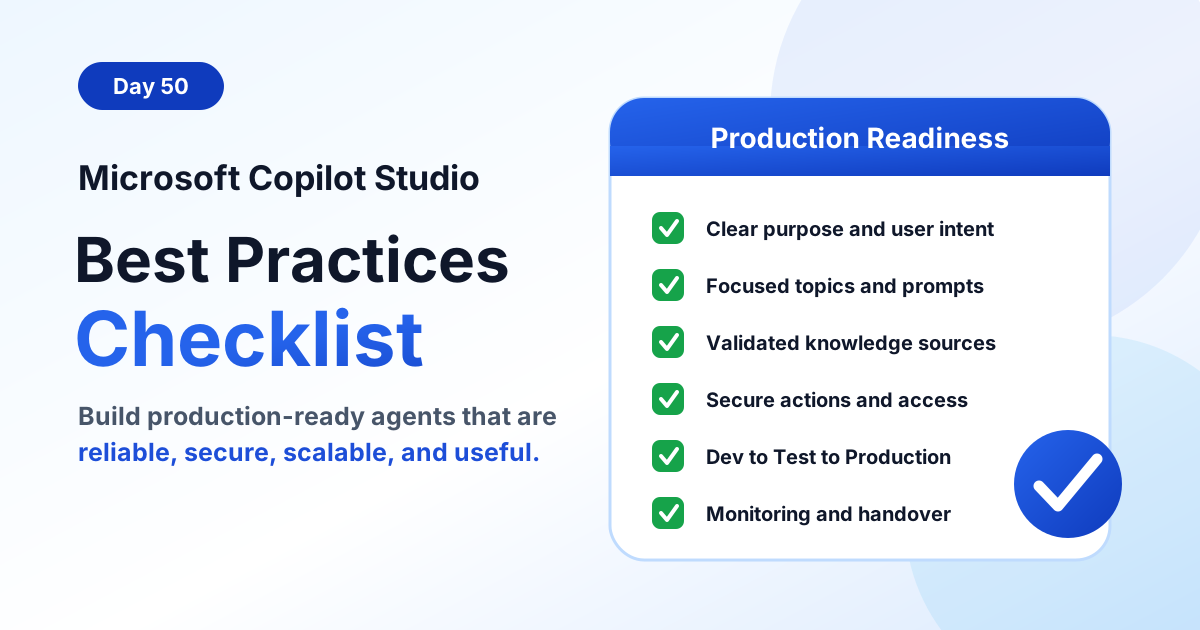
Use this Microsoft Copilot Studio best practices checklist to build production-ready agents with clear purpose, focused topics, reliable knowledge, secure actions, testing, monitoring, and governance.
- Published
- Reading time
- 12 min read
Week 8 · Day 50 of 365 in 365 Days of Copilot Studio — view the full series

What you’ll learn
- What Production Ready Means in Copilot Studio
- Start With a Clear Agent Purpose
- Design Topics Around User Intent
- Write Clear Instructions and Prompts
- Use Knowledge Sources Carefully
On this page (17 sections)
Day 50 of 365 Days of Copilot Studio is a practical Copilot Studio best practices checklist for building agents that are ready for real users, not just demos.
The previous lessons covered the building blocks: topics, messages, questions, variables, actions, testing, publishing, solution management, environment variables, connection references, and ALM. This lesson brings those ideas together into one production-readiness view.
[!NOTE] A production-ready Copilot Studio agent is not only an agent that publishes successfully. It is an agent with a clear purpose, reliable answers, secure access, tested actions, monitored behavior, and a support process the business can trust.
What Production Ready Means in Copilot Studio
Production readiness means the agent can support real users with predictable quality. It should answer the right questions, guide users when it cannot answer, protect business data, call actions safely, and give the support team enough visibility to improve it over time.
A useful checklist should answer these questions before launch:
- Is the agent purpose clear enough to explain in one sentence?
- Are topics designed around user intent instead of internal system structure?
- Are instructions, prompts, and tone rules specific and testable?
- Are knowledge sources accurate, relevant, current, and approved?
- Are actions validated, efficient, secure, and resilient when something fails?
- Are security roles, permissions, data boundaries, and audit needs understood?
- Can the agent move through development, test, and production without manual rework?
- Has the team tested happy paths, edge cases, failed dependencies, and real user scenarios?
- Are monitoring, analytics, feedback, documentation, and handover ready?
Start With a Clear Agent Purpose
The first best practice is to define what the agent should do and what it should not do. A vague purpose leads to broad topics, messy knowledge sources, inconsistent instructions, and disappointed users.
A good purpose statement includes the target users, the business goal, the work the agent helps with, and the boundaries it must respect. For example, an HR policy agent might help employees find approved policy information and raise HR service requests, but it should not make salary decisions, interpret legal disputes, or expose private employee records.
Use this purpose checklist:
- Be specific: name the business process or user problem the agent supports.
- Know the users: identify whether the agent serves employees, customers, managers, agents, or administrators.
- Focus on value: connect the agent to measurable outcomes such as faster answers, fewer tickets, cleaner intake, or better self-service.
- Keep the first release simple: launch a focused version, learn from real usage, and then expand.
Design Topics Around User Intent
Strong Copilot Studio topics start from intent. Intent is the user's actual goal. The user might type "I need time off", "apply leave", "vacation policy", or "how many sick days do I get?" The wording changes, but the intent may still be leave support.
Intent-driven topic design keeps the agent easier to maintain because similar requests are grouped into meaningful experiences. It also reduces the risk of overlapping topics competing for the same user message.
Apply these topic design practices:
- Identify the real goal: document what the user is trying to achieve before writing trigger phrases.
- Group related requests: combine closely related phrases into one focused topic when they share the same outcome.
- Keep topics focused: each topic should handle one primary intent clearly.
- Design the next step: decide whether the topic should answer, ask a question, call an action, hand off, or end the conversation.
If a topic needs too many unrelated branches, split it. If several topics all answer the same user need, consolidate them. This makes the agent easier to test and easier to improve from analytics.
Write Clear Instructions and Prompts
Instructions and prompts shape how the agent responds. They should be precise enough to guide behavior but simple enough for makers and reviewers to understand. Production agents need instructions that describe tone, scope, boundaries, formatting expectations, and escalation rules.
Weak instructions often say things like "be helpful" or "answer professionally." Those are not enough. Better instructions explain what information to use, what to avoid, how to respond when confidence is low, and when to redirect users to a safer path.
Use this instruction checklist:
- Define behavior clearly: state what the agent should do, what it should avoid, and when it should ask clarifying questions.
- Use simple language: write rules that makers, business owners, and testers can review.
- Set the response style: define tone, length, formatting, citation expectations, and any compliance wording.
- Provide examples: include examples of good answers, bad answers, and situations where the agent should escalate.
Use Knowledge Sources Carefully
Knowledge sources are only valuable when they are accurate, relevant, and maintained. Adding too much content can make answers less reliable because the agent has more material to search, some of which may be outdated, duplicated, or contradictory.
Before connecting SharePoint sites, web pages, files, Dataverse records, or other content, confirm that the source has an owner and review cadence. The agent should not become the front door to unmanaged content.
| Knowledge source check | What to verify |
|---|---|
| Quality | Content is approved, accurate, readable, and not a draft workspace. |
| Relevance | The source supports the agent purpose and expected user intents. |
| Security | Permissions match what users are allowed to see. |
| Maintenance | An owner reviews and updates the content on a defined schedule. |
For production agents, it is better to use fewer trusted sources than many loosely managed sources. High-quality knowledge improves answer accuracy and user trust.
Design Actions for Reliability
Actions make a Copilot Studio agent more useful because they let the agent do work, not just answer questions. But actions also introduce risk because they may call Power Automate flows, connectors, APIs, SharePoint, Dataverse, Microsoft Graph, or external services.
Reliable actions should have a clear contract: what inputs they accept, what they return, what permissions they use, and what happens when the dependency is unavailable. Do not let action design depend on hope or manual interpretation.
Use this action checklist:
- Define the action clearly: document what the action does, what it returns, and when it should be used.
- Validate inputs: check required values, allowed formats, user identity, and business rules before running the action.
- Handle errors: return useful messages when a flow, connector, API, or data source fails.
- Optimize performance: keep actions focused, avoid unnecessary calls, and review slow dependencies before launch.
When an action writes data, creates a ticket, sends a message, updates a record, or starts an approval, treat it as a business process. It needs testing, permissions, logging, and ownership.
Handle Errors and Fallbacks Gracefully
Every production agent needs a recovery path. Users may ask unclear questions, knowledge may be missing, actions may fail, connectors may time out, and permissions may block access. Good fallback design turns those moments into guided next steps instead of dead ends.
Error and fallback planning should cover:
- Anticipated errors: missing data, invalid input, unavailable systems, permission issues, and low-confidence answers.
- Alternative paths: clarifying questions, related topics, manual forms, support links, or escalation.
- Clear user messages: explain what happened in plain language without exposing internal technical details.
- Logging and improvement: track recurring failures so the team can fix topics, knowledge, prompts, or integrations.
This connects directly to fallback topics, error handling, and escalation topics. A reliable agent needs all three.
Secure the Agent by Design
Security cannot be the last step before publishing. A Copilot Studio agent may expose knowledge, call actions, access business systems, and operate through channels such as Teams or websites. Security should be designed into the agent architecture from the start.
Use these security practices:
- Control access: use least privilege permissions and role-based access where appropriate.
- Protect data: avoid exposing sensitive information through knowledge sources, prompts, logs, or action responses.
- Validate user inputs: do not trust raw user input before using it in flows, connectors, searches, or API calls.
- Monitor and audit: review activity, access patterns, action usage, and security exceptions regularly.
[!WARNING] Do not use personal high-privilege connections for production actions. Production agents should use approved connections, documented ownership, and access that matches the business process.
Use Environment Variables for Configuration
Environment variables keep configuration flexible across development, test, and production. They help prevent hardcoded URLs, IDs, mailbox names, feature flags, and other settings from becoming hidden deployment risks.
Common production uses include:
- API base URLs for development, test, and production services.
- SharePoint site URLs or list names used by flows and actions.
- Support mailbox addresses, queue IDs, or routing values.
- Feature flags that let teams control behavior without editing the agent.
- Configuration values needed by actions and connectors.
Environment variables are not a substitute for security design, but they reduce configuration drift and make maintenance easier. Review their values before each deployment and document who owns each production setting.
Use Connection References for Portable Integrations
Connection references make connector-backed components easier to move and govern. Instead of tying flows and actions directly to one maker's connection, the solution can map references to the correct connection in each environment.
Connection references help you:
- Reuse the same logical connection design across environments.
- Store credentials through the platform instead of hardcoding them.
- Swap or update connections without redesigning the agent.
- Deploy solutions more predictably across development, test, and production.
For production, confirm the real connection account, owner, permissions, licensing, expiration handling, and support process. A connection that works in development may not be acceptable for a business-critical production agent.
Follow Dev to Test to Production
The safest release path is to build in development, validate in test, and deploy to production only after the release is ready. This matches the ALM pattern from Day 49: ALM for Microsoft Copilot Studio.
| Environment | Purpose | Readiness check |
|---|---|---|
| Development | Build and configure | Makers can safely design topics, prompts, knowledge, actions, and solution components. |
| Test | Validate and approve | Testers verify functionality, security, performance, data access, and business acceptance. |
| Production | Deploy and monitor | Only tested releases are published, monitored, supported, and improved. |
A structured pipeline reduces risk because each environment has a clear purpose. It also makes release conversations easier: what changed, where was it tested, who approved it, and how will it be monitored?
Test Before Publishing
Testing is where many Copilot Studio projects move from promising to dependable. The test plan should cover conversation quality and technical behavior. It should also include real users or business representatives before broad launch.
Use this pre-publish testing checklist:
- Test all scenarios: cover happy paths, edge cases, unclear requests, missing information, and error conditions.
- Validate responses: confirm answers are accurate, relevant, helpful, and aligned with approved content.
- Test actions: confirm each action works with realistic data, failed data, and permission boundaries.
- Check security: verify access, roles, knowledge permissions, action permissions, and data protection.
- Get feedback: test with real users and improve the experience before publishing widely.
Do not limit testing to one ideal conversation. Production users will phrase things differently, skip information, ask out-of-scope questions, and expose gaps the maker did not expect.
Monitor, Analyze, and Improve
Publishing is not the end of the lifecycle. After launch, the team should review how users interact with the agent and where the experience breaks down. Analytics and feedback show which topics are working, which intents are missing, and which actions need attention.
Monitor these signals:
- Usage: how often users interact with the agent and which channels they use.
- Top topics: which intents are most common and whether they align with the agent purpose.
- Fallbacks and unresolved questions: where users do not get a useful answer.
- Action failures: failed flows, connector issues, timeouts, validation errors, and permission problems.
- User feedback: satisfaction, comments, support tickets, and repeated complaints.
- Performance: slow responses, overloaded dependencies, or inefficient action design.
Use these insights to maintain a backlog. Improve trigger phrases, split or merge topics, update knowledge sources, refine instructions, fix action errors, and add missing escalation paths.
Documentation and Handover
A production agent needs documentation that another person can understand. Without documentation, every future change depends on the original maker's memory, which is not a support model.
Document these items before launch:
- Agent purpose, target users, scope, and out-of-scope requests.
- Key topics, trigger strategy, fallback behavior, and escalation paths.
- Knowledge sources, content owners, and review schedule.
- Actions, flows, APIs, connectors, inputs, outputs, and failure handling.
- Environment variables, connection references, and deployment steps.
- Security roles, access decisions, sensitive data handling, and audit expectations.
- Testing evidence, known limitations, release notes, and rollback approach.
- Operational owners for monitoring, support, improvements, and approvals.
Copilot Studio Production Checklist
Use this checklist before sending an agent to production:
- Agent purpose is clear, specific, and approved by the business owner.
- Topics are designed around user intent and do not overlap unnecessarily.
- Instructions and prompts define tone, scope, behavior, and examples.
- Knowledge sources are accurate, relevant, secure, and maintained.
- Actions are complete, input-validated, tested, and optimized.
- Error handling, fallback topics, and escalation paths are configured.
- Security roles, access, permissions, and data protection are properly set.
- Environment variables are configured for each environment.
- Connection references are mapped and working.
- All required components are included in the right solution.
- The release follows development to test to production.
- Functional, security, performance, edge case, and user acceptance testing are complete.
- Monitoring, analytics, feedback review, and issue ownership are enabled.
- Documentation, release notes, handover, and support ownership are ready.
Common Mistakes to Avoid
Most production issues come from small shortcuts that compound over time.
- Building without a clear purpose: the agent becomes too broad and difficult to measure.
- Creating duplicate topics: overlapping intent leads to inconsistent routing and harder testing.
- Adding too many knowledge sources: unmanaged content creates inaccurate or conflicting answers.
- Skipping action validation: bad inputs create failed flows, wrong outputs, or data quality issues.
- Ignoring fallback design: users hit dead ends when the agent cannot answer.
- Using weak security controls: permissions, connections, and data exposure are not reviewed early enough.
- Hardcoding configuration: environment-specific values break deployment and maintenance.
- Publishing before real testing: production users become the first meaningful test group.
- Not monitoring after launch: the team misses the evidence needed to improve the agent.
Summary
A production-ready Copilot Studio agent is secure, reliable, scalable, and valuable. It starts with a clear purpose, uses intent-driven topics, follows clear instructions, relies on trusted knowledge, calls actions safely, handles errors gracefully, and protects data by design.
The practical pattern is simple: plan the agent, build securely, test thoroughly, deploy through development, test, and production, monitor continuously, and keep improving from real usage.
Related resources
Topics covered
AI Agents · Governance · Security · Knowledge Sources · ALM
Frequently asked questions
What should be included in a Copilot Studio production readiness checklist?
A production readiness checklist should cover business purpose, user intent, topic design, instructions, prompts, knowledge sources, actions, error handling, security, environment variables, connection references, testing, monitoring, documentation, and support ownership.
Why is user intent important in Copilot Studio?
User intent keeps topics focused on what users are trying to achieve, not just the exact words they type. This improves topic matching, response relevance, and the overall agent experience.
How do environment variables and connection references help production agents?
Environment variables keep configuration flexible across environments, while connection references make connector dependencies portable and easier to manage. Together they support safer Dev to Test to Production deployment.
What testing should happen before publishing a Copilot Studio agent?
Test happy paths, edge cases, failed actions, fallback behavior, security access, response accuracy, knowledge source coverage, performance, and real user feedback before publishing to production channels.
How should teams monitor a Copilot Studio agent after launch?
Teams should review usage, top topics, unresolved requests, fallback rates, errors, action failures, user feedback, satisfaction signals, security activity, and performance trends, then use those insights to improve the agent continuously.
Sources
- Microsoft Learn: Guidance, Microsoft
- Microsoft Learn: Security And Governance, Microsoft
Have a Microsoft 365 topic idea?
Share article suggestions, community session ideas, corrections, or real-world scenarios for future nextM365 learning notes.
Keep learning Microsoft 365
Explore more practical tutorials for SharePoint, Power Platform, Copilot Studio, migration, automation, governance, and security.
Continue learning
Related tutorials
Related questions
Related comparisons