SPFx + Microsoft Graph: Complete Developer Guide
Use Microsoft Graph with SPFx securely: delegated authentication, least-privilege permissions, users, groups, Teams, files, paging, throttling, and production readiness.
- Published
- Reading time
- 23 min read
What you’ll learn
- What is Microsoft Graph for SPFx developers
- When should SPFx use Graph
- Graph versus SharePoint REST versus PnPjs
- Authentication flow
- Authentication versus authorization
On this page (62 sections)
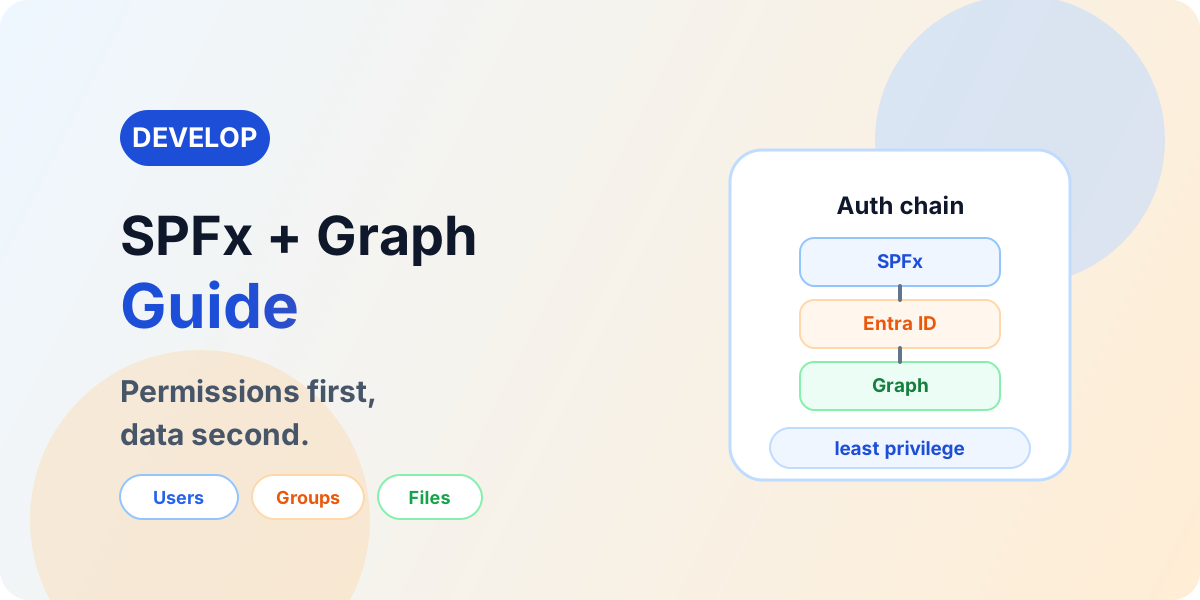
Direct answer: SPFx solutions often need data beyond the current SharePoint site — users, Microsoft 365 Groups, Teams, OneDrive, files, directory information, and other Microsoft 365 workloads. Microsoft Graph provides the unified API surface for many of these services, reached from SPFx through delegated authentication, approved least-privilege permissions, and a service layer that keeps Graph calls out of React components.
Calling Graph is easy. Designing permissions correctly is the important part. Most Graph failures in SPFx are approval, scope, and access problems — not code problems — so this guide treats permissions as the main subject and endpoints as its application.
- User — authenticated with single sign-on.
- SharePoint Online — hosts the SPFx solution.
- SPFx — requests data through the Graph client.
- Microsoft Entra ID — authenticates and issues scoped tokens.
- Access token — least-privilege proof, never logged.
- Microsoft Graph — users, groups, Teams, files, OneDrive, Microsoft 365 services.
For UI architecture, use SPFx and React; for SharePoint data, SPFx and PnPjs; for the lifecycle, the SPFx complete guide; for navigation, the SPFx hub.
What is Microsoft Graph for SPFx developers
Microsoft Graph exposes APIs across Microsoft 365 and Microsoft Entra resources. What matters to an SPFx developer is narrower than the whole platform: endpoints addressed per resource, resources modeled per workload, permissions declared per call, tokens acquired per user session, queries shaped per need, paging followed per response, and errors classified per cause. No history lesson follows — every section below is operational.
When should SPFx use Graph
Route by resource, not by habit. Current SharePoint site data leans toward SharePoint REST or PnPjs; cross-service Microsoft 365 data leans toward Microsoft Graph; custom business-system data leans toward a protected custom API:
SPFx
├── SharePoint REST — current-site SharePoint operations
├── PnPjs — convenient SharePoint operations
├── Microsoft Graph — cross-service Microsoft 365 data
└── External API — business-specific services
Real enterprise solutions routinely use several — Graph for people and files beside PnPjs for list internals, for example.
Graph versus SharePoint REST versus PnPjs
| Technology | Best fit | Strengths | Considerations |
|---|---|---|---|
| SharePoint REST | SharePoint-specific operations | Precise control, no abstraction | Verbose; manual typing and paging |
| PnPjs | Developer convenience over supported APIs | Fluent, typed, batteries included | Version alignment with the SPFx release |
| Microsoft Graph | Cross-Microsoft 365 resources | One surface, delegated permissions | Not every SharePoint operation is exposed |
Never rank them, never claim Graph replaces SharePoint REST, never claim PnPjs replaces Graph. The resource and the operation decide — and the decision is documented per call, not per project fashion. Depth: SPFx and PnPjs.
Authentication flow
SPFx runs in the user's browser, so authentication uses supported Microsoft and SPFx mechanisms with automatic single sign-on — developers never embed credentials anywhere in this chain:
- User — signed in with single sign-on.
- SPFx — requests data through the Graph client.
- Microsoft Entra ID — authenticates the user.
- Access token — scoped, short-lived, never logged or stored casually.
- Microsoft Graph — validates token and scope per call.
- Resource — returned under the grant and the user's access.
Authentication versus authorization
Authentication answers who is calling; authorization answers what the caller may do. A successful sign-in guarantees nothing about any specific call — the working equation is authenticated user plus approved API permission plus resource authorization equals successful request. Debugging starts by naming which term failed, because sign-in fixes never repair permission denials and vice versa.
Delegated access
Common SPFx Graph scenarios use the delegated, user-context model: the solution holds an approved Graph permission grant, the signed-in user holds their own resource access, and each call succeeds only where both allow. Never imply an approved scope gives a user unrestricted access to every object — actual behavior depends on permission type, resource, API, tenant policy, user access, and endpoint. Delegation means the app borrows the user's identity within the grant's ceiling, not that the grant transfers ownership of the directory.
- SPFx — declares the scope it needs.
- Graph permission granted plus signed-in user's permitted access — both required.
- Graph resource — returned where both allow.
Application permissions need a backend
Normal browser-based SPFx user-context Graph calls are fundamentally different from confidential server-side applications using application permissions. Never place client secrets, certificate private keys, or application credentials inside SPFx — the bundle is public by design. Where application-only access is genuinely required, the architecture becomes SPFx to a secure backend, backend to a Microsoft Entra application, application to Microsoft Graph — with the confidential credential remaining server-side at every step.
Never store client secrets in SPFx
Anything shipped to the browser can be inspected by the user — bundled secrets are published secrets. The only two supported shapes are SPFx with supported user authentication, or SPFx with a protected backend holding server-side credentials in front of Microsoft Graph. There is no third shape where a browser secret stays secret, so designs requiring one are redesigned, not implemented.
SUPPORTED:   SPFx → Supported User Authentication → Graph
SUPPORTED:   SPFx → Protected Backend → Server-Side Credential → Graph
NEVER:       SPFx JavaScript → Client Secret → Graph
Graph client in SPFx
Use the current Graph client approach verified against Microsoft documentation: the factory on the web part context vends the client, which speaks the Graph JavaScript client syntax. Older client generations are superseded — never present them as current guidance:
import type { WebPartContext } from "@microsoft/sp-webpart-base";
import type { MSGraphClientV3 } from "@microsoft/sp-http";

export async function getGraphClient(
  context: WebPartContext
): Promise<MSGraphClientV3> {
  return context.msGraphClientFactory.getClient("3");
}- SPFx context — carries the factory.
- Graph client factory — vends authenticated clients.
- Graph client — typed calls with user identity.
- Graph API — resources behind approved scopes.
Confirm the client generation against current documentation for the targeted SPFx release before implementing; client APIs evolve, and this guide tracks the verified current shape.
First Graph request
Read the signed-in user with an explicitly selected field set, map the response to an application model, and handle failure with a safe message:
const client = await getGraphClient(context);
try {
  const me = await client
    .api("/me")
    .select("id,displayName,mail,userPrincipalName")
    .get();
  return {
    id: me.id as string,
    displayName: me.displayName as string
  };
} catch (error) {
  throw new Error(
    "Profile could not be loaded. Confirm Graph permission approval."
  );
}
Request, typed mapping, error handling — the complete shape every later example in this guide repeats at larger scale.
Service-layer architecture
Graph calls scattered through components cannot be tested, reviewed, or permission-audited. Route every call through hooks into service interfaces with Graph-backed implementations — the same layering as the React and PnPjs guides, repeated deliberately because data features live or die by it:
AVOID:    React Component → Graph calls everywhere

PREFER:   React → Hook → IUserService
          → GraphUserService → Graph Client → Microsoft Graph
Separation buys testability, error handling in one place, permission isolation per service, and maintainability across team changes. Depth: SPFx and React.
Service interface
Components depend on operations, never on Graph response shapes:
import type { IUser } from "../models/IUser";

export interface IUserService {
  getCurrentUser(): Promise<IUser>;
  searchUsers(query: string): Promise<IUser[]>;
}
Graph response to application model
Map Graph responses to application models at the service boundary — maintainability, type safety, testability, and API isolation follow. When Graph reshapes a payload, one mapping function changes instead of every component rendering a name:
Graph Response → Service Mapping → Application Model → Reactexport interface IUser {
id: string;
displayName: string;
mail: string;
}
function toUser(payload: {
id: string;
displayName: string;
mail?: string;
}): IUser {
return {
id: payload.id,
displayName: payload.displayName,
mail: payload.mail ?? ""
};
}API permissions
Graph permissions are needed because the default grant covers far less than solutions typically call. Declare every required scope in the solution package so reviewers see the full access surface, deploy so the request surfaces for review, and treat tenant administrator approval as a deployment gate — unapproved scopes fail at runtime, never at build time. Least privilege governs every entry: each scope justified, documented, and no broader than the calls require.
- SPFx solution — declares required scopes.
- Permission requirement — visible to reviewers.
- Deployment — surfaces the request.
- Admin review — approve or reject per scope.
- Approve or reject — recorded decision.
- Runtime Graph access — succeeds only under approval.
Declaring permission requests
Solutions declare each requirement as a resource and scope pair — Microsoft Graph with one specific delegated permission per entry — in the solution package configuration. Request only the scopes the solution calls: one entry per need, no broad scopes added to make examples work, every entry documented with its purpose. Verify exact configuration property names and syntax against current Microsoft documentation before publishing, because packaging schemas evolve with the toolchain.
Permission approval workflow
The administrative flow stays conceptual here by design — admin center experiences change, while the invariant does not: solution requests permission, tenant administrator reviews, permission approved, SPFx runtime can request and use access. Mention exact UI locations only after verification against the current admin experience; describe the gate, the roles, and the recorded decision, never click paths that rot.
- Solution requests permission — declared in the package.
- Tenant administrator reviews — scope against justification.
- Permission approved — recorded per solution.
- SPFx runtime can request and use access — under the grant.
Least privilege
Identify the exact API, determine the minimum permission it needs, request only that scope, and document why it is required. Broad scopes requested just in case expand governance and security impact across every user of the solution — and invite rejection at review. Least privilege is a per-call discipline, not a manifest slogan.
AVOID:    Request broad scope "just in case"
PREFER:    Identify API → Minimum permission → Request only that scope → Document why
Permission matrix
Each entry verified against long-standing delegated Graph permissions; still verify before use, because scopes and endpoint requirements evolve. Where multiple scopes could serve, the narrower one is listed with the reason.
| Scenario | Graph resource | Possible permission | Verify before use |
|---|---|---|---|
| Read signed-in user | /me with selected fields | User.Read | Endpoint and select support |
| Search and read users | /users with query | User.ReadBasic.All | Query capabilities and headers |
| Read group information | /groups | Group.Read.All | Group types in scope |
| Read group members | /groups/{id}/members | GroupMember.Read.All | Membership types returned |
| Read Teams information | /teams | Team.ReadBasic.All | Endpoint currency |
| Read files | /me/drive, drive items | Files.Read.All | Drive versus site scoping |
Reading the signed-in user
Select id, displayName, mail, and userPrincipalName explicitly — requesting only required properties keeps payloads small, contracts clear, and privacy reviewers calm. Never assume every property populates for every principal; disabled, external, and system accounts resolve thinly.
const me = await client
  .api("/me")
  .select("id,displayName,mail,userPrincipalName")
  .get();
Users
Current user, user by ID, profile reads, and user search or listing where permissions allow — each with $select, each respecting that directory data varies by principal. Never expose unnecessary directory data in UI or logs; request, render, and retain only what the feature requires and the grant authorizes.
User search
Search syntax, headers, and advanced-query requirements vary by endpoint and change over time — verify current query requirements before publishing search code, and never ship a simplistic query untested against current Graph behavior. Wrap search in debounced, result-limited, paged service calls with permission handling, because directory search is where throttling, privacy, and empty-result UX collide.
Groups
Microsoft 365 Groups, Entra Security Groups, and SharePoint Groups are not interchangeable — different authorities, different APIs, different lifecycles. Route SharePoint Groups to SharePoint APIs, Microsoft 365 and Entra Groups to Microsoft Graph, and document which authority each feature depends on so future maintainers stop guessing:
SharePoint Group → SharePoint APIs
Microsoft 365 Group → Microsoft Graph
Entra Group → Microsoft Graph
Group members
Read members with paging, approved scopes, and membership-type awareness — nested, guest, and service principals resolve differently and surprise code written against uniform test tenants. Never assume every group membership scenario behaves identically; verify per group type in scope.
Teams
Team information, channels, and members flow through current Teams endpoints with appropriate approved scopes — included here as verified-current patterns only, without making Teams the article's focus. Confirm endpoint and permission currency before implementing, and link dedicated Teams and Graph content when it exists rather than duplicating it.
OneDrive and files
Think Drive and DriveItem: the current user's drive, files, folders, and metadata addressed uniformly, with files and folders as DriveItem facets rather than separate universes. Never confuse Graph DriveItem operations with the full SharePoint document-library surface — versioning detail, approval flows, and library policy still favor SharePoint-side APIs:
Graph
↓
Drive
↓
DriveItem
├── File
└── Folder
SharePoint through Graph
Graph exposes SharePoint-related sites, lists, and drives where supported — but never identically to SharePoint APIs. Route per operation: where Graph serves the need well it fits; where it does not, SharePoint REST or PnPjs carries the call. This judgment call, made per operation and documented per service, separates architecture from fashion.
- SharePoint requirement — stated operationally.
- Graph supports the operation well? — yes fits Graph.
- Otherwise — SharePoint REST or PnPjs.
$select: request only what you render
Default property sets are generous; production queries are not. Project every call to the fields the UI renders — smaller payloads, clearer contracts, fewer privacy questions, and measurably faster pages. Untrimmed Graph calls in review are defects, not style choices.
const users = await client
  .api("/users")
  .select("id,displayName,mail")
  .top(25)
  .get();
$filter with verification
Filters belong server-side — but not every property or resource supports every filter operator, and some queries need additional headers or capabilities. Verify per endpoint before publishing filter code, and never generalize one endpoint's filter behavior across all Graph APIs. Unverifiable filters stay out of examples; verified ones ship with their requirements documented.
$expand where supported
Graph OData query-option support varies by resource — verify before using, and never teach expand as universally available. Where supported, expansions replace follow-up calls with one shaped response; where unsupported, the design falls back to explicit secondary reads with the same service-layer handling.
$orderby with verification
Order only against endpoints where current support is verified, and keep ordering inside paged queries so page boundaries stay stable across fetches. Unverifiable ordering claims stay out of production code.
$search with care
Some Graph resources demand specific query syntax, consistency headers, counts, and permissions before search works at all. Verify exact requirements per resource before publishing search examples — search is the query option most likely to fail when copied between endpoints.
Paging with nextLink
Graph responses page: follow the next-link URLs Graph returns instead of reconstructing them, rendering one page at a time and fetching onward on demand. Never assume the first response holds the complete dataset — that assumption is the most common Graph data bug in production solutions:
export interface IPagedUsers {
  users: IUser[];
  nextLink?: string;
}

export async function getUsersPage(
  client: MSGraphClientV3,
  url?: string
): Promise<IPagedUsers> {
  const response = url
    ? await client.api(url).get()
    : await client
        .api("/users")
        .select("id,displayName,mail")
        .top(50)
        .get();
  return {
    users: (response.value ?? []).map(toUser),
    nextLink: response["@odata.nextLink"] as string | undefined
  };
}- Request — first page with select and top.
- Page one — rendered immediately.
- Next link — followed verbatim when present.
- Page two onward — fetched on demand, never prefetched blindly.
Batching
Group independent Graph requests into batches with per-response status handling — verifying current batching limits and behavior before publishing exact numbers. Batch for fewer round trips on genuinely independent calls; dependent sequences stay sequential, and heavy fan-out gets redesigned rather than batched harder.
Request A · Request B · Request C
↓
Graph Batch
↓
Responses (each with its own status)
Batching versus parallel versus sequential
Sequential suits dependent operations, parallel suits independent calls needing separate handling, batching suits API-supported groupings — chosen by dependencies, volume, endpoint behavior, throttling, and error handling. Never fire uncontrolled parallel request sets across large datasets; bound, handle, and redesign instead.
Throttling
Microsoft Graph throttles busy clients with 429 responses carrying the server's retry guidance. Read that guidance where provided, wait, retry appropriately, then reduce volume through select, paging, batching, caching, and debounced search. Never invent retry delays, never hammer throttled endpoints, and verify current throttling guidance rather than quoting remembered numbers.
- 429 — throttled, not broken.
- Read retry guidance — server-provided where available.
- Wait — honor the guidance.
- Retry appropriately — then reduce future volume.
Retry strategy
Retry transient failures — network blips and guided throttling windows — and stop there. Never repeatedly retry permission denials, missing resources, or invalid queries without fixing root causes; exponential backoff applies only where consistent with current Microsoft guidance, and every retry path carries a visible ceiling.
401 Unauthorized
Token, authentication, resource-audience, expiry, context, or custom-API authentication problems — never one universal cause. Isolate the layer: sign-in and token acquisition first, audience and context second, custom API configuration third. Authentication failures get identity fixes, never permission-scope guesses.
403 Forbidden
The highest-value diagnostic in this guide. Work the chain in order — endpoint, required permission, requested scope, admin approval state, user and resource access, tenant policy — then retest. Most Graph 403s in SPFx are unrequested scopes, unapproved grants, or users lacking resource access; code defects trail far behind, so fix identity and approval before touching implementation.
- 403 — authorization failed, identity intact.
- Which endpoint? — name the exact call.
- Required permission? — per current documentation.
- Requested? — declared in the package.
- Approved? — administrator decision recorded.
- User and resource access? — effective access tested.
- Tenant policy? — conditional and governance rules.
- Retest — one variable at a time.
404 Not Found
Wrong IDs, wrong endpoints, deleted resources, incorrect tenant or resource context, unsupported routes — never assume permission from a 404. Verify addressing before authorization theories; most 404s are typos, renames, and environment mismatches wearing an intimidating status code.
Graph error responses
Inspect status code, error code, and request or correlation identifiers where provided during development — then log categories, never tokens, payloads, or personal data beyond need. Sanitized errors reach users; full diagnostics reach support channels with access controls.
Graph Explorer, correctly understood
Graph Explorer tests endpoints, responses, query parameters, permission requirements, and request diagnosis superbly — under its own context and consents. A query succeeding there proves the endpoint and the query, never the SPFx solution's permissions. Verify solution scopes, approval state, and real-user access separately, every time.
Official tool: Microsoft Graph Explorer.
Development diagnostic workflow
- Graph request fails — with status and evidence captured.
- Test endpoint and query — isolate syntax from auth.
- Check Microsoft documentation — current requirements.
- Check required permission — per endpoint.
- Check SPFx permission request — declared scope.
- Check admin approval — recorded decision.
- Check user access — effective, as the user.
- Inspect network and error — sanitized diagnostics.
- Retest — single variable changed.
Performance
Select explicitly, filter server-side where supported, page results, avoid duplicate calls, batch where appropriate, cache cautiously, avoid N+1 patterns, and debounce search. Directory-shaped data punishes lazy querying hardest: small result sets hide sins that tenant-wide features expose on day one.
N+1 Graph requests
Fetching a hundred users then requesting per-user details creates a hundred-and-one-request page. Prefer better initial queries, batching, different resources, reference-data caching, or architecture redesign where supported — while admitting Graph cannot always expand the needed relationship, in which case the design changes instead of the request count.
Caching Graph data
Configuration and slow-changing reference information cache well; user-specific, permission-sensitive, directory, and fast-changing data cache dangerously. Every entry needs staleness, invalidation, privacy, and tenant-boundary answers before it ships — a shared cache key across users is a data leak with a performance excuse.
Privacy and data minimization
Request only the data the feature requires — directory properties, profile data, and membership information appear in UI and logs only where the business scenario needs them and authorization covers them. No legal compliance claims are made here; the engineering rule stands alone: minimized data is minimized blast radius.
Security checklist
Graph with React
Components consume hooks, hooks consume user services, services call the Graph client into Microsoft Graph — the exact layering from the React guide, repeated because data features live or die by it. Depth: SPFx and React.
React → useEmployees → IUserService
→ GraphEmployeeService → Graph Client → Microsoft Graph
Graph with PnPjs nearby
PnPjs may expose Graph functionality through its graph packages with a parallel factory — useful where SharePoint-adjacent identity data rides along. Never force all Graph access through PnPjs: direct Graph client calls stay first-class, with boundaries drawn per feature. Depth: SPFx and PnPjs.
SPFx ├── PnPjs → SharePoint
└── Graph Client → Microsoft Graph
External APIs versus Graph
Microsoft Graph serves Microsoft 365 APIs; custom and external APIs serve business-specific services. Protected custom APIs use current SPFx mechanisms where verified — never confuse Graph permissions with custom API permissions, which live in different authorities with different approval paths.
Illustrative solution: employee directory
Labeled illustrative architecture, never a customer case. An employee directory web part on SharePoint Online renders React search, names, titles, departments, and contact details only where required and available — through a hook, a user service interface, and a Graph-backed implementation under minimum verified permissions. Broad directory scopes for convenience are explicitly out: the example requests only what its UI renders.
- SharePoint Online — host surface.
- SPFx — context and lifecycle.
- React — search and directory UI.
- useEmployees — data, loading, error, refresh.
- IEmployeeService — the contract.
- GraphEmployeeService — delegated Graph implementation.
- Microsoft Graph — users behind approved scopes.
Example: Graph service
The complete service shape — client acquisition, selected fields, typed mapping, classified errors — reusing the patterns established above:
import type { WebPartContext } from "@microsoft/sp-webpart-base";
import type { MSGraphClientV3 } from "@microsoft/sp-http";
import type { IUser } from "../models/IUser";

export async function searchUsers(
  context: WebPartContext,
  query: string
): Promise<IUser[]> {
  const client: MSGraphClientV3 =
    await context.msGraphClientFactory.getClient("3");
  try {
    const response = await client
      .api("/users")
      .select("id,displayName,mail")
      .top(25)
      .get();
    const value = response.value ?? [];
    return value.map((entry: {
      id: string;
      displayName: string;
      mail?: string;
    }) => ({
      id: entry.id,
      displayName: entry.displayName,
      mail: entry.mail ?? ""
    }));
  } catch (error) {
    throw new Error(
      "User search failed. Confirm Graph permission approval " +
        "and the current user's access."
    );
  }
}
Example: error-handling wrapper
One wrapper shape for try, catch, status handling, and safe logging — reused by every Graph service in the solution:
export async function runGraphQuery<T>(
  operation: string,
  action: () => Promise<T>
): Promise<T> {
  try {
    return await action();
  } catch (error) {
    throw new Error(
      operation + " failed. Check permissions, approval, and access."
    );
  }
}
Tokens never enter logs; operation names and categories do. Callers translate these errors into hook state and safe UI messages.
Permission-first development
- Define business requirement — the feature, owned.
- Identify Graph resource — users, groups, files.
- Identify exact API — endpoint and query verified.
- Determine minimum permission — narrowest working scope.
- Add permission request — declared in the package.
- Admin review — justification scrutinized.
- Implement — service behind the grant.
- Test with real user permissions — personas, not admins.
- Validate production — approval and access re-confirmed.
Permissions lead, code follows — the key takeaway teams should carry out of this guide.
Test multiple user personas
Never test only as tenant administrator. Exercise standard users, resource owners and members, and users without resource access — verifying both positive access and negative access. Persona testing detects over-permission and authorization assumptions that admin-only testing structurally cannot see.
Dev, test, and production
Tenant IDs, API permission approval, data, users and groups, tenant policies, custom API registrations, and environment configuration all differ across stages. A Graph request working in development proves nothing about production permissions — re-validate approval and access per environment before sign-off.
Common SPFx and Graph mistakes
| Mistake | Why it causes problems | Better direction |
|---|---|---|
| Requesting broad permissions | Expands governance impact and invites rejection | Least privilege per call, documented |
| Putting secrets in SPFx | Bundles are public; secrets leak on delivery | Server-side credentials behind a backend |
| Assuming approval equals unrestricted user access | Grants bound calls, not users, to resources | Test effective access per persona |
| Using beta endpoints unnecessarily | Preview behavior changes without notice | v1.0 where available; label beta explicitly |
| Ignoring paging | Silent data loss past the first page | Follow next links on every collection |
| Ignoring 429 | Escalating throttling into outages | Honor guidance, then reduce volume |
| No select projection | Oversized payloads with privacy surface | Project every query to rendered fields |
| N+1 requests | Request storms per rendered row | Better queries, batching, or redesign |
| Graph calls scattered in React | Untestable, unreviewable data flow | Services behind interfaces |
| Testing only as admin | Blindness to real authorization behavior | Persona matrix per feature |
| Confusing SharePoint Groups and Entra Groups | Wrong API, wrong authority, wrong results | Route per group authority |
| Assuming Graph replaces all SharePoint REST | Missing capabilities mid-project | Validate per operation, keep both |
| Logging tokens | Credential exposure in support channels | Categories and correlation only |
| Hard-coded tenant and resource IDs | Environment breakage on every move | Externalize and verify per stage |
| Treating Explorer success as SPFx proof | Different contexts, different consents | Verify solution scopes and approval separately |
Troubleshooting matrix
| Symptom | Check | Likely category | Next step |
|---|---|---|---|
| 401 | Sign-in, token, audience, context | Authentication | Fix identity before code changes |
| 403 | Endpoint, scope, approval, access, policy | Authorization | Work the 403 chain in order |
| 404 | IDs, endpoints, context, deletion | Addressing | Verify the address before theories |
| 429 | Volume, patterns, guidance | Throttling | Honor guidance, reduce volume |
| Empty results | Filters, permissions, scoping | Query or access | Loosen filters, then check access |
| Missing property | Select list, permissions, population | Projection or data | Request explicitly, verify population |
| Paging incomplete | Next-link handling | Client logic | Follow links on every collection |
| Permission request pending | Admin center state | Approval gap | Obtain the recorded decision |
| Approved but still failing | User access, scopes, policy | Authorization layers | Test effective access per persona |
| Works in Explorer, not SPFx | Solution scopes versus Explorer consents | Context mismatch | Verify solution approval separately |
| Works for admin, not users | Persona access, scopes | Authorization assumptions | Test the failing persona directly |
| Teams endpoint fails | Endpoint and scope currency | API drift | Re-verify docs before code changes |
| Group members incomplete | Types, paging, scopes | Shape assumptions | Page fully, check types and scopes |
Architecture blueprint: SPFx and Microsoft Graph
Labeled solution blueprint, never a customer case. A user reaches SharePoint Online, where SPFx renders React UI backed by services calling the Graph client — authenticated by Entra ID into users, groups, Teams, drives, and Microsoft 365 resources — surrounded by least privilege, API permissions, paging, throttling, error handling, logging, configuration, and data minimization.
- User — authenticated with single sign-on.
- SharePoint Online — host surfaces.
- SPFx — context and lifecycle.
- React — components and hooks.
- Service layer — typed Graph operations.
- Graph client — authenticated delegated calls.
- Microsoft Entra ID — identity beneath every call.
- Microsoft Graph — users, groups, Teams, drives, Microsoft 365 resources.
Production readiness checklist
Architecture: service layer used; Graph calls separated from React; models and interfaces defined; environment configuration separated.
Permissions: endpoints documented; minimum permissions identified; requests configured; admin approval verified; multiple personas tested.
Security: no secrets; tokens never logged; least privilege; sensitive data minimized; errors sanitized.
Queries: select used where appropriate; server-side filtering where supported; paging handled; N+1 reviewed; batching considered.
Reliability: 401, 403, 404, and 429 handled; retry behavior appropriate.
Production: dev, test, and prod differences documented; tenant approval validated; logging reviewed; ownership documented; beta dependencies identified.
Migration and modernization connection
Legacy SharePoint JavaScript calling old endpoints modernizes operation by operation into service-layer Graph, PnPjs, or REST inside SPFx. Depth: Script Editor to SPFx modernization, Classic to Modern SharePoint, and the migration hub. Graph is never automatically required during modernization — the operation decides.
Building an SPFx and Microsoft Graph solution
If you are working through Graph permissions, authentication, users and groups, Teams, data access, throttling, or complex Microsoft 365 integrations, share the technical challenge with nextM365: Discuss Your SPFx Project.
Continue with Explore SPFx, the SPFx complete guide, SPFx and React, SPFx and PnPjs, and Microsoft Graph for beginners.
Related resources
Topics covered
React · Project Structure · Permissions · ALM · Security
Frequently asked questions
Can SPFx call Microsoft Graph?
Yes, through the current Graph client with delegated permissions approved by a tenant administrator. Calls run as the signed-in user, requests use least-privilege scopes, and 401 and 403 responses are handled distinctly.
How does SPFx authenticate to Microsoft Graph?
Through supported SPFx mechanisms with automatic single sign-on in SharePoint Online — developers never embed credentials. Authentication identifies the user; separate authorization layers decide what each call may do.
Does SPFx need an app registration to call Graph?
Not a separate developer-managed registration for standard delegated scenarios — the solution declares permission requirements in its package and a tenant administrator approves them. Confidential server-side scenarios needing application permissions are architected through a secure backend instead.
How are Microsoft Graph permissions approved for SPFx?
The solution declares each required scope, deployment surfaces the request, a tenant administrator reviews and approves or rejects it, and only approved scopes work at runtime. Unapproved permissions fail when called, not when deployed.
What is the difference between delegated and application permissions?
Delegated permissions let an app act as the signed-in user within that user’s access; application permissions let a confidential server-side app act on its own. Browser-based SPFx user-context calls use the delegated model — never application credentials in the bundle.
Can I store a client secret in SPFx?
No. Anything shipped to the browser is inspectable, so client secrets, certificates, and privileged keys belong server-side. Designs requiring confidential credentials add a protected backend between SPFx and Graph.
Why does Microsoft Graph return 403 in SPFx?
Work the chain: which endpoint, which permission it requires, whether that scope was requested, whether an administrator approved it, whether the user has resource access, and whether tenant policy intervenes. Most 403s are approval or access gaps, not code defects.
Why does Graph work in Graph Explorer but not SPFx?
Graph Explorer runs under its own context and consents, so its success proves the endpoint and query — never the SPFx solution’s permissions. Verify the solution’s requested scopes, admin approval state, and the real user’s access separately.
How do I handle Microsoft Graph paging?
Follow the next-link URLs Graph returns instead of reconstructing them, rendering one page at a time and fetching onward on demand. Never assume the first response holds the complete dataset.
How do I handle Graph 429 errors?
Read the server’s retry guidance where provided, wait, and retry appropriately — then reduce request volume through select, paging, batching, caching, and debounced search. Never invent retry delays or hammer throttled endpoints.
Should SPFx use Graph or PnPjs?
Graph for cross-Microsoft 365 resources such as users, groups, Teams, and files; PnPjs or SharePoint REST for SharePoint-specific operations Graph does not expose equally. Real solutions routinely use both, chosen per resource and operation.
Can Microsoft Graph replace SharePoint REST?
No. Graph exposes SharePoint-related resources such as sites, lists, and drives where supported, but not every SharePoint capability identically. Validate per operation and keep SharePoint-side APIs where they fit better.
Can SPFx call Teams APIs through Graph?
Where supported and verified for the scenario — team information, channels, and members through current Teams endpoints with the appropriate approved scopes. Confirm endpoint and permission currency before implementing.
Sources
- Microsoft Learn: Use Msgraph, Microsoft
- Microsoft Learn: Sharepoint Framework Overview, Microsoft
Have a Microsoft 365 topic idea?
Share article suggestions, community session ideas, corrections, or real-world scenarios for future nextM365 learning notes.
Keep learning Microsoft 365
Explore more practical tutorials for SharePoint, Power Platform, Copilot Studio, migration, automation, governance, and security.
Continue learning
Related tutorials