SPFx + PnPjs: Complete Developer Guide
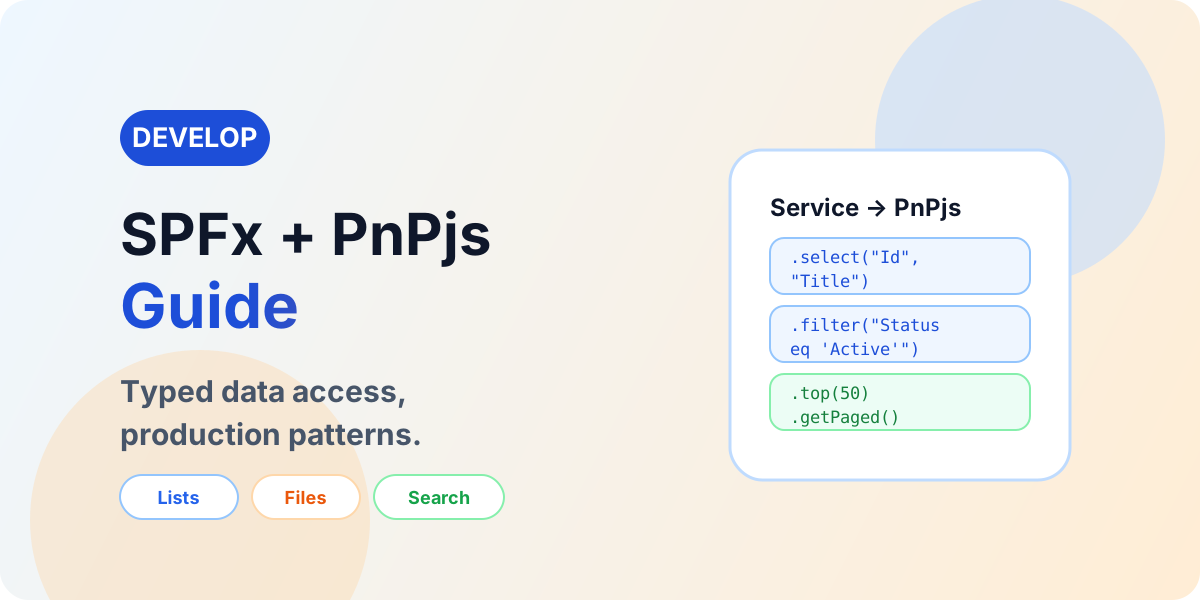
Use PnPjs in SPFx with current patterns for lists, CRUD, filtering, paging, batching, files, users, groups, and search — behind a service layer.
- Published
- Reading time
- 21 min read
What you’ll learn
- What is PnPjs
- PnPjs versus SharePoint REST
- PnPjs versus Microsoft Graph
- Installation
- Initialize PnPjs in SPFx
On this page (65 sections)
Direct answer: SPFx solutions frequently need to read and update SharePoint data. SharePoint REST can be called directly, but PnPjs provides a typed JavaScript and TypeScript API that simplifies many common SharePoint and Microsoft 365 scenarios. Using PnPjs does not automatically create a good architecture, however — production solutions still need service separation, efficient queries, paging, error handling, permission handling, data-volume planning, security, and testing.
Use PnPjs to simplify API access — not to move all data logic into React components. Every pattern in this guide routes through the same layers:
- React or SPFx component — renders props and state.
- Service layer — typed operations behind interfaces.
- PnPjs — fluent calls over supported APIs.
- SharePoint — lists, items, libraries, files, folders, users, groups, search.
For UI architecture, use SPFx and React; for the full lifecycle, the SPFx complete guide; for navigation, the SPFx hub.
What is PnPjs
PnPjs is an open-source, community-maintained Microsoft 365 developer library with a fluent, TypeScript-friendly API over SharePoint APIs and — through its graph packages — parts of Microsoft Graph. Understand what it is not: not a separate SharePoint database, not a migration tool, not a security bypass, not a replacement for SharePoint permissions, and not a universal replacement for Microsoft Graph or every REST endpoint. It simplifies calls; authorization still comes entirely from SharePoint and Microsoft Entra ID.
PnPjs versus SharePoint REST
Raw REST means the SPFx HTTP client, a hand-built endpoint URL, and manual response parsing. PnPjs means the same call expressed fluently with types:
RAW REST:   SPFx → HTTP Client → REST URL → Parse Response
PNPJS:      SPFx → PnPjs → Fluent API → SharePoint
PnPjs ultimately works with Microsoft 365 APIs — it creates no new platform permissions and adds no new capabilities beyond those APIs. REST knowledge stays valuable for debugging, for operations PnPjs does not wrap, and for understanding what the fluent call actually sends over the wire.
PnPjs versus Microsoft Graph
Reach for PnPjs for convenient SharePoint operations and for Microsoft Graph for cross-Microsoft 365 APIs — with the honest middle ground that PnPjs also ships Graph capabilities depending on current package and API design. Neither implication holds: PnPjs is not SharePoint-only, and Graph does not replace all SharePoint APIs. Deep Graph integration belongs in the future dedicated Graph article; this guide uses Graph only where PnPjs meets it.
Installation
Install only the packages the solution uses — never the entire PnPjs ecosystem by habit. The documented baseline for SharePoint plus Graph work is:
npm install @pnp/sp @pnp/graph --saveVerify exact package names before publishing, because package boundaries move between PnPjs major versions. Import selectively per module (lists, items, files, and so on) so bundlers can tree-shake what the solution never calls.
Initialize PnPjs in SPFx
The current recommended pattern creates an SPFI instance bound to the web part context — verified against official PnP documentation, identical across PnPjs v3 and v4 for getting started:
import { spfi, SPFx } from "@pnp/sp";
import "@pnp/sp/webs";
import "@pnp/sp/lists";
import "@pnp/sp/items";
import type { WebPartContext } from "@microsoft/sp-webpart-base";

export function createSharePoint(
  context: WebPartContext
): ReturnType<typeof spfi> {
  return spfi().using(SPFx(context));
}
Initialization happens once per service, constructed with the web part context — so calls run as the current user with no secrets involved. When SharePoint and Graph packages are used together, alias the behavior imports per the official guidance instead of colliding them.
- SPFx context — user, site, and clients from the web part.
- SPFI — the configured PnPjs instance.
- PnPjs — fluent SharePoint operations.
- SharePoint — data behind approved access.
Avoid reinitializing PnPjs everywhere
Components creating their own SPFI instances scatter configuration, multiply identities to reason about, and defeat testing. Prefer one reusable initialization flowing web part, SPFI instance, services, components — constructed once, injected as a dependency, mocked in tests. Do not enforce singleton dogma blindly: per-service instances with clear ownership beat a global that every module mutates.
AVOID:    Component A → create SPFI
          Component B → create SPFI
          Component C → create SPFI

PREFER:   SPFx Web Part → SPFI Instance → Services → Components
Service-layer architecture
The central discipline: React components and hooks consume service interfaces; service implementations call PnPjs. This buys maintainability, testability, reuse, centralized error handling, and separation of concerns that survives team changes:
AVOID:    React Component → PnPjs Calls Everywhere → SharePoint

PREFER:   React Component → Hook → IProjectService
          → ProjectService → PnPjs → SharePoint
Depth: SPFx and React for the UI side of this contract.
Service interface
Components depend on operations, never on data sources. An architecture-oriented project service shows the shape — realistic project operations, not demo data:
import type { IProject, INewProject } from "../models/IProject";

export interface IProjectService {
  getProjects(): Promise<IProject[]>;
  getProject(id: number): Promise<IProject | undefined>;
  createProject(project: INewProject): Promise<number>;
  updateProject(id: number, changes: Partial<IProject>): Promise<void>;
}
Data models
Map SharePoint items to application models at the service boundary so UI components never couple to raw response shapes:
SharePoint Item → Service Mapping → Application Model → Reactexport interface IProject {
id: number;
title: string;
status: string;
ownerName: string;
modified: string;
}
export interface INewProject {
title: string;
status: string;
}When the list schema evolves, one mapping function changes instead of every component that renders a title.
Get a list
Reference lists by title for readability or by ID for stability — stable IDs survive renames, which matters in environment-aware solutions where titles drift between tenants. Never hard-code production identifiers without a configuration story; titles belong in web part properties or configuration, IDs in environment configuration:
const byTitle = sp.web.lists.getByTitle(listTitle);
const byId = sp.web.lists.getById(listId);
Get list items
Retrieve a Projects list — Id, Title, Status, Owner, Modified — selecting required fields, filtering server-side, ordering, and paging from the first query. Never fetch every field and every item to sort out later in React:
const items = await sp.web.lists
  .getByTitle("Projects")
  .items.select("Id", "Title", "Status", "Author/Title", "Modified")
  .expand("Author")
  .filter("Status eq 'Active'")
  .orderBy("Modified", false)
  .top(50)();
Each clause earns its place: select trims payload, filter and orderBy push work server-side, top bounds the page. Verify field internal names before publishing — display names fail silently in queries.
Select only required fields
Retrieving complete item payloads when only Id, Title, and Status render wastes network, parsing, memory, and time on every load. The current PnPjs equivalent of $select is the select clause above — project every query to the columns the UI actually renders, and treat untrimmed queries as defects in review.
BAD:      Retrieve complete item payload (all fields, all items)
BETTER:   .select("Id", "Title", "Status") + filter + page
Filtering
Filter on indexed, filterable columns — status equality, modified dates, booleans, numbers — using OData filter strings evaluated server-side. Server-side filtering scales; loading everything and filtering in React collapses past trivial volumes. Confirm filterable columns per list rather than assuming every column type supports every operator.
const active = await sp.web.lists
  .getByTitle("Projects")
  .items.select("Id", "Title", "Status")
  .filter("Status eq 'Active'")();
Ordering
Order server-side with the current syntax — Modified descending for activity views, Title ascending for directories — keeping ordering inside the paged query so pages stay stable across fetches:
const recent = await sp.web.lists
  .getByTitle("Projects")
  .items.select("Id", "Title", "Modified")
  .orderBy("Modified", false)
  .top(25)();
Top and limiting results
Limiting returned records bounds individual responses and keeps initial renders fast. Never present top as pagination replacement — a top-50 query answers "first fifty," not "all data in fifties," and treating it as paging silently drops everything beyond the limit.
Select and expand
Person and lookup columns arrive as references until expanded. Expand carefully — each expansion multiplies payload — and retrieve only the nested properties the UI renders:
const items = await sp.web.lists
  .getByTitle("Projects")
  .items.select("Id", "Title", "Author/Title", "Author/EMail")
  .expand("Author")();
Verify person and lookup internal names per list; avoid large nested expansions that reintroduce the payload problem select just solved.
Lookup fields
Reads resolve through lookup ID with expanded values; writes target the lookup ID. Where list relationships differ between environments — and they do after migrations — the lookup mapping belongs in configuration and validation, not in assumptions. Keep this section development-focused: IDs in, values out, mappings verified per environment.
Person fields
Retrieve Id with title or display value and email where available and appropriate — never assume every identity property is populated for every principal. Person data carries privacy weight: render only what the experience needs, respect that disabled or external principals resolve thinly, and keep permission-gated visibility in mind when caching or logging.
Choice and multi-choice fields
Reads return values directly; writes send the value or value collection the field type expects. Verify update payload syntax against current PnPjs and SharePoint behavior before publishing — choice serialization varies by single versus multi configuration, and guessing produces silent data corruption rather than loud errors.
Managed metadata
Taxonomy-backed fields can require special handling across PnPjs and SharePoint APIs — term identities, term store context, and validation behavior differ from plain columns. This guide covers the concept only: if taxonomy writes are in scope, verify current handling against official documentation first, and track a dedicated taxonomy deep-dive as future content rather than inventing a generic update example here.
Create list item
Creates flow from React form through validation, service, and PnPjs into the list — with async states, success confirmation, and failure messaging. Client-side validation improves UX; it never authorizes anything:
import type { SPFI } from "@pnp/sp";

export async function createProject(
  sp: SPFI,
  listTitle: string,
  project: INewProject
): Promise<number> {
  if (!project.title || !project.title.trim()) {
    throw new Error("A project title is required.");
  }
  const result = await sp.web.lists.getByTitle(listTitle).items.add({
    Title: project.title.trim(),
    Status: project.status
  });
  return result.data.Id as number;
}- React form — validates for UX, submits a model.
- Service — validates again, calls PnPjs.
- PnPjs — adds the item under user permissions.
- SharePoint list — enforces required fields and policy.
Update list item
Send only changed, necessary fields — never round-trip entire items on every edit. Read-modify-write belongs in the service, concurrency expectations stay explicit, and failures surface which fields rejected the update rather than a generic fault:
import type { SPFI } from "@pnp/sp";

export async function setProjectStatus(
  sp: SPFI,
  listTitle: string,
  id: number,
  status: string
): Promise<void> {
  await sp.web.lists
    .getByTitle(listTitle)
    .items.getById(id)
    .update({ Status: status });
}
Delete list item
Deletes stay rare, confirmed, and permission-checked: confirmation UX first, service call second, error handling for already-deleted and denied cases. Destructive actions earn explicit confirmation dialogs and clear recovery messaging — never a bare icon button with no guard.
import type { SPFI } from "@pnp/sp";

export async function deleteProject(
  sp: SPFI,
  listTitle: string,
  id: number
): Promise<void> {
  await sp.web.lists
    .getByTitle(listTitle)
    .items.getById(id)
    .delete();
}
CRUD architecture
CREATE · READ · UPDATE · DELETE
↓
SERVICE (validation, mapping, errors)
↓
PnPjs
↓
SHAREPOINT

Surrounded by: Validation · Permissions ·
Error Handling · Logging
Files and document libraries
Libraries combine files with list-item metadata, so file work is always two-sided. Common operations — get files, upload, download and access, metadata updates, move and copy where supported, delete, folder navigation — each resolve through file and folder APIs verified below. Verify current file APIs against official PnP documentation before implementing upload and move paths.
File upload
Uploads resolve a target folder, send bytes with metadata handled separately, and confirm the result — with small versus large file paths differing only where current APIs materially diverge. Never invent size thresholds: verify current authoritative documentation if limits matter to the design, and test uploads at production sizes rather than with kilobyte samples:
import type { SPFI } from "@pnp/sp";
import "@pnp/sp/webs";
import "@pnp/sp/folders";
import "@pnp/sp/files";

export async function uploadStatusReport(
  sp: SPFI,
  libraryTitle: string,
  fileName: string,
  content: ArrayBuffer
): Promise<void> {
  const folder = sp.web.lists
    .getByTitle(libraryTitle)
    .rootFolder;
  await folder.files.addUsingPath(fileName, content, {
    Overwrite: true
  });
}
File metadata
A document library row is a file plus its associated list item — updates target the item while bytes target the file. Confusing the two produces metadata writes that vanish and file operations that ignore columns:
FILE → bytes, versions, check-out
ASSOCIATED LIST ITEM → columns, content types, approvals
METADATA UPDATE → item update after upload, verified by re-read
Folders
Get folders, list their files, create folders where the design requires, and navigate structures deliberately — without promoting deep nesting as default information architecture. Folder APIs serve migration-era structures and legitimate working sets; new designs still prefer flat libraries with metadata.
const files = await sp.web
  .getFolderByServerRelativePath(folderUrl)
  .files.select("Name", "Length")();
Users
Read the current user, enumerate site users, and resolve identities where appropriate — distinguishing SharePoint site users from Microsoft Entra users and Microsoft Graph users at every step. Identity properties vary by principal type and privacy posture, so verify availability per scenario rather than assuming every field resolves:
const me = await sp.web.currentUser.select("Title", "Email")();SharePoint Groups
Get groups, read members, and check group information through the SharePoint group APIs; manage membership only where the acting user holds rights, since write operations enforce real authorization. Never confuse SharePoint Groups with Microsoft 365 Groups or Entra groups — different authorities, different APIs, different lifecycles:
const members = await sp.web.siteGroups
  .getByName(groupName)
  .users.select("Title", "Email")();
Microsoft 365 and Entra groups
These are Graph-oriented identity resources, not SharePoint constructs:
SharePoint Group → SharePoint API / PnPjs SharePoint
Microsoft 365 Group → Microsoft Graph
Entra Group → Microsoft Graph
Depth for the Graph side belongs in the future dedicated Graph article; this guide crosses the boundary only to keep the authorities straight.
Search
Query text, selected properties, row limits, refiners where supported, paging, and result mapping through the current search APIs — without attempting the entire SharePoint Search schema here. Verify current search syntax against official PnP documentation; search shapes move more than list shapes:
import "@pnp/sp/search";

const results = await sp.search({
  Querytext: "project status",
  SelectProperties: ["Title", "Path"],
  RowLimit: 25
});
Search versus list query
| List query | Search |
|---|---|
| Known list or library, structured filtering, item-centric operations | Cross-site discovery over the search index, broader content finding |
Neither is universally better: queries own known structures with freshness guarantees, search owns discovery across estates with index latency. Choose per question asked.
Paging
Fetching all items is the wrong production pattern for large datasets. Request one page, process and render it, fetch the next on demand, and continue — using the current paged pattern, verified per PnPjs release:
let page = await sp.web.lists
  .getByTitle("Projects")
  .items.select("Id", "Title")
  .top(100)
  .getPaged();

const firstPage = page.results;
if (page.hasNext) {
  page = await page.getNext();
}
Components only ever see the current page; the service owns continuation. Never invent page-size limits — page by API support and UI need, and verify the paged shape against current documentation since paging APIs evolve.
Large lists
Design around scalable queries from the start: indexed and filterable query design where applicable, required fields only, server-side filters, paging, search for discovery, and a data architecture that never loads entire large lists into browser memory. Verify exact SharePoint threshold claims before stating numbers — this guide states none, because behavior depends on indexes, views, and query shape, not on folklore.
Batching
Batching groups independent operations into fewer round trips through the current batched pattern — verified against official PnP documentation. Batch when operations are independent and round trips dominate; never batch by default, and never batch dependent sequences that need intermediate results:
const [batchedSP, execute] = sp.batched();

batchedSP.web.lists
  .getByTitle("Projects")
  .items.getById(1)
  .update({ Status: "Active" })
  .then(() => {
    // per-operation success handling
  })
  .catch(() => {
    // per-operation failure handling
  });

batchedSP.web.lists
  .getByTitle("Projects")
  .items.getById(2)
  .update({ Status: "Active" })
  .catch(() => {
    // failures stay attributable per operation
  });

// Executes the batched calls together
await execute();
Errors stay per-operation inside batches — aggregate blindly and one bad item poisons the diagnosis. Confirm batching semantics for the operations used; not every operation batches.
Batching versus parallel versus sequential
Batches suit independent operations the API supports together; parallel requests suit independent calls needing separate handling; sequential suits dependent operations where each step needs the previous result. Never fire uncontrolled parallel request sets — bound concurrency, handle per-request errors, and redesign when volume suggests paging or batching instead.
Async and await
Use async and await consistently with try and catch where errors matter — one promise style per service, no mixed idioms without reason. Every awaited PnPjs call can reject, so every service method either handles or deliberately propagates with context.
Error handling
Requests succeed into mapped data or fail into classification: PnPjs request, success maps data; failure classifies, logs, and returns or throws a useful application error that React renders as state. Cover 401, 403, 404, throttling, server errors, network failures, invalid queries, and invalid configuration — and never expose sensitive raw errors to users.
401 in PnPjs
Authentication, token, context, or target problems — never one universal cause. Investigate authentication context, the addressed API target, token acquisition, and external API configuration where applicable before touching query logic.
403 in PnPjs
Almost always authorization: current user permissions, site, list, or library access, operations needing greater permission, API permission issues where Graph or custom APIs participate, wrong target or resource, or tenant configuration. PnPjs never bypasses SharePoint permissions — a 403 is the platform working, and the fix is access or scope, not retry force.
404 in PnPjs
Incorrect URLs, renamed or misreferenced lists, wrong site context, file or folder paths, or environment configuration. Hard-coded URLs make 404s an environment-migration specialty — externalize identifiers and re-verify per environment.
429 and throttling
Too many requests in too short a window trigger throttling: respect server guidance such as Retry-After where provided, reduce unnecessary calls, batch and page appropriately, and cache where appropriate. Never claim the library retries automatically without verifying current PnPjs retry behavior, and never invent retry counts or delays — back off, spread load, and design request volume down first.
Retry strategy
Retry transient errors only — network blips and throttled windows with server guidance. Never blindly retry permission denials, invalid queries, or missing resources without correcting the cause; exponential backoff applies only where consistent with current Microsoft and PnP guidance, and every retry path needs a visible ceiling.
Performance
Select, filter, page, and map — then render only needed data. Review payload size, request count, round trips, batching, caching, duplicate requests, React integration, and large-list behavior as one system: the fastest component cannot outrun a service that fetches everything to render three fields.
BAD:      Get everything → Filter in React → Render everything
BETTER:   Select + Filter + Page + Map → Render needed data
Avoid N+1 requests
Fetching a hundred items then firing one request per item creates a hundred-and-one-request page. Prefer expand, batching, preloaded reference data, or redesigned queries where supported — while admitting expand is not always appropriate and reference data must stay fresh enough for the scenario.
Caching
Cache reference data, configuration, and slow-changing values — weighing staleness, user-specific scoping, permission sensitivity, and invalidation on every entry. Never cache sensitive or privileged data indiscriminately; a stale public lookup is a bug, a leaked privileged value is an incident.
Request deduplication
Multiple components requesting identical data multiply traffic silently. Centralize through a shared service with a request and cache strategy so concurrent subscribers share one flight. Keep this conceptual unless demonstrating accurately against current PnPjs caching APIs — a hand-rolled broken cache costs more than duplicate requests.
PnPjs with React hooks
Components consume hooks, hooks consume services, services call PnPjs into SharePoint — the exact layering from the React guide, repeated here because data features live or die by it. One concise shape; deeper hooks and component architecture live in SPFx and React:
React → useProjects → ProjectService → PnPjs → SharePointSecurity checklist
Standing takeaway: PnPjs makes API calls easier; it never replaces authorization.
Input validation
Validate form and component data before use — types, ranges, required values — while remembering client-side validation improves UX without forming any security boundary. Server and platform authorization still decide every write.
Unsafe content and XSS
List data rendered as HTML crosses a trust boundary: discuss sanitization, restrict allowed markup, and document why any raw rendering exists. Never encourage raw HTML rendering casually, and publish no insecure examples — text rendering and safe components are the default.
Configuration
Externalize tenant URLs, site URLs, list IDs, library paths, and API endpoints into environment configuration consumed by services — never inline constants. Weigh list ID stability against title readability per environment, and never treat browser-visible configuration as secret storage.
- Environment — per-stage values owned explicitly.
- Configuration — resolved at runtime or build per stage.
- Service — consumes configuration, never constants.
- PnPjs — called with resolved values.
Multi-site solutions
Solutions reading across sites need target web and site context, cross-site permissions, reusable SPFI scoping, and configuration per target. The documented different-web pattern scopes instances per target — verify current multi-site patterns against official PnP documentation before publishing cross-site code, and test permissions in every addressed site, not just the host.
Cross-tenant calls
Normal PnPjs SharePoint calls do not cross tenant boundaries automatically. Cross-tenant scenarios add identity, authentication, permissions, tenant configuration, and API architecture concerns that each need explicit design — keep this section as the warning it is, and route real cross-tenant needs to dedicated identity and API design, not to query tweaks.
Testing services
Test successful, empty, permission-denied, missing-list, misconfigured, large or paged, and write-failure responses through mock service and API boundaries. Services behind interfaces test without tenants; components behind hooks test without services.
Mock service
React → IProjectService
Production:  PnPProjectService → SharePoint
Testing:     MockProjectService → Static Data
Separation of concerns paying off twice: production swaps data sources without touching UI, and tests run offline against predictable fixtures.
Production example: project portfolio
One illustrative architecture threading this guide — never a customer solution. A project portfolio web part reads a Projects list (Title, Status, Owner, StartDate, Modified) through a useProjects hook into a project service into PnPjs, offering status filtering, paging, project creation and updates, error handling, and refresh:
- SPFx — context and service construction.
- React — filter, list, paging, and form components.
- useProjects — data, loading, error, refresh.
- IProjectService — the contract everything depends on.
- PnPProjectService — PnPjs implementation.
- PnPjs — selected, filtered, paged SharePoint calls.
- SharePoint Projects list — data behind user permissions.
Initialization, read, create, update, delete, paging, batching
Every example above follows current, verified patterns: SPFI bound to web part context, selective imports, field projection, server-side filtering, paged reads, attributed writes, and batched independence. Verify each against official PnP documentation at implementation time — patterns evolve, and this guide's shapes track the documented current generation.
PnPjs versus raw REST
Same goal — active projects — two expressions. Raw REST constructs the endpoint, query string, HTTP request, and response parsing by hand; PnPjs expresses the identical query fluently. Neither is made to look bad here: REST knowledge remains valuable for debugging, unsupported operations, and understanding what PnPjs sends on your behalf.
RAW REST:  endpoint + query string → HTTP request → parse
PNPJS:     sp.web.lists… .select… .filter… .orderBy… .top… .getPaged()
PnPjs and Microsoft Graph
PnPjs also reaches Microsoft Graph through its graph packages and parallel factory — useful where SharePoint-adjacent identity and group data rides along. For advanced Graph integration, see the dedicated SPFx and Microsoft Graph guide; this guide crosses over only to keep the authorities straight and the imports aliased correctly.
PnPjs in migration and modernization
Legacy JavaScript built on raw REST or JSOM modernizes operation by operation into service-layer PnPjs, Graph, or REST inside SPFx — never wholesale rewrites into PnPjs by default. Depth: Script Editor to SPFx modernization and Classic to Modern SharePoint.
- Legacy JavaScript — raw REST or JSOM as found.
- Modernization — requirement-first routing per script.
- SPFx — service layer behind interfaces.
- PnPjs, Graph, or REST — chosen per operation.
Architecture blueprint: SPFx and PnPjs
Labeled solution blueprint, not a customer implementation: SharePoint page hosting an SPFx web part, React behind a custom hook, service interface into a PnPjs service through SPFI, reaching lists, libraries, files, users, groups, and search — surrounded by paging, filtering, error handling, permissions, caching, logging, and configuration discipline.
- SharePoint page — host surface.
- SPFx web part — context and properties.
- React — components and hook.
- Custom hook — data, loading, error, refresh.
- Service interface — the contract.
- PnPjs service — verified current patterns.
- SPFI — configured instance per service.
- SharePoint — lists, libraries, files, users, groups, search.
Production readiness checklist
Setup: current PnPjs version verified; current initialization used; only required packages installed.
Architecture: service layer; interfaces and models; React separated from data logic.
Queries: required fields selected; filters server-side where appropriate; paging implemented where required; N+1 patterns reviewed.
Files: file operations validated; metadata handling tested.
Security: user permissions tested; no secrets; write authorization tested.
Reliability: errors handled; 403 tested; 404 tested; throttling considered; retry behavior understood.
Performance: request count reviewed; payload reviewed; caching considered; large datasets tested.
Production: environment configuration validated; multiple user personas tested; logging reviewed; ownership documented.
Building a data-heavy SPFx solution
If you are working through PnPjs architecture, large SharePoint datasets, permissions, performance, Microsoft Graph, or complex enterprise integrations, share the technical challenge with nextM365: Discuss Your SPFx Project.
Continue with Explore SPFx, the SPFx complete guide, SPFx and React, Script Editor to SPFx modernization, and Microsoft Graph for beginners.
Related resources
Topics covered
React · Project Structure · Permissions · ALM · Security
Frequently asked questions
What is PnPjs?
An open-source, TypeScript-friendly JavaScript library with a fluent API over SharePoint and parts of Microsoft Graph. It simplifies API calls but creates no new platform permissions and bypasses nothing — authorization still comes from SharePoint and Entra ID.
Can PnPjs be used with SPFx?
Yes — it is the standard data-access companion for SPFx. Install the needed @pnp packages, initialize an SPFI instance with the web part context, import only the modules used, and call PnPjs from a service layer rather than from components.
How do I initialize PnPjs in SPFx?
Create an SPFI instance with spfi().using(SPFx(context)) — typically once per service, constructed with the web part context — and reuse that instance. Avoid creating SPFI inside components or event handlers.
Is PnPjs better than SharePoint REST?
It is more convenient, not more capable: PnPjs calls the same underlying APIs with typed, fluent syntax. REST knowledge stays valuable for debugging, unsupported operations, and understanding what PnPjs actually sends.
Can PnPjs use Microsoft Graph?
PnPjs ships Graph capabilities through its graph packages with a parallel graphfi factory. For deep Graph work, prefer the dedicated Graph patterns — and a future dedicated article — over stretching SharePoint-shaped code.
How do I get SharePoint list items with PnPjs?
Reference the list by title or ID, then select only required fields, filter server-side, order, and page: sp.web.lists.getByTitle(title).items.select(...).filter(...).orderBy(...).top(...).getPaged() — always behind a service that maps results to application models.
How do I filter items with PnPjs?
With OData filter strings on indexed, filterable columns — status, dates, booleans, numbers — evaluated server-side. Never load entire lists to filter in React when the API can filter first.
How do I paginate PnPjs results?
Use the current paged pattern that returns results with a continuation, rendering one page at a time and fetching the next on demand. Paging belongs in the service layer so components only ever see the current page.
Does PnPjs support batching?
Yes — group independent operations with the current batched pattern and execute them together, handling per-operation errors. Batch for fewer round trips, not as a default; dependent or heavy operations often belong sequential or redesigned.
Can PnPjs upload files?
Yes, through the file and folder APIs with metadata handled on the associated list item. Verify current upload APIs for small versus large files against official PnP documentation before implementing.
Can PnPjs manage SharePoint Groups?
It can read groups, membership, and site users, and manage membership where the acting user has rights. Never confuse SharePoint Groups with Microsoft 365 or Entra groups, which are Graph-oriented identity resources.
Why does PnPjs return 403?
Almost always authorization, not a library defect: the current user lacks rights on the target, the operation needs greater permission, the wrong resource was addressed, or a Graph call lacks an approved scope. Verify effective access first.
Does PnPjs bypass SharePoint permissions?
No — never. Every call executes under real user and platform authorization. Code that "works for me" fails for restricted users, which is why persona testing is part of every PnPjs feature.
Sources
- Microsoft Learn: Sharepoint Framework Overview, Microsoft
- Microsoft Learn: Getting Started, Microsoft
Have a Microsoft 365 topic idea?
Share article suggestions, community session ideas, corrections, or real-world scenarios for future nextM365 learning notes.
Keep learning Microsoft 365
Explore more practical tutorials for SharePoint, Power Platform, Copilot Studio, migration, automation, governance, and security.
Continue learning
Related tutorials