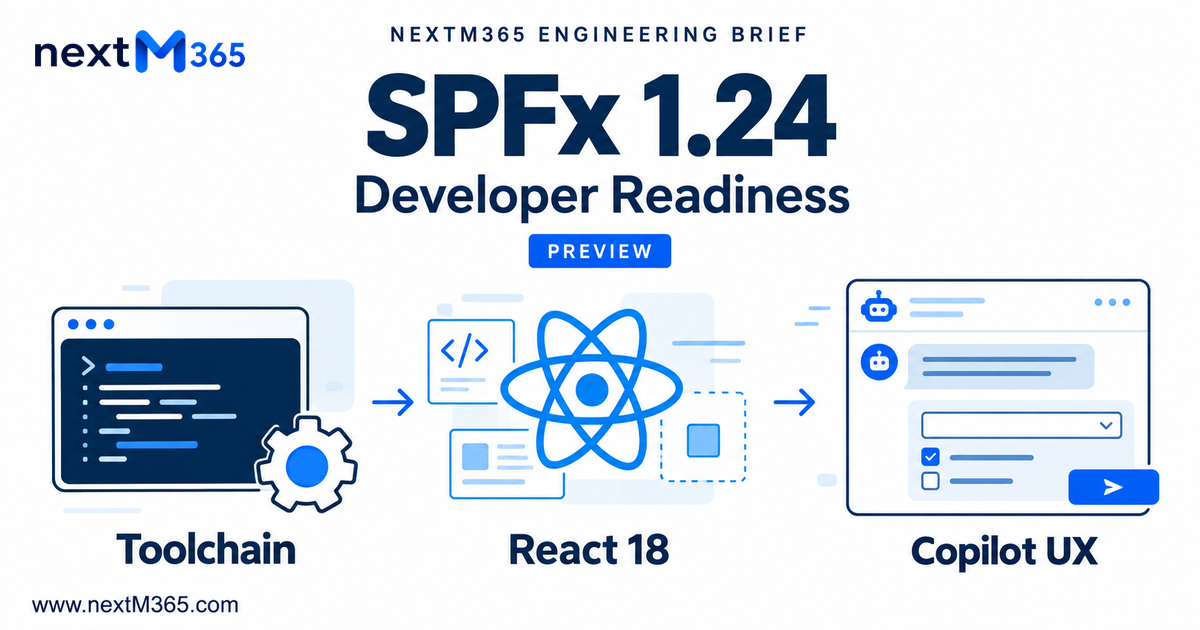
SPFx 1.24 Preview: Toolchain, React 18 Migration and Copilot UX Readiness
Assess SPFx 1.24 rc.0 before upgrading: verified preview dependencies, React 18 lifecycle changes, Copilot UX deployment, and unresolved production licensing.
- Published
- Updated
- Reading time
- 7 min read
Before you start
Is this guide for you?
- Best entry point
- SharePoint
- Time investment
- 7 min read
In this article
- Release status: rc.0 is available; GA is not confirmed
- Supported toolchain: separate guidance from package evidence
- React 18 migration: follow the SPFx host lifecycle
- Copilot UX components: preview capability and deployment
- Licensing and production gates
On this page (9 sections)
SPFx 1.24 preview deserves a controlled evaluation because it changes the React baseline and introduces Copilot UX components. Existing web parts need lifecycle and dependency testing; new projects need a deliberate choice between released tooling and experimental capabilities.
Research checked: 9 October 2026. This article updates our August roadmap coverage in place. The original publication date and URL are preserved. Recommendations below are engineering guidance, separated from Microsoft's release commitments.
Release status: rc.0 is available; GA is not confirmed
The release notes list rc.0 released on 2 October 2026 and retain a pre-release warning. Microsoft's npm generator resolves next to 1.24.0-rc.0 and latest to 1.23.2. No later 1.24 patch was found in the checked generator metadata.
The 30 September roadmap targets October GA. That is a plan, not evidence of shipment. The compatibility matrix currently ends at 1.23.2. Treat 1.24 as an RC evaluation; do not describe it as production-ready merely because the target month has arrived.
Supported toolchain: separate guidance from package evidence
There is no published final 1.24 support row to quote. The table therefore distinguishes released guidance from dependencies observed in Microsoft's published RC generator. Check its versioned package metadata and packaged lib/common/dependencies.json; keep a lockfile for the combination you actually test.
On smaller screens, scroll this table horizontally to compare all four columns.
| Component | Verified version or status | Engineering implication | Official source |
|---|---|---|---|
| Released baseline | 1.23.2: Node 22; React 17.0.1; TypeScript 2.9–5.8 in the matrix | This row does not establish 1.24 support. | Matrix |
| RC Node engines | Generator: >=22.14.0 <23, >=24.0.0 <25, or >=26.0.0 <27 | Declared RC acceptance, not final GA certification. Node 22.14+ is the conservative lab choice aligned with current setup guidance. | Generator |
| React / React DOM | 18.3.1 / 18.3.1 in RC React templates | Keep the pair exact; do not install an arbitrary newer React. | RC package |
| React typings | @types/react 18.2.79; @types/react-dom 18.2.25 | Review shared-library type compatibility. | RC templates |
| TypeScript | Heft template ~5.8.0; build rig separately declares 5.3.3 | These are different dependency declarations, not a new support range. Inspect the resolved project compiler. | RC rig |
| Build tools | Heft 1.3.2; SPFx rig/plugins 1.24.0-rc.0; rig Webpack 5.105.4 | Review custom loaders and build tasks. | Rig metadata |
| npm | Used by setup guidance; no separate RC-specific numeric minimum found | Record the npm version used in CI rather than inventing a requirement. | Setup |
| Scaffolding | Yeoman generator 1.24.0-rc.0; SPFx CLI documentation is pre-release | Use the pinned generator for this evaluation. | CLI guidance |
The release notes discuss Node 24/26, while the stable setup page recommends Node 22 and the matrix omits 1.24. Package engines verify RC install constraints; the matrix and final release guidance remain the support authority. The CLI page describes replacing Yeoman, but the September roadmap places CLI GA in 1.25. Its documentation is explicitly pre-release: do not silently replace production scaffolding.
React 18 migration: follow the SPFx host lifecycle
Compare your implementation with the versioned RC generator's React web-part template, not a generic single-page React tutorial. The template creates one root against this.domElement, reuses it during render(), and unmounts it in onDispose(). Its Copilot component instead uses this.context.domElement and onTeardown(). Those lifecycle boundaries are not interchangeable.
The React 18 upgrade guide explains root APIs, automatic batching and stricter development checks. Expect tests that assume synchronous state updates to need review. Strict Mode can expose missing cleanup in development when enabled; do not claim that every SPFx host automatically enables it.
- Effects: clean up subscriptions, timers and listeners. Ignore or cancel late requests when a component is disposed.
- Typings: check explicit children props, refs, event signatures and duplicate React type packages.
- Libraries: inspect peer dependencies for charts, editors, grids and shared controls; test actual interactions before accepting a successful install.
- Fluent UI: the RC generator uses
@fluentui/react ^8.106.4. That is not a mandate to move to v9. Microsoft's Fluent UI guidance recommends scoped styles to avoid global CSS conflicts. - Bundling: inspect externals, duplicated React and custom Webpack hooks. For older projects, migrating gulp customizations to the Heft toolchain is a separate workstream.
No comprehensive 1.24-specific third-party incompatibility list was found in the checked Microsoft guidance. Maintain your own dependency test matrix; do not label a library incompatible without evidence.
Copilot UX components: preview capability and deployment
These components display interactive forms, charts or approvals inside the Microsoft 365 Copilot canvas. Microsoft's overview limits current preview rendering to that experience. Shared UI across SharePoint and Teams is architectural reuse and future direction, not confirmation that this preview component host works everywhere.
The tutorial packages the UI and declarative agent in an .sppkg. Upload it to the SharePoint App Catalog, enable tenant-wide deployment as documented, then use Add to Teams to sync the agent to the tenant agent catalog. That button name does not prove Copilot UX rendering in Teams. Private tenant deployment is available; marketplace distribution is not supported in preview.
Authentication does not remove authorization. Follow the data-access guide for SPHttpClient, MSGraphClientV3 and API permission requests. Verify administrator approval and the signed-in user's access separately. Validate agent-supplied parameters, handle 401/403 responses, and keep secrets out of browser bundles.
Licensing and production gates
The component overview says no Microsoft 365 Copilot license is required to build, deploy or run during preview. The September roadmap also states no preview consumption-based costs. GA licensing remains unconfirmed. Do not promise a free production service from those temporary terms.
Microsoft's broader Copilot licensing guidance describes subscription and usage-based billing, but does not settle this component's GA entitlement. Before committing, ask for the applicable SKU, user entitlement, component consumption model and costs of any backend services. Record tenant eligibility and budget ownership. The overview explicitly says not to use these preview components in production.
Upgrade checklist for existing solutions
- Inventory: record SPFx packages, React, typings, Fluent UI, PnPjs, extensions, custom loaders and supported hosts.
- Isolate: create an upgrade branch and keep the released package available for rollback.
- Pin: select the reviewed runtime and generator; capture Node and npm versions in CI.
- Compare: scaffold a clean RC project and review its configuration beside your project.
- Resolve: update incompatible libraries and migrate custom tasks deliberately.
- Review: inspect package and lockfile changes, then prove a clean reproducible install.
- Package: build production-mode artifacts and check the generated solution metadata.
- Deploy to development: verify catalog deployment and every requested permission.
- Pilot: validate representative users and rollback before proposing wider rollout after GA gates are met.
Microsoft's upgrade guidance recommends checking outdated packages and release-specific changes. Do not upgrade every package to its newest version indiscriminately.
# Isolated evaluation; no production solution is upgraded by these commands
npm install --global @microsoft/generator-sharepoint@1.24.0-rc.0
yo @microsoft/sharepoint
# Inside the new Heft-based project
heft build --production
heft package-solution --production
The build/package commands follow Microsoft's Copilot component tutorial. Use your generated project's scripts and supported configuration; legacy gulp commands are not interchangeable with Heft.
Validation scenarios that catch upgrade regressions
| Scenario | Pass evidence |
|---|---|
| Web parts and property panes | Add, edit, save, reload, change properties and theme; no duplicate roots. |
| Extensions and navigation | Exercise the relevant extension lifecycle across page/list changes; listeners and overlays are removed. |
| API and tenant permissions | Test approved and denied scopes, restricted users, throttling and expired sessions. |
| Teams-hosted web parts, where supported | Verify your existing host manifest, context, sizing and authentication separately from Copilot UX. |
| Copilot Workbench and real agent | Test tool parameters and display modes locally, then agent discovery and updated manifests after deployment. |
| Accessibility and performance | Keyboard order, focus, screen readers, zoom, theme contrast, bundle size and loading latency. |
| Cleanup and repeated use | Mount, navigate away and return; no duplicated requests, stale state or leaked handlers. |
The troubleshooting guide distinguishes Workbench failures from agent/deployment problems. A working local view is not proof that the synced agent calls the current tool definition.
Release notes record beta.5 rolling back beta.4 tool-resolution changes, rc.0 reintroducing dynamic tool recovery, and a Sass package-import fix for issue #11030. Retest those areas if your solution encountered them. No deprecations are listed there; that does not guarantee zero behavioral changes.
Recommendation by project type
- New production projects: use the released baseline supported by current Microsoft guidance; plan a later 1.24 upgrade.
- Existing production solutions: run the isolated compatibility assessment now. Require GA support, regression evidence and rollback before promotion.
- Copilot UX prototypes: evaluate rc.0 in a development tenant, record preview assumptions and revisit host support and licensing before production.
Continue with our SPFx React developer guide or SPFx development services. Verify Microsoft sources again when your rollout date changes.
Contact
Need help upgrading your SharePoint solutions or assessing SPFx compatibility? Contact NextM365 at suresh@nextM365.com.
NEXT STEP
Scope the Upgrade Before It Scopes You
Map current solutions against the roadmap to sequence testing, remediation, and upgrade effort.
30-minute technical discussion • No obligation • Practical next steps
Tagged
Microsoft 365 Copilot · React · Project Structure · Governance · ALM · Security
Frequently asked questions
Is SPFx 1.24 generally available?
As checked on 9 October 2026, Microsoft lists 1.24 rc.0, released 2 October, as pre-release. The npm next tag resolves to 1.24.0-rc.0 and latest resolves to 1.23.2. October GA is a roadmap target, not confirmation that GA has shipped.
Which React version does the SPFx 1.24 release candidate scaffold?
The published 1.24.0-rc.0 Yeoman generator specifies React and React DOM 18.3.1, with React typings 18.2.79 and React DOM typings 18.2.25. These are observed preview template versions, not a final GA support matrix.
Are Copilot UX components free for production?
Production licensing is not confirmed. Microsoft documents no Microsoft 365 Copilot license requirement during preview and says preview consumption charges do not apply in its September roadmap. These preview terms must not be used as a production pricing commitment.
Sources
- SPFx 1.24 preview release notes
- SPFx platform and toolchain compatibility
- Set up the development environment
- Update SPFx packages
- September 2026 Microsoft SPFx roadmap
- Copilot UX components overview and preview licensing
- Build and deploy a Copilot UX component
- Access data and permissions
- Copilot subscription and usage-based billing
Have a Microsoft 365 topic idea?
Share article suggestions, community session ideas, corrections, or real-world scenarios for future nextM365 learning notes.
Keep learning Microsoft 365
Explore more practical guides for SharePoint, Power Platform, Copilot Studio, migration, automation, governance, and security.
Continue learning
Related tutorials
Related comparisons
Next action