Developer setup
A reliable setup usually includes Node.js, the Power Platform CLI, a code editor, environment access, authentication, and a clear understanding of where generated files live.

PAC CLI → React → Dataverse → Deploy
Power Apps Code tutorials for pro-code development
Build code-first Power Apps with PAC CLI, React project structure, Dataverse connectivity, APIs, and pro-code delivery patterns.
PAC CLI → React → Dataverse → Deploy
Power Apps Code tutorials for pro-code development
Code-first Power Apps with PAC CLI and React — project structure, Dataverse connectivity, data sources, setup, and pro-code development patterns.
Power Apps Code is an important bridge between low-code Power Apps and professional development workflows. It gives makers and developers a way to build code-first experiences that still belong in the Power Platform ecosystem. That means you can work with familiar development tools, source control, components, package workflows, and Dataverse-backed data while staying connected to business apps and environments.
This nextM365 hub focuses on practical Power Apps Code learning: installing developer tools, understanding PAC CLI commands, reading the React project structure, connecting to Dataverse, working with external data sources, and deciding when a code-first Power Apps approach is the right fit. The goal is to make the development path clear for people who already understand Power Platform concepts but want stronger control over the front-end implementation.
Use this page when you are setting up your machine, creating your first code app, reviewing the generated files, or planning how the app should connect to Dataverse, SharePoint, Azure SQL, APIs, or Copilot Studio. The articles avoid abstract theory and focus on the implementation details you need to keep moving.
A reliable setup usually includes Node.js, the Power Platform CLI, a code editor, environment access, authentication, and a clear understanding of where generated files live.
Power Apps Code projects use familiar front-end patterns, but they also include Power Platform-specific configuration. Learn the generated structure before adding complexity.
Dataverse is often the primary data source, but many apps also need SharePoint, APIs, Azure SQL, or business-specific services. Choose the data path based on ownership and security.
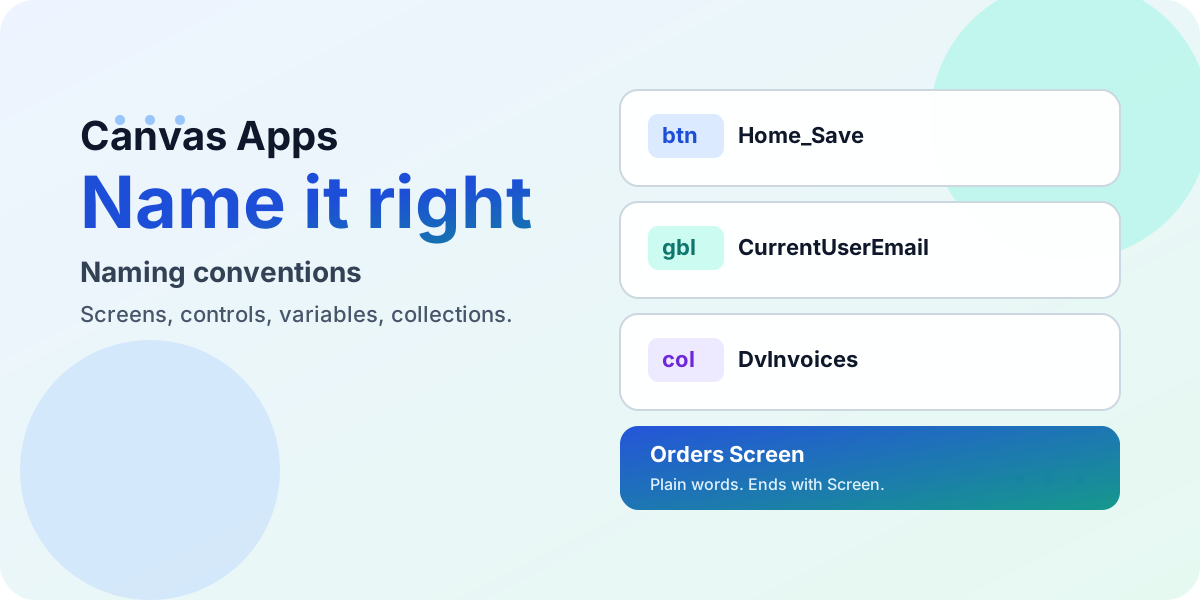
Name every screen, control, variable, collection, and data source in a canvas app so any maker can read your formulas at a glance — with prefix tables, good-vs-bad examples, and the community resources to go deeper.
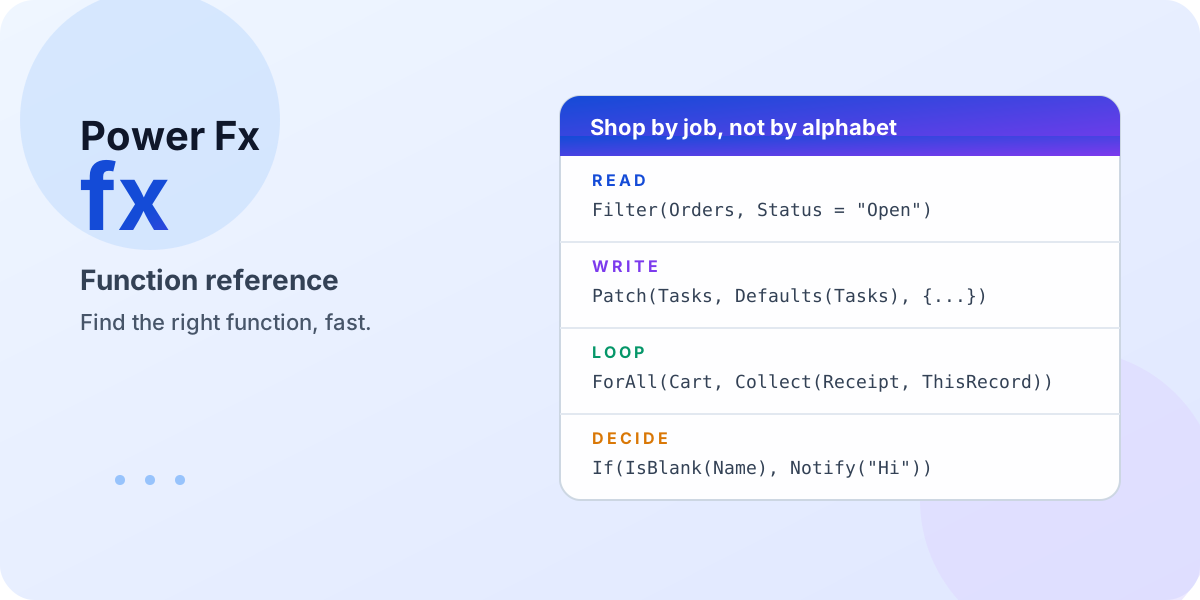
Stop scrolling a 200-function alphabetical list. This hub groups every Power Fx function by the job makers hire it for, calls out the dozen you will use every week, and points to the official syntax whenever you need the full detail.
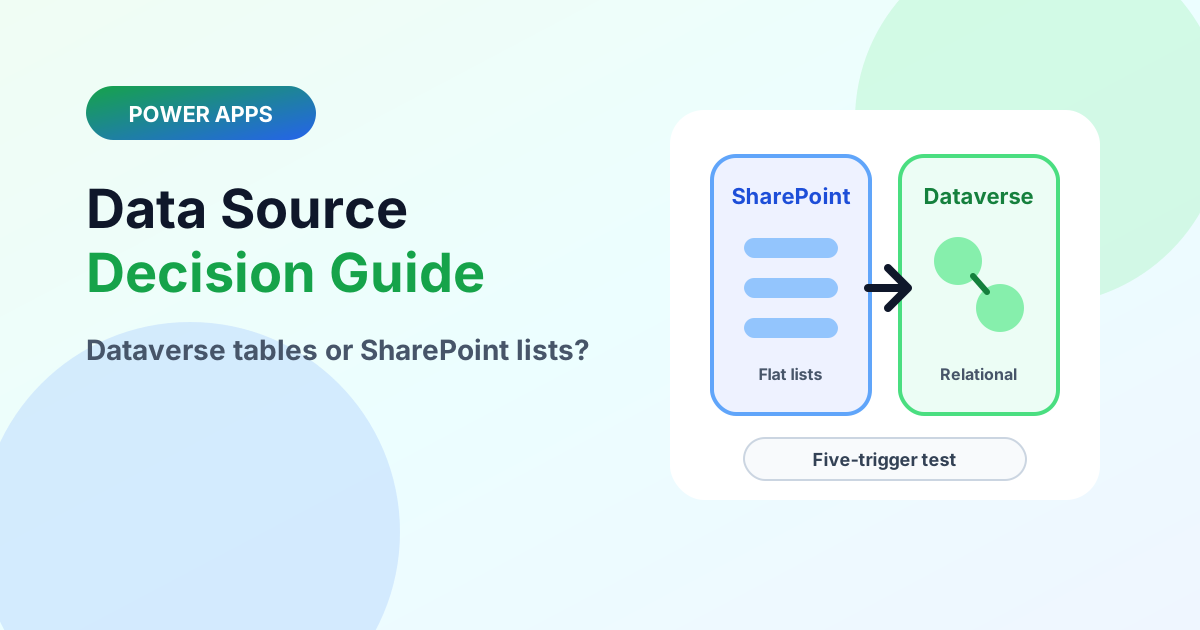
Choose the right Power Apps data source with the five-trigger test, delegation realities, licensing notes, and a clean graduation path.
Learn how React components work in Power Apps Code Apps, including props, state, events, reusable UI patterns, data binding, accessibility, and project structure.
Learn how to connect Power Apps Code apps to Azure SQL Database with PAC CLI, secure authentication, queries, stored procedures, and scalable enterprise data patterns.
A practical first-app walkthrough for Power Apps Code: create the Vite React starter, authenticate PAC CLI, initialize the code app, run it locally, build it, and publish it to Power Apps.
A hands-on guide to connecting a Power Apps Code app to Microsoft Dataverse with the PAC CLI: prerequisites, authenticating your environment, adding a Dataverse table as a data source, the auto-generated service and model files, and full create, read, update, and delete examples.
A folder-by-folder, file-by-file tour of a Power Apps Code (React + Vite + TypeScript) project scaffolded by the PAC CLI. What .power, node_modules, public, src and generated are for, what App.tsx, main.tsx, package.json and power.config.json do, and which files to leave alone.
A plain-English introduction to Microsoft Power Fx — the Excel-like, low-code language behind Power Apps and the wider Power Platform. What it is, why it "thinks spreadsheet", how declarative formulas auto-recalculate, the no-code to pro-code spectrum, its design principles, and where you use it.
It is useful for Power Platform makers and developers who need more front-end control, source control discipline, or custom code patterns than a standard canvas app provides.
Yes, PAC CLI is a core tool for creating, authenticating, and managing Power Platform code projects from the command line.
Yes. Dataverse is a common data source, and several nextM365 tutorials cover setup, CRUD operations, and data-source planning.