SharePoint Migration Permissions
Assess, clean up, map, migrate, and validate SharePoint permissions, identity mapping, groups, unique access, and external sharing during migration.
- Published
- Reading time
- 18 min read
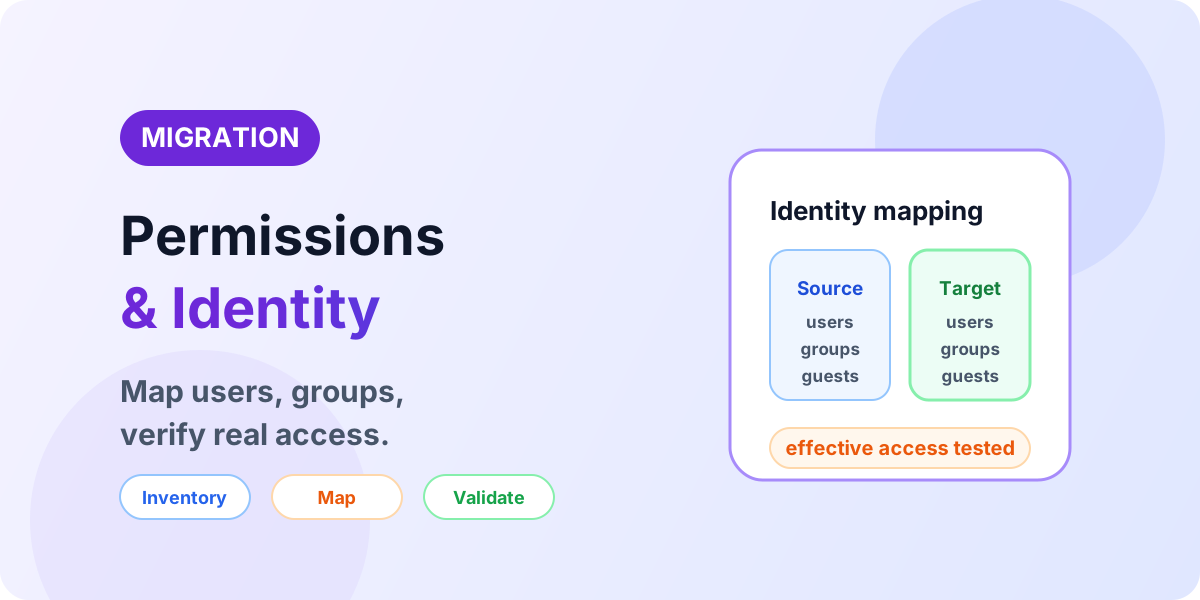
What you’ll learn
- SharePoint permission model
- Permission principals
- Permission inventory
- Inventory architecture
- Permission inheritance versus unique permissions
On this page (40 sections)
Direct answer: Migrating SharePoint content is only part of a successful migration — users must also hold the correct access in the target environment. Permission migration becomes complex when the source contains broken inheritance, unique permissions, nested groups, inactive users, external users, sharing links, legacy identities, tenant-to-tenant identity changes, or custom permission models. Inventory, clean up, map, migrate, then prove effective access.
Do not migrate permission complexity blindly. Every unexplained exception in the source becomes an unexplained access problem in the target — usually discovered by users, not by reports.
- Source — users, groups, permissions, and sharing as frozen.
- Inventory — every scope, membership, break, and share recorded.
- Clean up — obsolete access removed with owner approval.
- Identity mapping — every principal resolved to a target identity.
- Target permission design — a model owners can explain.
- Migration — moved with mappings proven in a pilot.
- Effective access validation — personas confirm real access.
For permission fundamentals, use SharePoint Permissions Explained. For the surrounding program, use Migration Assessment & Readiness, the Migration Checklist, Migration Validation, and the migration hub.
SharePoint permission model
Access flows down a hierarchy — site, library or list, folder, item or document — with each level inheriting permissions from its parent unless inheritance is broken. Enough background to decide migrations, not a full tutorial:
- Site — permission granted here.
- Library — inherits, unless broken.
- Folder — inherits, unless broken.
- Document — inherits, unless broken.
Broken inheritance looks like this: a library breaks from its site and carries unique permissions downward to its folders. Each break multiplies what inventory, mapping, and validation must cover — which is why fragmented structures dominate migration effort out of proportion to their content volume.
Permission principals
Individual users, SharePoint Groups, Microsoft 365 Groups, Entra ID security groups, and guests or external users are not interchangeable concepts — they live at different layers, resolve differently, and migrate differently:
- Microsoft Entra ID — the identity authority: users and groups.
- Users and groups — resolved, provisioned, licensed principals.
- Microsoft 365 and SharePoint — group-connected workloads and site collections.
- SharePoint permissions — levels granted to principals on scopes.
- Sites, libraries, content — where access takes effect.
Identity concepts: what Microsoft Entra ID is. Use current Microsoft Entra terminology throughout this work — legacy identity names in old documentation do not change what must be mapped.
Permission inventory
Inventory before migrating — each category earns its place because missing it causes a specific failure mode, from unmapped orphans to silently surviving guest access:
Inventory architecture
Work top-down so nothing hides beneath an unexamined scope:
- SharePoint environment — tenants, site collections, connected workloads.
- Sites — ownership and structure per site.
- Permission scopes — every level where access can differ.
- Users and groups — principals behind each scope.
- Access levels — what each principal can do.
- Exceptions — breaks, direct grants, and shares that deviate.
Then run every finding through the same pipeline: inventory, analyze, clean, map, migrate, validate. Exceptions that skip cleaning resurface as validation failures; mappings that skip validation resurface as incidents.
Permission inheritance versus unique permissions
Inherited permissions flow down untouched; unique permissions stop the flow and substitute custom access. Inherited structures migrate and validate in bulk — one mapping covers whole branches. Unique structures migrate and validate location by location, which is why deeply fragmented hierarchies increase migration and validation complexity far beyond their file counts. No exact platform limits are needed to act on this: if the break inventory is long and unexplained, the structure is simplified before migration, not during it.
Unique permissions
For every location with unique access, answer five questions: how many locations carry unique access, why inheritance was broken, whether the exception is still required, who owns the decision, and whether the target model can be simpler. Then classify:
| Classification | Meaning |
|---|---|
| Retain | Required business or security exception with a named owner. |
| Simplify | Complexity reducible without changing who can do their work. |
| Remove | Access no longer required, with owner and security approval. |
| Review | Business ownership unclear — parked with a reviewer and date, never defaulted. |
Migration is the legitimate moment to review unnecessary exceptions — but never remove access without owner and security approval. An exception removed wrongly is a security incident wearing a cleanup disguise.
Direct user permissions
Excessive direct user assignments tangle migration, governance, and future administration: every departed employee becomes a hunting expedition across scopes. Group-based access centralizes that churn into membership changes. Direct permissions are not always wrong — specific requirements legitimately need them — so judge by maintainability: a user granted directly should be explainable in one sentence, and widespread direct grants should move into groups before migration.
- User → direct permission — fast to grant, expensive to govern.
- User → group → SharePoint permission — membership changes propagate cleanly.
SharePoint Groups
Review the default owners, members, and visitors associations plus any custom SharePoint Groups: existence, membership, permission levels, unused and duplicate groups, owners, and business purpose. Groups without purpose or owner are cleanup candidates, not migration cargo.
Microsoft 365 Groups
Microsoft 365 Groups differ conceptually from SharePoint Groups: they span workloads, with owners, members, a connected SharePoint site, and commonly a Teams connection plus other Microsoft 365 surfaces. They cannot simply replace every SharePoint Group — the target access architecture follows the site and workload design. A group-connected team site lands differently from a standalone communication site, so map each group in the context of its workloads, not as an isolated permission entry.
Microsoft Entra ID groups
For Entra ID security groups used in SharePoint access, confirm membership, group-based access behavior, availability in the target tenant, identity mapping, and ownership. In tenant-to-tenant migration, source group identities do not automatically correspond to target tenant groups — each mapping is explicit:
- Source tenant — Entra Group A grants SharePoint access.
- Mapping — Group A resolved to a provisioned target group.
- Target tenant — Entra Group B grants the equivalent access.
Identity mapping
Every source principal resolves to a target principal through verified attributes — source UPN, source email, and source object identity where relevant matched to target UPN, email, user, or group. Handle domain changes, UPN changes, tenant changes, inactive accounts, departed employees, guests, renamed groups, and merged organizations as separate cases with separate owners. Matching display names is not sufficient for reliable identity mapping: names collide, change with marriage and rebranding, and repeat across directories. Unmatched principals become orphans with a disposition, never silent drops.
- Source identity — as inventoried, including legacy domains.
- Mapping — verified attribute match to a provisioned target.
- Target identity — exists, licensed, and owned.
- Target permissions — re-applied through the target model.
Tenant-to-tenant permissions
Cross-tenant moves compound every permission problem: users, UPNs, domains, groups, guests, site owners, application identities, sharing, and the entire target permission architecture must be rebuilt against a different identity authority. Do not oversimplify this into a content copy with a mapping spreadsheet — sequence identity provisioning first, validate mappings with a pilot containing real guests and groups, and review the full lifecycle in the tenant-to-tenant guide.
- Source tenant — users, groups, SharePoint, permissions.
- Identity mapping — explicit, verified, exception-tracked.
- Target tenant — users, groups, SharePoint, permissions rebuilt.
Inactive and orphaned users
Identify former employees, deleted and disabled accounts, unresolvable identities, legacy domain accounts, old guests, and unknown owners — then route each through owner judgment, never automatic deletion:
- Identity found — in directory, or only in SharePoint records?
- Still required? — business and security owners decide.
- Map, replace, remove, or review — replacement owners assigned where access must survive the person.
External users
Assess guests, external sharing posture, external domains, sharing policies, guest ownership, business need, and target tenant configuration. Do not claim external users automatically retain access after migration — guest identity, invitation state, policy, and assignment all change across the move:
- External user — as found, with owner and business reason.
- Still required? — expired collaborations end here.
- Target guest available? — provisioned and invitable under target governance.
- Sharing allowed? — policy, site configuration, and domain rules permit it.
- Reinvite, map, remove, or review — each guest dispositioned with an owner.
Sharing links
People-with-existing-access, specific-people, organization, and anonymous or anyone links where enabled each behave differently across a move. Link behavior and portability depend on source and target configuration and on the migration method — verify current behavior for your combination before promising anything. Never state universally that all sharing links migrate or that all break; inventory link types, confirm the target sharing posture first, and re-test high-value links after migration.
Permission levels
Inventory each permission level with its assigned groups and users, business purpose, and custom configuration. Custom permission levels need additional review because their exact semantics may not transfer unchanged — never assume a custom level migrates as-is. Where the target standardizes on default levels, map customs deliberately with owner sign-off rather than improvising at cutover.
Site ownership
Migration is risky when nobody owns content or access decisions — every exception, orphan, and guest then defaults to "migrate as-is." Confirm before waves start:
Permission cleanup
Run cleanup as a gated workflow, not as ad-hoc edits: inventory, identify exceptions, find obsolete access, confirm the business requirement, simplify, document, approve, then migrate. Candidates include inactive users, obsolete and duplicate groups, unused permission levels, unnecessary unique permissions, stale direct assignments, old external users, and unknown owners. Never alter permissions automatically — every removal carries review and approval, because access removed wrongly is indistinguishable from a breach in its effects.
Target permission design
Do not copy source permissions exactly by default. Ask whether source access should be preserved, whether it can be simplified, whether the information architecture changed, whether new Microsoft 365 Groups appear, whether sites split or consolidate, and whether security or compliance requirements changed. Permission mapping follows the approved target architecture — design it with the information architecture blueprint, not from the source export alone:
- Source model — as inventoried and cleaned.
- Business requirement — who must do what, per owner.
- Target architecture — sites, hubs, groups, and boundaries.
- Target permission model — approved, explainable, testable.
Migration tooling and permissions
No product ranking belongs here. Against your chosen migration approach, verify user and group mapping, permission preservation behavior, unique permissions handling, external user handling, sharing behavior, identity mapping support, reporting, exceptions, and error logs — and the version-history relationship where it interacts with permissioned restores. Never claim a specific product supports a permission scenario unless current authoritative documentation confirms it; prove the claims that matter in a pilot containing real unique permissions, groups, and guests.
Pre-migration permission checklist
Pilot permission migration
Pilots must include complex permissions — inherited and unique access, groups, direct grants, external access where applicable, across different site structures. Piloting only simple content when permissions are a known risk proves nothing and approves everything.
- Pilot migration — with production-shaped access complexity.
- Permission comparison — configuration against the mapping.
- Effective access test — personas confirm reality.
- Fix mapping — correct the model, not just the instance.
- Update migration plan — lessons gate the bulk waves.
Post-migration permission validation
Verify site, library, folder, and item-level permissions where applicable, inheritance, unique permissions, SharePoint Groups and membership, Entra and Microsoft 365 Groups, owners, members, visitors, external users, sharing configuration, custom permission levels, and the identity mapping itself. Method depth lives in SharePoint Migration Validation — this checklist confirms the permission scope is fully covered there.
Configuration versus effective access
Permission configuration is what SharePoint says is set. Effective access is what the user can actually do — configured permission plus group membership plus inheritance plus identity resolution plus sharing. Source-to-target configuration comparison alone misses broken memberships, unresolved identities, and sharing drift, so every wave pairs configuration diffs with persona testing.
Persona-based testing
Test site owner (administer expected functionality), member (create and edit expected content), visitor (read expected content without modifying restricted content), restricted user (only intended areas), and external user (only explicitly shared content where allowed) — validating both directions: users can access what they need, and cannot access what they should not. Negative testing is where over-permissioning surfaces.
Security regression testing
Compare source access against expected target access against actual target access, and classify each difference as expected, missing access, unexpected access, or needs review. Treat unexpected access as a potentially significant security issue — calmly, through the exception process, with ownership and remediation — never as background noise. Watch specifically for access expansion, access loss, incorrect membership, inheritance changes, sharing changes, and ownership problems.
Permission reconciliation report
Track site and location, principal, principal type, source access, target access, mapping, difference, status, and owner per row. Illustrative format only — populate with project evidence, never sample customer data:
| Location | Principal | Source | Target | Status |
|---|---|---|---|---|
| Finance library | Members group | Contribute | Contribute, membership verified | Accepted (illustrative) |
| Contracts folder | External guest | View via link | Re-invited, access tested | Closed (illustrative) |
Automating permission inventory
Script the machine-checkable work: enumerating sites and SharePoint Groups, exporting membership, inspecting role assignments, finding unique permissions, reviewing users and owners, and generating permission reports. Verify current cmdlets and APIs against official documentation before running anything, use supported authentication, keep inventory scripts read-only, and never place secrets or credentials in code. For identity and group data, Microsoft Graph for beginners and what Microsoft Graph is cover the concepts.
PnP PowerShell for permissions
No command reference is printed here deliberately: PnP PowerShell syntax and authentication requirements change, and a stale snippet is worse than none. Before inspecting permissions with PnP PowerShell, confirm prerequisites (an app registration or interactive sign-in your tenant allows, plus the SharePoint access needed to read the scopes), verify current syntax against official PnP documentation, start read-only against one site, and export results as reviewable evidence. No PnP permissions guide exists on nextM365 yet — when one does, it will link from here instead of duplicating this section.
Microsoft Graph for identity and groups
Graph helps with users, group membership, and tenant identity information behind permission decisions — but it does not replace SharePoint-specific permission inspection. Use SharePoint APIs or PnP PowerShell where role assignments, inheritance state, and unique permissions are the questions; use Graph where identity resolution and group truth are the questions.
Permission migration problems
| Symptom | Likely areas to check | Validation | Resolution direction |
|---|---|---|---|
| User not found in target | Mapping table, provisioning, UPN changes | Directory lookup for the mapped identity | Complete mapping, provision, re-run affected scope |
| Group missing | Group inventory, target provisioning, renames | Target group existence and membership | Provision or map, restore membership, re-validate |
| Permission mapping failed | Mapping rules, custom levels, orphans | Exception log against the mapping table | Correct the rule, re-apply to the scope |
| Unexpected access | Inheritance changes, membership drift, sharing | Persona negative testing | Remove or justify via exception process |
| Missing access | Unresolved identity, dropped uniqueness, group gaps | Effective-access test as the user | Restore mapping or grant, then retest |
| Unique permissions not preserved as expected | Scope of the migration method, redesign decisions | Break-by-break comparison | Re-apply deliberately or accept the redesign |
| External user cannot access | Guest identity, invitation, policy, assignment | Guest sign-in and content test | Re-invite or remap under target governance |
| Sharing changed | Link types, site sharing settings, policy | Link-by-link re-test of high-value shares | Recreate sanctioned shares, retire the rest |
| Owner missing | Departures, orphan handling, group ownership | Ownership report per site | Assign accountable owners, re-validate |
| UPN changed | Domain moves, rename handling in mapping | Old-to-new UPN resolution | Correct mapping entries, re-apply access |
| Old domain identity remains | Legacy domain cleanup, mapping coverage | Unresolved-principal report | Map or retire with owner approval |
| Nested or group membership issue | Entra nesting, M365 group conversion behavior | Membership expansion both sides | Flatten or map deliberately, retest |
| Custom permission level issue | Level portability, target standardization | Level-to-capability comparison | Map to approved levels with sign-off |
Not every row is a migration-tool failure — mapping gaps, redesign decisions, and source inconsistency cause most entries. Diagnose the layer before blaming the engine.
Broken inheritance troubleshooting
When target permissions differ from source, check whether inheritance was intentionally changed, whether the target was redesigned, whether unique access was in scope, whether the migration method preserves the required configuration, whether identity mapping succeeded, and whether the source itself was inconsistent. Expected redesign is accepted with owner sign-off; anything else is investigated as a defect.
External access troubleshooting
When an external user cannot reach migrated content, work outward from identity: target guest identity, invitation state where relevant, sharing policy, site sharing configuration, permission assignment, group membership, domain restrictions, target tenant governance, and link type. Do not assume the problem lives solely in the SharePoint site — invitation and policy layers fail just as often.
Tenant-to-tenant troubleshooting
Validate identity translation separately from content migration: source user to new target UPN, source group to new target group, source guest to target guest, old domain to new domain, source owner to target owner. Each translation gets its own test — preferably sign-in or effective-access proof, not spreadsheet agreement.
Governance after migration
Lock in the gains: confirmed site ownership, scheduled access reviews, external sharing posture, least-privilege defaults, group-based access, lifecycle rules, guest review cadence, and privileged-access oversight. This section covers what migration teams verify at handover — not a general governance program.
Modernization opportunity
Legacy permission structures usually mirror legacy information architecture — deep sites with bespoke access at every level. Route both through assessment into a modern architecture with simpler permission boundaries. Simplification is not always possible: security and business requirements take priority over elegance, and some complexity is the correct answer with an owner attached.
Permissions and SPFx
SPFx solutions execute within Microsoft 365 security and authentication constraints. Where a solution touches SharePoint, Microsoft Graph, or external APIs, validate user permissions, API permissions, Entra authentication, Graph scopes, and backend authorization where applicable. Keep two concepts separate: SPFx API permissions (what the solution may call, approved by administrators) and SharePoint user permissions (what the current user may touch). A solution can hold valid API permissions and still show nothing to an unauthorized user — that is the model working, not failing. Development context: Explore SharePoint Framework (SPFx), what SPFx is.
Permission validation matrix
| Area | Source check | Target check | Validation method | Owner |
|---|---|---|---|---|
| Site permissions | Exported access model | Migrated access model | Configuration diff plus persona tests | Site owner |
| Library permissions | Breaks and uniqueness logged | Breaks reproduced or redesigned | Break-by-break comparison | Library owner |
| Unique permissions | Classified inventory | Retained exceptions verified | Per-location verification | Content owner |
| SharePoint Groups | Membership and levels exported | Membership restored | Membership diff | Group owner |
| Microsoft 365 Groups | Owners, members, workloads noted | Connectivity and access confirmed | Workload access tests | Group owner |
| Entra groups | Membership exported | Mapping resolved | Membership expansion both sides | Identity owner |
| Direct users | Grants listed with reasons | Grants justified or grouped | Grant-by-grant review | Site owner |
| Owners | Ownership report | Valid owners in place | Ownership attestation | Business owner |
| Guests | Inventory with business need | Dispositioned access | Guest-by-guest verification | Content owner |
| Sharing | Link types inventoried | Sanctioned shares work | High-value link re-tests | Content owner |
| Identity mapping | Coverage report | No unresolved principals | Orphan and sign-in checks | Identity owner |
| SPFx and API access | Solution and scope inventory | Approvals and behavior confirmed | Permission plus UX testing | Developer |
Migration permission checklist
Before: inventory permissions; review inheritance; review unique permissions; review groups; review direct users; review external users; confirm owners; map identities; design target access; define validation criteria.
During: monitor mapping errors; track missing identities; record permission exceptions; validate representative pilot sites.
After: compare source and target access; validate group membership; test effective access; test restricted access; test external access; resolve exceptions; obtain appropriate owner and security validation.
Working through complex migration permissions?
If you are dealing with identity mapping, unique permissions, external users, tenant-to-tenant access, or post-migration permission issues, share the environment and challenge with nextM365: Discuss Your Migration.
Continue with the migration hub, assessment guide, the migration checklist, migration validation, the classic to modern guide, the Script Editor to SPFx guide, and general permissions guide.
Related resources
Topics covered
Architecture · Governance · Security
Frequently asked questions
Do SharePoint permissions migrate?
They can, depending on the migration method, identity mapping, and target architecture — but migrated configuration alone does not prove correct access. Plan assessment, cleanup, mapping, and effective-access validation as separate work from content migration.
How do you migrate SharePoint permissions?
Inventory permissions and identities, clean up obsolete access with owner approval, map every principal to the target, design the target permission model, migrate with mapping verified in a pilot, then validate configuration and effective access per wave.
What happens to unique permissions during SharePoint migration?
It depends on the migration approach and whether the exception is still required. Inventory each unique break, classify it as retain, simplify, remove, or review with owners, and verify the surviving exceptions explicitly after migration.
How should SharePoint Groups be handled during migration?
Export groups with membership, permission levels, and purpose, confirm what each group is for, define the target mapping — SharePoint Groups, Microsoft 365 Groups, or Entra ID groups depending on the workload design — and validate membership after migration.
How are users mapped during tenant-to-tenant migration?
By matching verified identity attributes such as UPN and email to provisioned target identities — never display names alone — with explicit handling for domain changes, guests, renamed groups, service accounts, and departed employees.
What happens to external users after SharePoint migration?
Do not assume they retain access. Confirm each guest is still required, check target guest availability, sharing policy, and permission assignment, then re-invite, map, remove, or park for review with an owner.
Should permissions be cleaned before migration?
Yes, with owner and security approval: remove obsolete users, groups, and unique breaks, resolve orphans, and simplify what the target model no longer needs. Migrating sprawl as-is is one of the most expensive mistakes a project can make.
How do you validate permissions after migration?
Compare inheritance, unique permissions, memberships, and sharing against the mapping, then test effective access — positive and negative — with representative owner, member, read-only, restricted, and external personas.
What is effective access?
What a user can actually do, computed from configured permissions plus group membership, inheritance, identity resolution, and sharing — as opposed to what the permission settings appear to grant on paper.
Can PnP PowerShell help audit SharePoint permissions?
For SharePoint-specific inspection — enumerating sites and groups, exporting membership, inspecting role assignments, and finding unique permissions — yes, using current syntax, supported authentication, read-only patterns, and no secrets in scripts. Verify every cmdlet against current official documentation.
Sources
- Microsoft Learn: Site Permissions, Microsoft
- Microsoft Learn: Migrate To Sharepoint Online, Microsoft
Have a Microsoft 365 topic idea?
Share article suggestions, community session ideas, corrections, or real-world scenarios for future nextM365 learning notes.
Keep learning Microsoft 365
Explore more practical tutorials for SharePoint, Power Platform, Copilot Studio, migration, automation, governance, and security.
Continue learning
Related tutorials
Related questions
Related comparisons