Azure Bot Service Integration Explained for Copilot Studio | Copilot Studio Day 58
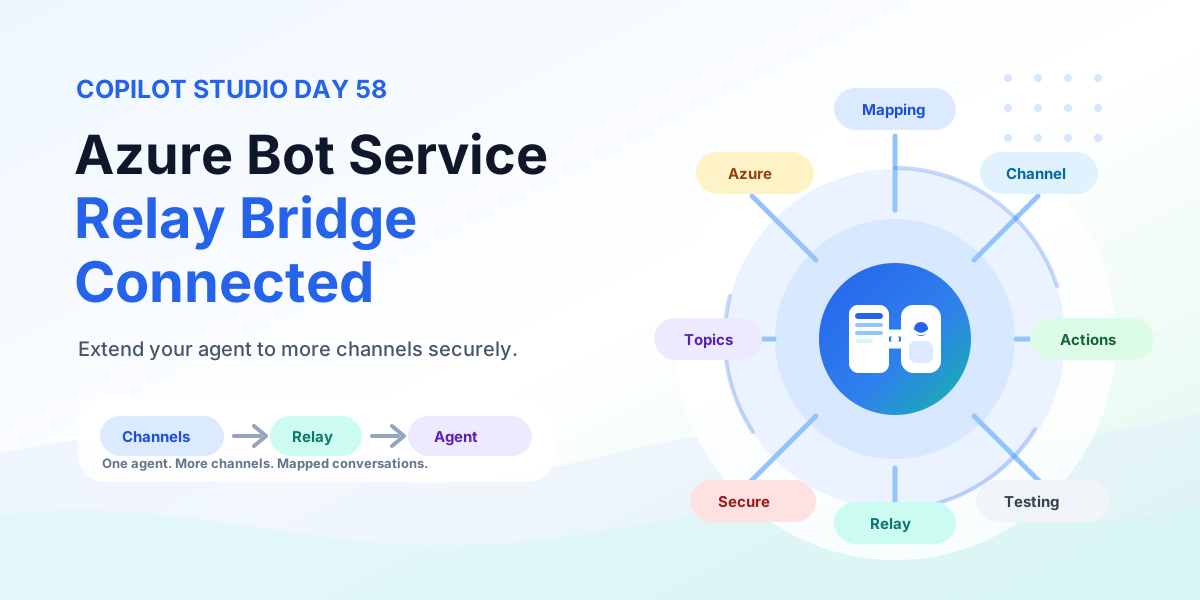
Extend any Copilot Studio agent to more channels with Azure Bot Service using a relay bot, conversation mapping, channel routing, multi-channel experiences, testing, security, and production rollout.
- Published
- Reading time
- 11 min read
Week 9 · Day 58 of 365 in 365 Days of Copilot Studio — view the full series
What you’ll learn
- Extend Your Agent to More Channels
- When Standard Publishing Is Not Enough
- How Everything Connects
- The Bridge Between Two Worlds
- Two Conversation Systems Need Coordination
On this page (29 sections)
Day 58 of 365 Days of Copilot Studio explains Azure Bot Service integration in Copilot Studio: how to connect your agent to more channel experiences through Azure Bot Service with a relay bot, conversation mapping, and secure production practices.
Day 54 showed where a copilot can live inside custom apps. Day 55 placed those apps inside an omnichannel plan. Day 56 gave the agent a voice. Day 57 connected custom apps with Direct Line. This lesson goes one level further into advanced channel scenarios: Azure Bot Service becomes the channel bridge between users and your agent.
This lesson builds on Day 54: Custom Apps, Day 55: Omnichannel Deployment, Day 56: Voice Channel, and Day 57: Direct Line Channel. If Day 57 was the how for apps you own, Day 58 is the how for channels you reach through Azure.
[!NOTE] Azure Bot Service is the bridge. The relay bot is the traffic controller. Your Copilot Studio agent is still the intelligence.
Extend Your Agent to More Channels
Standard publishing covers Teams, website, mobile, and many built-in channels. Azure Bot Service integration exists for everything beyond that default path: additional channels, existing bot investments, and custom routing that standard publishing does not expose.
The mental model is simple: Copilot Studio holds agent intelligence, Azure Bot Service holds channel connectivity, and a relay bot moves every message between the two worlds.
When Standard Publishing Is Not Enough
Use Azure Bot Service for advanced channel scenarios, not by default. Four signals point here.
| Signal | What it means | Example |
|---|---|---|
| More channels | You need channels outside standard publishing. | Slack, Telegram, line-of-business messaging, or industry channels. |
| Custom integration | You need code-level control over routing and sessions. | Custom mapping, claims enrichment, or channel-specific transforms. |
| Existing bot infrastructure | You already run Azure bots in production. | Reuse the deployed bot as the relay instead of starting over. |
| Developer control | Engineering owns deployment, scale, and recovery. | Deploy, monitor, and version the relay like any Azure workload. |
Use Azure Bot Service for advanced channel scenarios.
How Everything Connects
Every message follows the same loop: channel, bridge, relay, agent, and back.
- User: asks a question in the channel.
- Channel: Teams, web, mobile, or an Azure-supported channel delivers the activity.
- Azure Bot Service: handles channel communication at scale.
- Relay bot: forwards the message and manages the agent conversation.
- Copilot Studio agent: understands, plans, and takes action with topics, knowledge, and actions.
- Response: travels back through the same bridge to the same user.
Azure Bot Service bridges the channel and your agent.
The Bridge Between Two Worlds
The relay bot sits between the channel and Copilot Studio with three jobs.
- Receive: accept the incoming channel activity with user, channel, and conversation identity.
- Relay: forward the message to the matching Copilot Studio conversation over Direct Line.
- Return: deliver the agent response to the original channel conversation.
The relay bot keeps conversations moving.
Two Conversation Systems Need Coordination
This integration always involves two conversations: one on the Azure side and one on the Copilot side. They have different conversation IDs and must stay synchronized.
| Side | Conversation | Example ID |
|---|---|---|
| Azure Bot conversation | Channel session owned by Azure Bot Service. | A123 |
| Copilot conversation | Agent session owned by Copilot Studio over Direct Line. | B456 |
One user conversation must stay synchronized across both systems.
Follow the Message
Trace one message end to end and the architecture becomes concrete.
- User message: the user asks in the channel.
- Channel: delivers an incoming activity to Azure Bot Service.
- Azure Bot Service: hands the activity to the relay bot.
- Relay bot: looks up the mapping and forwards the message.
- Copilot Studio: matches a topic, reads approved knowledge, calls an action.
- Response: the agent reply returns as an outgoing activity to the user.
Messages travel both ways through the same mapping.
What You Need
Several components work together. All four are required.
| Component | Role |
|---|---|
| Copilot Studio agent | Topics, knowledge, and actions. The intelligence that answers and acts. |
| Azure Bot Service bot | Secure and scalable bot infrastructure registered in Azure. |
| Relay application | Custom code that receives, relays, maps, and returns conversations. |
| Azure Bot Service channel | The user-facing channel: Teams, web, mobile, Slack, and more. |
Several components work together. Miss one and the bridge has a gap.
Connect the Relay to Your Agent
The relay needs to know where to connect. Two parameters identify your agent.
- Agent name: copy the Copilot Studio agent name, for example my-copilot-agent.
- Token endpoint: copy the channel token endpoint from Settings and Channels in Copilot Studio.
- Store securely: keep both values in server-side configuration and managed secrets, never in client code.
The relay needs to know where to connect. Secure those values like credentials.
Every Conversation Needs a Match
When a new external channel conversation starts, the relay starts a matching Copilot Studio conversation and stores the pair: external channel conversation ID to agent conversation ID, token, watermark, and timestamps.
- Token: short-lived Direct Line token for that agent conversation.
- Watermark: tracks which turns the client has already seen.
- Timestamps: drive token refresh and idle cleanup.
Keep both sides synchronized on every turn.
One Integration. Many Conversations.
One relay serves many users at once. User A maps to conversation A123, User B to B456, User C to C789. The mapping table is the only thing that keeps them apart.
Each conversation needs its own mapping. Never share tokens or conversation IDs across users.
Do Not Mix Conversations
Correct mapping preserves conversation continuity. External Conversation A only talks to Copilot Conversation A, B to B, C to C. A lookup miss must start a new mapped conversation, never reuse a stranger session.
Test with three parallel users before you call mapping done.
Channel to Copilot: Incoming Activity
- Channel: user sends a message.
- Azure Bot Service: receives the incoming activity.
- Relay bot: resolves the mapping and posts the activity to the agent with user identity, text, format, and locale.
- Copilot Studio: processes the message.
The relay forwards the user message with identity intact.
Copilot to Channel: Outgoing Activity
- Copilot Studio: produces the reply with text, cards, or next steps.
- Relay bot: receives the agent response and parses the payload for the channel.
- Azure Bot Service: delivers the outgoing activity.
- Channel: renders the reply to the user.
The response returns through the same bridge it arrived on.
Reach More Channel Experiences
| Family | What it covers | Examples |
|---|---|---|
| Messaging | Chat where your users already are. | Teams, Slack, Messenger, SMS-style channels. |
| Communication | Voice, video, and collaboration. | Teams calling scenarios and meeting-adjacent experiences. |
| Custom channels | Your apps, web, and devices. | Portals, mobile apps, kiosks, industry devices. |
| Enterprise experiences | Line-of-business and industry solutions. | Service consoles, operations dashboards, partner systems. |
Connect your agent to more channel experiences without rebuilding its intelligence.
Not Every Channel Behaves the Same
Capabilities vary by channel. Design for the channel you actually use.
| Capability | What to expect |
|---|---|
| Text | Simple and universal. Works almost everywhere, for example Hello! How can I help you and Show my tasks. |
| Rich content | Images, cards, and formatted content such as a Project Overview card with View Details. |
| Interactive messages | Buttons, choices, and quick actions such as View Tasks, Create Task, and View Reports. |
Validate cards, buttons, and formatting on each target channel before launch.
Copilot Still Does the Thinking
The channel changes, not your core agent intelligence. Channels such as Teams, web chat, Slack, web apps, and mobile all funnel through Azure Bot Service into the same Copilot Studio agent.
- Topics: handle conversations and orchestration.
- Knowledge: uses your organizational data.
- Actions: take real action in business systems.
Understands. Plans. Takes action. The relay never replaces reasoning.
Conversations Can Trigger Actions
- Channel: Teams, web, or mobile captures the request.
- Copilot agent: understands and decides.
- Action and API: calls APIs and triggers workflows.
- Business system: updates CRM, SharePoint, or industry systems.
- Result: real business outcomes return to the channel.
Turn channel conversations into business outcomes with knowledge, APIs, workflows, and data.
Build on What You Already Have
Existing bot infrastructure can become the bridge. Combine your current Azure bot with a Copilot Studio connector and conversation relay logic to produce an extended agent experience on the same foundation.
Same foundation. Greater possibilities.
From Code to Azure
- Develop: build the relay bot code from the relay sample and add your mapping, auth, and parsing.
- Test: validate locally and test the integration with the emulator before cloud deployment.
- Deploy: deploy to Azure so the relay becomes part of your Azure architecture.
- Configure channels: connect your preferred channels in the Azure portal.
The relay becomes part of your Azure architecture: multi-channel support, enterprise-ready, secure and scalable.
Test the Whole Conversation Path
Test end to end, not only the agent. Cover five checkpoints.
- Channel input: send a message from your channel.
- Relay logic: verify the relay receives and forwards.
- Conversation mapping: confirm the conversation is correctly mapped.
- Agent response: validate the agent processes and responds with knowledge, APIs, and actions.
- Channel output: check the response renders correctly in your channel.
Test the complete conversation flow including cards, auth, reconnects, and handoff.
Design for Failure
Production integrations need recovery paths. Anticipate, handle, recover, and keep the conversation going.
| Failure | Response |
|---|---|
| Connection failure | Detect and retry when connecting to services. |
| Session failure | Re-authenticate expired or invalid sessions and refresh tokens. |
| Agent error | Serve a fallback response when topic processing fails. |
| Channel error | Queue and retry within channel-specific limits. |
Graceful recovery keeps the conversation running with the right fallback path.
Protect Every Connection
Secure every hop for a trusted experience.
- Authentication: verify identities and control access at the channel, relay, and agent.
- HTTPS: encrypt all communication between channel, Azure Bot Service, relay, and Copilot Studio.
- Secrets and tokens: store names, endpoints, secrets, and tokens in managed vaults with rotation.
A safer integration. A stronger solution.
Direct Line or Azure Bot Service?
Same agent. Different paths. Different possibilities. Choose based on where the conversation starts.
| Direct Line for custom applications | Azure Bot Service for multi-channel integration |
|---|---|
| Integrate with your own app and own the UI. | Works with Teams, web, mobile, Slack, and more. |
| Direct app-to-agent connection over Direct Line. | Channel to bot to agent through a relay architecture. |
| Best for custom experiences. | Best for multi-channel experiences. |
Need a native feel in one app? Choose Direct Line. Need many channels or an existing bot? Choose Azure Bot Service.
Best-Fit Scenarios
- Existing Azure bot: extend your current bot instead of replacing it.
- Additional channels: reach more users across channels from one agent.
- Enterprise integration: connect with enterprise systems and data through actions.
- Custom relay logic: add custom routing, enrichment, and session rules.
- Advanced channel requirements: support complex or custom channel needs.
Use it when channel flexibility justifies the engineering.
Do Not Add Architecture Without a Reason
Evaluate your needs and choose the right approach. If you need a standard supported channel such as Teams, web, or mobile, use simpler Copilot Studio publishing. If you need advanced Azure Bot channel integration, custom channels, an existing bot, or advanced routing logic, consider Azure Bot Service with a relay.
Use the simplest architecture that works.
More Flexibility Means More Engineering
Greater control comes with greater responsibility. Azure Bot Service integration is a developer scenario.
- Relay code: build and maintain custom routing.
- Session management: handle user sessions and keep context.
- Deployment: build, deploy, and manage the relay in Azure.
- Monitoring: track performance, errors, and usage to ensure reliability.
Budget for build, test, deploy, operate, and improve like any production service.
From Channel to Business Action
The end-to-end Azure Bot Service architecture flows from user to outcome: user asks, channel carries, Azure Bot Service handles communication, relay bot forwards and manages conversations, Copilot Studio orchestrates, knowledge plus topics plus actions use your data and tools, business systems update, and the response returns across the same channel.
Connect channel conversations to real business outcomes: multiple channels, secure and scalable, connected to your systems.
Before You Go Live
- Required channels are configured and enabled in Azure Bot Service.
- Relay bot code is deployed and running with health checks.
- User sessions are correctly mapped and maintained across reconnects.
- Authentication, HTTPS, and secrets are reviewed and configured.
- Complete conversation flow is validated end to end on every target channel.
- Fallback, retry, and human handoff paths are tested.
- Monitoring covers relay health, token refresh, mapping errors, action health, and satisfaction.
- Owners, release notes, and improvement rhythm are assigned.
Validate the complete architecture before inviting real users.
Key Takeaway
Extend Copilot beyond standard channels without rebuilding its brain. Azure Bot Service carries the channel, the relay bot carries the conversation mapping, and Copilot Studio carries topics, knowledge, actions, and escalation.
When relay, mapping, channels, security, testing, business systems, and monitoring work together, one agent serves many connected experiences: more channels, one agent, connected experiences. Next: Day 59: Microsoft 365 Copilot Integration with Copilot Studio.
Related resources
Topics covered
AI Agents · Integrations · Architecture · Security · Web API
Frequently asked questions
What is Azure Bot Service integration in Copilot Studio?
It connects a Copilot Studio agent to additional channel experiences through Azure Bot Service. A relay bot bridges the channel and the agent so one agent can serve users wherever the channel lives.
What is a relay bot in this integration?
The relay bot is a developer-built Azure bot that receives channel messages, relays them to the Copilot Studio agent over Direct Line, then returns the agent response to the same channel conversation.
How does conversation mapping work between the channel and the agent?
The relay keeps a mapping table between the external channel conversation ID and the Copilot Studio agent conversation ID with token and watermark. Each user keeps a separate mapping so conversations never mix.
What is the difference between Direct Line and Azure Bot Service integration?
Direct Line connects your own custom app directly to the agent with full UX control. Azure Bot Service integration connects many channels to the agent through a relay bot, which is best for multi-channel reach and existing bot infrastructure.
When should you use Azure Bot Service integration?
Use it when you have an existing Azure bot, need additional channels beyond standard publishing, or need custom relay logic. If a standard Teams, website, or mobile channel meets the need, use the simpler built-in publishing path.
Sources
Have a Microsoft 365 topic idea?
Share article suggestions, community session ideas, corrections, or real-world scenarios for future nextM365 learning notes.
Keep learning Microsoft 365
Explore more practical tutorials for SharePoint, Power Platform, Copilot Studio, migration, automation, governance, and security.
Continue learning
Related tutorials
Related questions
Related comparisons