Dataverse Knowledge Sources in Copilot Studio | Day 69
Use Dataverse knowledge sources in Copilot Studio to ground agent answers in structured business tables, records, and trusted operational data.
- Published
- Reading time
- 6 min read
Week 10 · Day 69 of 365 in 365 Days of Copilot Studio — view the full series
Before you start
Is this guide for you?
- Best entry point
- 365 Days of Copilot Studio
- Time investment
- 6 min read
In this article
- Why Dataverse Knowledge Matters
- Bring Business Data Into the Agent
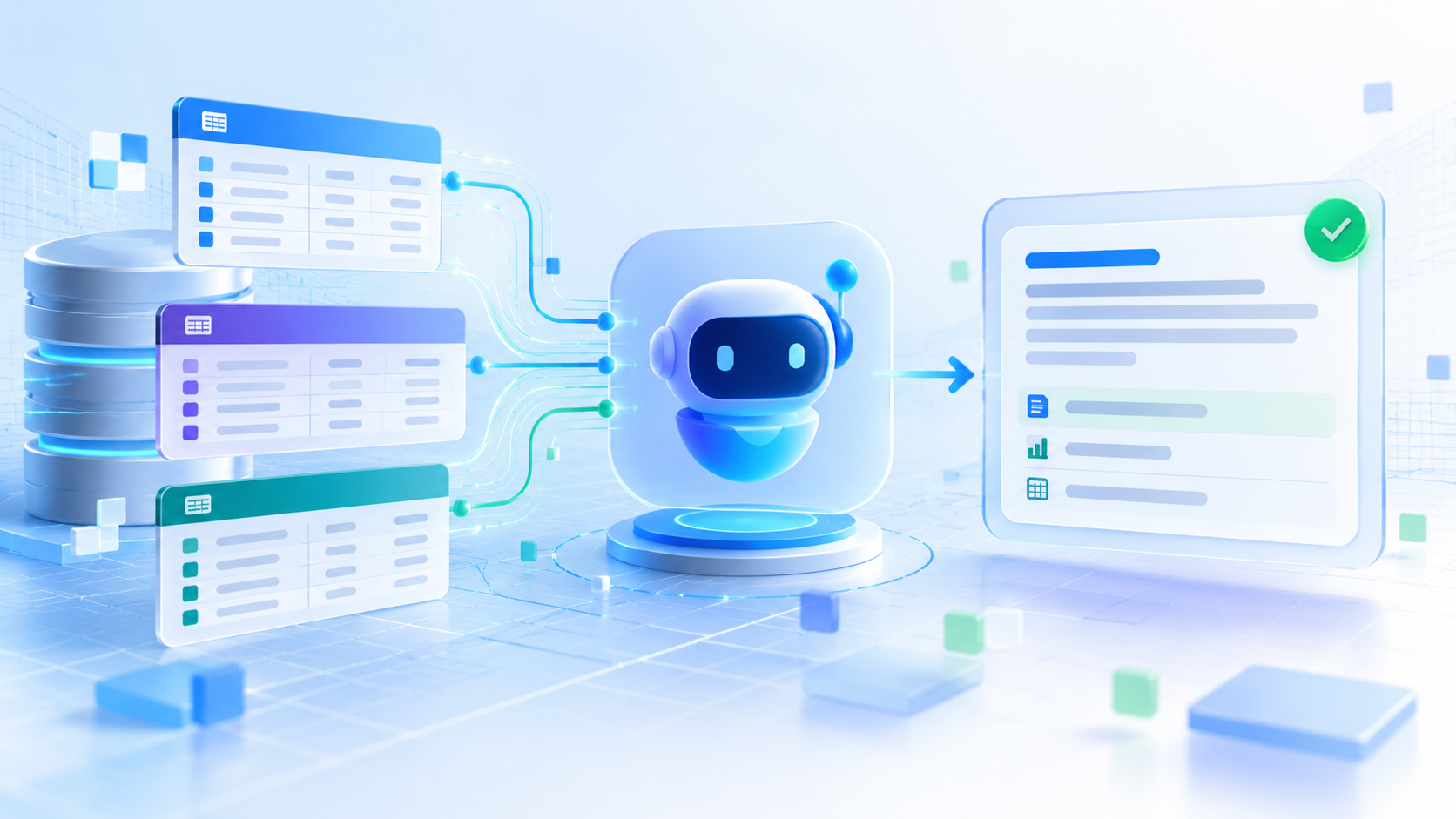
- Dataverse to Agent to User
- Knowledge Lives in Tables
- Start With the Right Data
On this page (16 sections)
Day 69 of 365 Days of Copilot Studio focuses on Dataverse knowledge sources: using structured business data to help a Copilot Studio agent provide grounded, relevant answers.
Day 68 covered websites as knowledge sources. Website knowledge is useful for published content. Dataverse knowledge is different: it brings business tables, records, and operational context into the conversation.
Note: Treat this article as a practical design guide. Always validate current setup steps, prerequisites, and limitations in Microsoft's Dataverse knowledge source documentation.
Why Dataverse Knowledge Matters
Dataverse often holds the business data that people ask about every day: customers, cases, products, requests, assets, projects, and related records. When an agent can use that trusted data as knowledge, answers become more specific than a general explanation.
The pattern is simple:
Dataverse data -> Copilot Studio -> grounded answers
The goal is not to make the agent sound smart in isolation. The goal is to help it use trusted business context when answering user questions.
Bring Business Data Into the Agent
Dataverse knowledge sources are useful when users ask questions whose answers live in business records rather than static documents. Examples include customer details, case status, product information, and structured operational data.
| Dataverse content | Example question |
|---|---|
| Customer records | What do we know about this customer? |
| Case records | What happened with this support case? |
| Product data | Which products match this requirement? |
| Business data | Which records are relevant to this situation? |
Used well, Dataverse turns business data into useful context for the agent.
Dataverse to Agent to User
The answering flow is:
- Dataverse: trusted tables and records contain business facts.
- Copilot Studio: the agent retrieves relevant data as knowledge.
- Grounded response: the answer is based on retrieved business context.
- User: the person receives a relevant answer in conversation.
This is most valuable when the user does not need to open a model-driven app, search through views, or interpret raw records just to understand what is happening.
Knowledge Lives in Tables
Dataverse knowledge starts with tables. Tables contain records, and records contain business context. That structure is the reason Dataverse can be a strong knowledge source for operational questions.
For example, a support case table might include the customer, case title, status, priority, owner, description, timeline notes, and resolution. The agent can use that structured context to answer a question more usefully than it could from generic support knowledge alone.
Tip: Structured data gives the agent context. Clear table names, columns, descriptions, and meaningful records help the agent find the right information.
Start With the Right Data
Do not connect data just because it exists. Start with data that is:
- Relevant: it supports the questions the agent is expected to answer.
- Current: records are actively maintained and not stale.
- Trusted: the table is the approved place for that business information.
Connect data the agent actually needs. If a table is unrelated, outdated, or poorly maintained, it can weaken answer quality.
Question, Find, Ground, Answer
The deck highlights the retrieval pattern:
- Ask: the user asks a business question.
- Find: the agent locates relevant Dataverse data.
- Ground: the data provides business context.
- Answer: the agent responds using that context.
Find the right data before answering. A Dataverse knowledge source is valuable when it helps the agent retrieve the specific records or fields needed for the question.
Add Business Context
Business data becomes useful when the agent can convert it into context. A row by itself is just a record. In conversation, the agent needs to understand why that row matters to the user's question.
For example, a customer record can provide account status, region, relationship owner, active cases, contract details, or support history. The relevant pieces become context for the answer.
Structured data makes answers more relevant because the agent can use the business meaning behind the data, not only generic language.
From Customer Data to Answer
Imagine a user asks, "What do we know about this customer?" A general answer is not enough. The agent needs customer-specific context from Dataverse.
A grounded answer might summarize the customer record, open cases, recent interactions, risk indicators, and next actions already represented in the data. The exact answer depends on your table design and the information the user is allowed to access.
Bring relevant customer context into the conversation. That is where Dataverse knowledge becomes practical.
Turn Case Data Into Context
Support scenarios are another natural fit. If a user asks, "What happened with this case?", the agent can use case data to summarize the status, issue, owner, timeline, and outcome.
This does not replace case management. It helps users understand the case faster. The system of record remains Dataverse; the agent provides a conversational explanation of the relevant record data.
Better Data Creates Better Grounding
AI cannot fix poor source data. If Dataverse records are inaccurate, incomplete, or outdated, the agent can produce weak or misleading answers.
| Source quality | Impact on answers |
|---|---|
| Accurate | Answers reflect the real business state. |
| Current | Answers avoid stale status or old decisions. |
| Complete | Answers have enough context to be useful. |
Improve the data before expecting the agent to compensate. Better data leads to better grounding.
Knowledge Still Needs Security
Dataverse knowledge requires security planning. Business tables may contain customer information, internal case details, or other sensitive operational data.
Design knowledge with access in mind:
- Confirm who should be able to use the agent.
- Confirm which tables and records those users may access.
- Validate authentication and environment permissions.
- Test with users who have different levels of access.
The point is not only to get answers working. The point is to get the right answers to the right people.
Knowing Is Not Changing
Dataverse knowledge answers questions. Actions change data. Keep that distinction clear in your design.
| User request | Capability |
|---|---|
| What is the customer status? | Knowledge can retrieve and explain the current data. |
| Update the customer status. | An action or workflow must perform the update. |
Knowledge informs. Actions change data. A mature agent may need both, but they should be designed, secured, and tested separately.
More Data Does Not Mean Better Knowledge
Connecting all data is tempting, but it usually creates noise. More tables can mean more ambiguity, weaker retrieval, and a larger governance burden.
Prefer a curated set of tables that are relevant, trusted, and useful. The agent does not need every table. It needs the right tables for the questions it is responsible for answering.
Start With the User Need
Start with the question, not the database:
- User need: what does the user need to understand?
- Required data: which data is needed to answer that question?
- Right tables: which Dataverse tables contain trusted information?
This approach keeps the agent focused. It also helps you avoid adding data sources that look impressive but do not improve real answers.
Before You Publish
Before publishing an agent that uses Dataverse knowledge, validate the source and the answers:
- Right tables: connected tables match the agent's scope.
- Quality data: records are accurate, current, and complete enough.
- Correct access: permissions and authentication support the intended audience.
- Clear ownership: someone owns the source data and its quality.
- Real questions tested: answers work for the way users actually ask.
Treat business data as a governed knowledge source. It needs ownership, quality checks, access control, and ongoing review.
Key Takeaway
Dataverse stores business data. Copilot Studio can bring that data into the conversation as relevant knowledge. Connect trusted business data, validate the answers, and make sure access and ownership are clear.
The practical rule is: connect trusted business data, deliver relevant answers, and govern the source over time.
Next: Day 70: Uploading Documents as Knowledge.
Tagged
Knowledge Sources · AI Agents · Integrations · Governance · Security
Frequently asked questions
Can Copilot Studio use Dataverse as a knowledge source?
Yes. Copilot Studio can use Dataverse tables as knowledge sources so an agent can answer questions using structured business data.
What kind of Dataverse data works best for knowledge?
Relevant, current, trusted tables with clear records, useful column names, and business context work best. Customer, case, product, and operational tables are common examples.
Is Dataverse knowledge the same as an action?
No. Dataverse knowledge helps the agent answer questions from data. Actions are separate capabilities that create, update, or otherwise change data.
Does Dataverse knowledge need security planning?
Yes. Plan table access, user permissions, authentication, and test users carefully so answers respect the intended security model.
Should I connect every Dataverse table?
No. Start with the user need, identify the required data, and connect the right trusted tables. More data does not automatically create better knowledge.
Sources
Have a Microsoft 365 topic idea?
Share article suggestions, community session ideas, corrections, or real-world scenarios for future nextM365 learning notes.
Keep learning Microsoft 365
Explore more practical guides for SharePoint, Power Platform, Copilot Studio, migration, automation, governance, and security.
Continue learning
Related tutorials
Related questions
Related comparisons
Next action