SharePoint as a Knowledge Source in Copilot Studio | Day 67
Use SharePoint as a knowledge source in Copilot Studio to ground answers in trusted policies, procedures, and guides while respecting user permissions.
- Published
- Reading time
- 5 min read
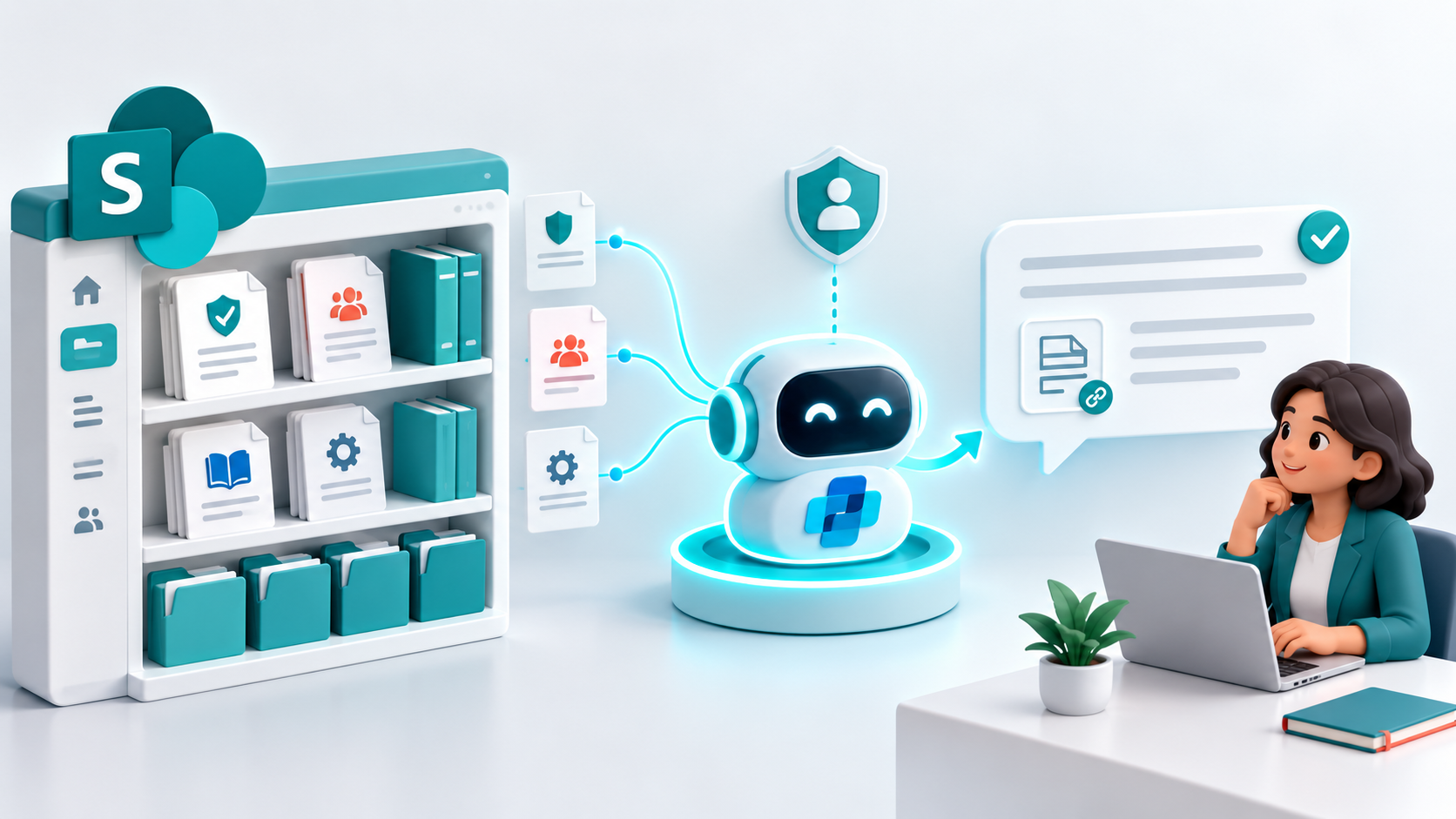
Week 10 · Day 67 of 365 in 365 Days of Copilot Studio — view the full series
Before you start
Is this guide for you?
- Best entry point
- 365 Days of Copilot Studio
- Time investment
- 5 min read
In this article
- Your Knowledge Already Lives Here
- SharePoint to Agent to User
- Start With the Right Site
- Connect SharePoint Knowledge
- Question, Find, Ground, Answer
On this page (13 sections)
Day 67 of 365 Days of Copilot Studio explores SharePoint as a knowledge source: how to bring organizational content into an agent and use it to deliver grounded answers.
Day 66 introduced knowledge sources. Today, we focus on a place where much of your business knowledge already lives: SharePoint. Policies, procedures, guides, and FAQs can become useful conversational knowledge when you connect the right content.
Your Knowledge Already Lives Here
Organizations often maintain their approved information in SharePoint. Employees may know the answer exists somewhere, but still spend time opening libraries, searching documents, and checking whether they found the current version.
A Copilot Studio agent can help users find relevant information and explain it in response to a question. SharePoint remains the source of organizational content; the agent provides a conversational way to use that content.
| Content | Example question |
|---|---|
| Policies | What is our parental leave policy? |
| Procedures | What is the approval process for a purchase? |
| IT guides | How do I request software access? |
| Reference content and FAQs | Where can I find the onboarding checklist? |
SharePoint to Agent to User
The core relationship is straightforward: SharePoint content -> Copilot Studio agent -> grounded response -> user.
The agent finds relevant knowledge and uses it to produce an answer. It does not make every document useful automatically. The documents still need clear information, a suitable audience, and an owner who keeps them accurate.
Start With the Right Site
Choose a SharePoint location containing trusted business content for the agent's purpose. An HR policy assistant should start with approved HR guidance. An IT support assistant should start with maintained support procedures and access-request guides.
Before connecting a location, review its contents. Remove superseded versions, identify conflicting guidance, and confirm that document titles and headings make the information understandable. A focused collection is easier to validate than a repository full of unrelated material.
Connect SharePoint Knowledge
For a SharePoint URL source, open the agent, choose Add knowledge, select SharePoint, and provide the relevant URL. Give the source a meaningful name and description before adding it to the agent. Configure authentication for the deployment channel and test retrieval with an appropriate user account.
Consult Microsoft's SharePoint knowledge setup documentation for the current configuration steps and considerations.
Question, Find, Ground, Answer
The answering pattern has four stages:
- Question: the user asks something in their own words.
- Find: the agent retrieves relevant SharePoint content.
- Ground: the retrieved information supplies business context.
- Answer: the agent responds using that context.
Find relevant knowledge before answering. The point is to help users reach your organization's information rather than a general explanation of what other organizations might do.
From Policy to Answer
Consider an employee asking, "What is our parental leave policy?" A general answer might explain typical leave arrangements. A grounded answer should use the approved HR policy stored in SharePoint.
For illustration, suppose the policy says eligible employees receive 26 weeks of paid parental leave. The agent can explain that entitlement, describe the eligibility conditions from the source, and point the employee to the full policy. The number is an example, not a claim about your organization's actual policy.
Validate that the response reflects the current policy, preserves important conditions, and includes a useful source reference when available. A confident answer is not enough; the answer must match the content.
Turn IT Documentation Into Answers
The same approach works for IT guides. If an employee asks, "How do I request software access?", the agent can retrieve the relevant access-request procedure and explain the steps.
That reduces manual searching through support libraries. It also gives the IT team one maintained source for the process, instead of duplicating instructions across a document, a chatbot script, and multiple help pages.
Better Content Creates Better Grounding
SharePoint knowledge works best when its content is current, clear, and trusted:
- Current: retire old versions and review guidance when processes change.
- Clear: use descriptive titles, headings, and well-structured sections.
- Trusted: use approved sources with accountable owners.
Warning: AI cannot fix poor source content. Contradictory policies, missing steps, and outdated instructions need correction in SharePoint.
Knowledge Still Needs Access Control
Knowledge architecture and security belong together. Connecting SharePoint to an agent does not mean every employee should see every document.
The SharePoint knowledge option respects the signed-in user's permissions. Verify user authentication, confirm the intended audience has access to the relevant content, and test with accounts representing different roles. See Microsoft's user authentication guidance when configuring the agent.
Include a user who can read the intended source and a user who cannot. Check that restricted content is not disclosed in an answer. Revisit these checks when site permissions or the deployment channel change.
Knowledge Informs; Actions Execute
SharePoint knowledge answers questions. Actions perform work. An agent can explain an approval process using a SharePoint procedure, but starting that approval requires an action or workflow configured for the task.
| User request | Capability |
|---|---|
| What is the approval process? | Knowledge retrieves and explains the procedure. |
| Start the approval. | An action or workflow performs the operation. |
Design both capabilities explicitly when the agent needs to guide a user and then carry out a task.
Connect What the Agent Actually Needs
More content does not automatically create better knowledge. Connecting everything in SharePoint can bring irrelevant documents, conflicting versions, and maintenance problems into the agent's answering process.
Work backward from the use case: business question -> required knowledge -> right SharePoint content. Identify what users need to know, locate the approved information, and connect the content that supports those questions.
Prefer relevant, trusted, maintained material. Expand the source collection when testing reveals a real gap, and give each new source an owner.
Before You Publish
- Right content: connect information relevant to the agent's scope.
- Current information: remove outdated and duplicate guidance.
- Clear ownership: assign responsibility for each important source.
- Correct permissions: validate authentication and existing SharePoint access.
- Real questions tested: check accuracy and source references using employee language.
Treat knowledge as a governed asset. Continue reviewing content and answers after publication, especially when policies, procedures, or access rules change.
Key Takeaway
SharePoint stores the organizational knowledge; Copilot Studio brings relevant knowledge into the conversation. Connect trusted content, validate permissions, and test whether the agent delivers accurate answers that help users.
Next: Day 68: Websites as a Knowledge Source.
Tagged
Knowledge Sources · AI Agents · Integrations · Governance · Security
Frequently asked questions
Why use SharePoint as a knowledge source in Copilot Studio?
SharePoint holds organizational policies, procedures, guides, and reference content that an agent can use to answer business questions in context.
Which SharePoint content should I connect?
Connect relevant, trusted, maintained content that answers the questions your agent is designed to handle. Avoid connecting unrelated or outdated material.
Does adding SharePoint knowledge give users extra access?
No. The SharePoint knowledge option respects the signed-in user's existing permissions. Configure authentication and test with representative users.
Can SharePoint knowledge start an approval or submit a request?
Knowledge helps the agent explain a process. Performing the process requires a separately configured action or workflow.
What should I test before publishing?
Test real questions, answer accuracy, source references, content freshness, and access using users with different SharePoint permissions.
Sources
Have a Microsoft 365 topic idea?
Share article suggestions, community session ideas, corrections, or real-world scenarios for future nextM365 learning notes.
Keep learning Microsoft 365
Explore more practical guides for SharePoint, Power Platform, Copilot Studio, migration, automation, governance, and security.
Continue learning
Related tutorials
Related questions
Related comparisons
Next action