Improving User Satisfaction in Copilot Studio | Day 79
Improve Copilot Studio user satisfaction with trusted answers, simpler conversations, faster responses, useful recovery, human handoff, and a measurable feedback loop.
- Published
- Reading time
- 10 min read
Quick answer
Improve satisfaction by identifying where users struggle, correcting knowledge and action failures, asking focused questions, giving clear next steps, and providing a working support route. Collect ratings and comments with minimal interruption, then compare similar users and tasks before and after each targeted change.
Week 12 · Day 79 of 365 in 365 Days of Copilot Studio — view the full series
Before you start
Is this guide for you?
- Best entry point
- 365 Days of Copilot Studio
- Time investment
- 10 min read
- Prerequisite knowledge
- The performance measurement approach in Day 78 and access to an agent’s feedback or representative user testing.
What you’ll learn
- A technically working agent still needs to help users reach a useful outcome.
- Trust depends on applicable answers, honest limitations, and verified actions.
- Reduce repeated questions and unnecessary steps without removing needed checks.
- A working human handoff can be a successful result for the user.
- Keep CSAT averages, satisfaction percentages, reactions, and response rates distinct.
Before you start
- Prerequisite knowledge
- The performance measurement approach in Day 78 and access to an agent’s feedback or representative user testing.
On this page (13 sections)
Day 79 of 365 Days of Copilot Studio focuses on improving user satisfaction. In Day 78, we measured agent performance. Today, we turn that evidence into answers, conversations, and recovery paths that people find helpful.
An agent can respond successfully at a technical level while leaving someone confused or unable to finish a task. Satisfaction improves when the experience combines accurate guidance, clear language, reasonable response times, dependable actions, and a usable next step.
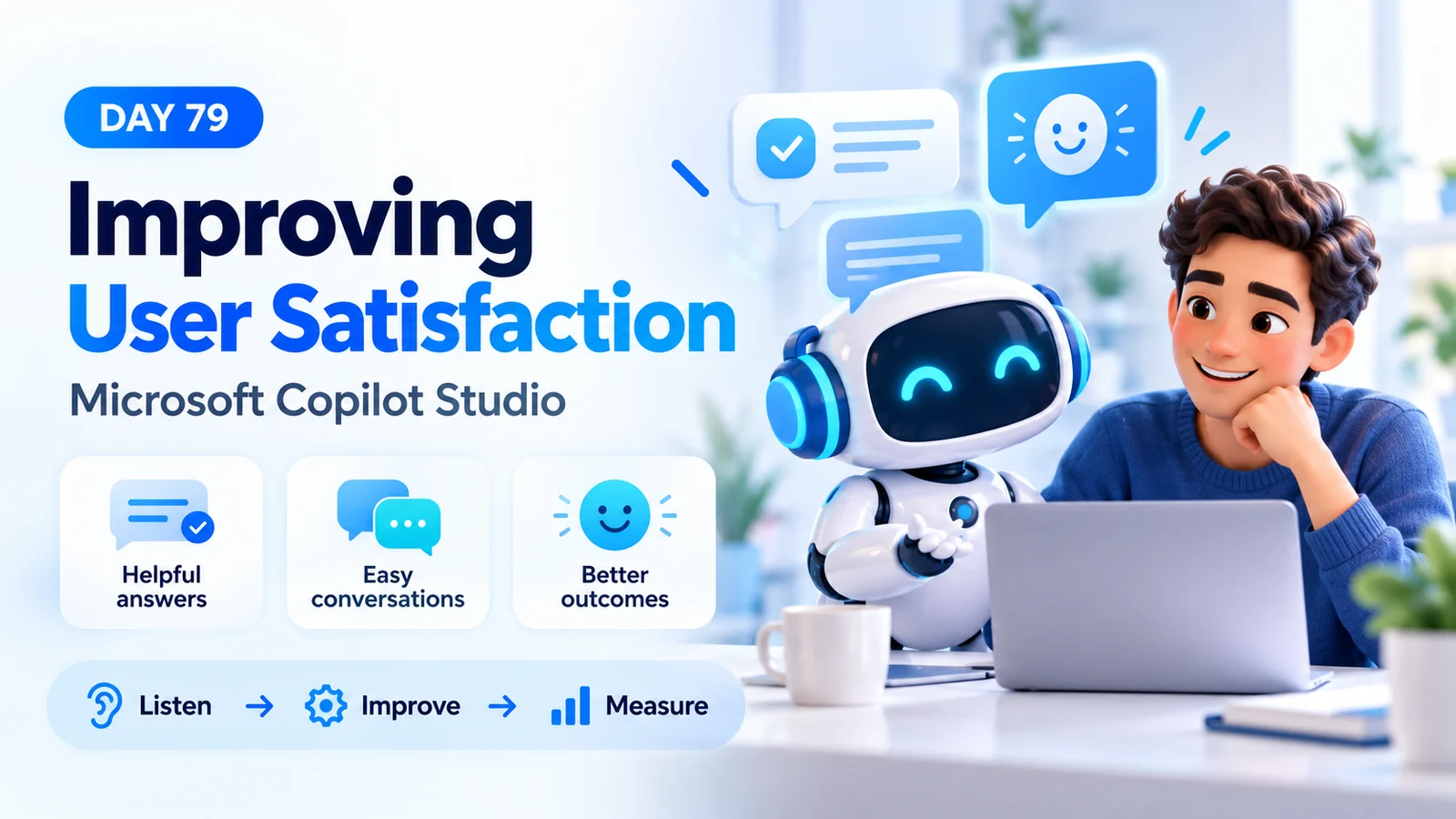
This lesson expands the Day 79 learning notes into a practical improvement workflow. The hero is a conceptual illustration. All ratings, timings, and before-and-after figures below are teaching examples, not nextM365 production results or guaranteed improvements.
1. Define Satisfaction Around the User’s Goal
Ask what the person came to accomplish. An employee asking about leave may want to find a balance, understand a policy, submit a request, or cancel one. These requests share vocabulary but need different answers and actions.
Define a useful ending for each supported task. A policy question might end with applicable guidance and its source. A submitted request should end with a verified reference and status. An unsupported request should end with an honest explanation and a working alternative.
| Driver | What the user needs | Evidence to review |
|---|---|---|
| Accuracy | An applicable, trustworthy answer. | Approved source and response review. |
| Ease | A clear path without repeated information. | Clarification loops and interaction observations. |
| Speed | A reasonable wait for the requested work. | Timings for comparable scenarios. |
| Outcome | The task completed or a useful next step. | Verified system state and follow-up feedback. |
2. Find the Friction Before Choosing a Fix
Start with a recurring pain point rather than a broad instruction such as “be more helpful.” Review an authorized sample of low-rated or unfinished interactions, then write the observed problem as a reproducible scenario.
“The agent is confusing” becomes actionable when the evidence says, “An employee asks how to cancel leave, but the agent describes how to submit it and never offers cancellation.” That points toward intent recognition, supported capabilities, and recovery.
Microsoft’s question and session drill-down guidance explains how to investigate responses, reactions, comments, and session outcomes. Transcript access requires the Bot Transcript Viewer role. Use the views available for your agent experience and channel.
- Look for repeated questions after an answer that appeared successful.
- Compare poor feedback with the actual response and task outcome.
- Group recurring missing links, misunderstood requests, and failed actions.
- Record sample size, reporting period, and how the sample was selected.
3. Deliver Answers People Can Trust
Good wording cannot repair an incorrect policy. Check that the agent uses an approved, current source applicable to the audience. Resolve obsolete documents, conflicting versions, broken links, and unclear ownership before repeatedly rewriting instructions.
A useful response answers the question first, states relevant conditions, and gives the source or next step. Avoid presenting a universal entitlement when rules vary by employee type or location. When context is essential, ask for it before giving a definitive answer.
Example: instead of “You can take this leave,” use “Eligibility depends on the policy that applies to your employee group. Which group should I use?” After clarification, provide the applicable guidance and source. This is an example conversation pattern, not an employment policy.
Test the corrected source with the original failure question, a paraphrase, and an exception. Include a previously successful question to detect regressions. For a deeper source review, revisit Day 75: Troubleshooting Knowledge Sources.
4. Understand Intent With Focused Clarification
Users express goals in their own words. “Where’s my leave?”, “How many days do I have?”, and “Did my leave go through?” may refer to balance, request status, or approval. Do not choose a consequential action from ambiguous wording.
Ask a short question that separates the likely tasks: “Would you like to check your remaining balance or the status of a request?” Once the user selects a task, request only the information needed to perform it.
Reuse information already supplied when the conversation and supported implementation allow it. If a person has already given a request reference, asking for the same reference again adds friction. Validate important details and allow corrections before executing an action.
Try natural variations, short messages, spelling mistakes, and changes of mind in your tests. Judge whether the agent reaches the correct next step rather than whether the response matches one exact phrase.
5. Make Conversations Simple and Actionable
Use short paragraphs and concrete steps. Put the direct answer before background explanation. For a procedure, present a small numbered sequence and label links by their destination or purpose.
| Friction | Better response pattern | Validation |
|---|---|---|
| A long policy dump. | Answer the specific question, then offer detail. | Can a user identify the next step quickly? |
| An unexplained technical error. | Describe the impact and a useful recovery step. | Does the user know whether anything was submitted? |
| Several unrelated questions at once. | Ask the next necessary question. | Can users answer without guessing the format? |
| A vague “Done.” | Confirm the operation, reference, and status. | Does the target system match the confirmation? |
Check mobile layouts, descriptive links, keyboard interaction, and the readability of any cards used in the conversation. A clear response should remain usable in the channel where people actually work.
6. Reduce Waiting Without Losing Accuracy
Measure slow scenarios before changing them. A knowledge lookup, an authenticated balance check, and a multi-step submission have different dependencies. Repeated retrieval, unnecessary calls, or a slow downstream action may need different repairs.
Use the performance approach from Day 78: keep timing boundaries consistent, compare similar requests, and inspect slower interactions as well as the typical one. The PDF’s fast-response examples illustrate a goal, not a universal service target.
Where the channel and workflow support it, provide a truthful progress message for a longer operation. “I’m checking the request status” is useful only if that work is actually underway. Avoid repeating progress text or promising an exact completion time without evidence.
After optimization, verify both speed and outcome quality. A faster response that omits the required confirmation or uses stale data can reduce trust.
7. Recover Helpfully When the Agent Cannot Help
Failure recovery is part of the experience. State the limitation clearly, say whether an action occurred, and offer a relevant next step. Distinguish missing information from insufficient permission and a temporary service failure.
Unsupported operation: “I can explain the cancellation process, but I cannot cancel this request here. Open the leave portal and choose your request, or contact the support team.” Only offer these routes when they exist and have been checked.
Uncertain action result: “I could not confirm whether the submission completed. Check the request list before trying again.” A retry can create duplicates if the first operation completed but its response was lost.
Avoid repeatedly returning the same generic fallback. Give users a way to clarify, switch tasks, or reach support. Test recovery with unavailable tools and missing knowledge, not just successful demonstrations.
8. Provide a Working Human Handoff
Bring in a person when the user requests help, the task requires specialist judgment, or repeated recovery attempts have not produced a useful result. Keep the escalation route proportionate to the issue and available in the relevant channel.
A support link and a live transfer are different experiences. Do not say that a human is joining unless the integration actually supports that transition. If the route is a ticket or a portal, explain the next step and provide a reference when one is returned.
Test the receiving side: does support receive the correct category, permitted context, and request details? Does the user have to repeat information unnecessarily? What happens outside support hours?
Appropriate escalation can improve satisfaction. Reducing handoffs merely to make a dashboard look better can leave people without a way to finish. Evaluate whether the support path worked.
9. Collect Feedback at a Natural Stopping Point
Use a small amount of well-timed feedback. Response reactions can describe an individual answer; an optional end-of-session survey can describe the overall interaction. Ask for a brief explanation when it helps identify a specific defect.
Microsoft’s feedback and satisfaction reference describes reaction collection in Settings and CSAT from end-of-session surveys. The Microsoft Copilot channel requires administrator consent to share reactions and comments. Check collection settings and permissions before interpreting missing feedback.
Let users skip feedback and continue asking questions. A survey that traps someone in a required response can create the friction it is meant to measure. Explain how comments are used and request only information needed to improve the experience.
Test the complete ending, including a successful answer, an unsuccessful task, an escalation, and a user who continues with a different question. Microsoft’s improvement checklist recommends reviewing feedback, conversation endings, knowledge quality, and action reliability together.
10. Calculate CSAT and Response Coverage Correctly
Keep the scale average separate from the proportion of satisfied respondents. Microsoft classifies ratings of 4 and 5 as satisfied, 3 as neutral, and 1 and 2 as dissatisfied in its documented CSAT experience.
The following illustrative sample contains ten ratings: 5, 5, 5, 5, 5, 5, 4, 4, 4, 4. The total is 46, so the average is 4.6 out of 5. All ten respondents gave a 4 or 5, so the satisfied-respondent proportion is 100%. That is different from dividing the average by five.
Average CSAT = total rating points / number of valid ratings
Satisfied respondents = count of ratings 4 or 5 / valid ratings × 100
Survey response rate = valid responses / eligible survey invitations × 100
If 50 eligible invitations produced those ten responses, response coverage is 20%. You have evidence about ten respondents, not proof that all 50 people were satisfied. Report the unanswered invitations and use “unavailable” when there are no valid ratings.
Likewise, a positive reaction proportion needs its own denominator: positive reactions divided by positive plus negative reactions in the chosen scope. It describes people who reacted to responses and should not be silently substituted for session CSAT.
11. Turn Comments Into a Prioritized Improvement
Group comments by observable cause and task. “Not helpful” needs investigation; “the link opens a page I cannot access” points toward link validity, audience, or permissions. Count recurring patterns and assess their impact alongside frequency.
| Feedback theme | Candidate repair | Proof of improvement |
|---|---|---|
| Wrong policy guidance. | Correct the authoritative source and its scope. | Reviewed answers match applicable approved facts. |
| Repeated clarification. | Separate intents and remove redundant questions. | Users reach the correct path with fewer repeated inputs. |
| Submission uncertainty. | Verify action results and improve confirmation. | Correct record plus a valid reference and status. |
| No way to get support. | Repair the receiving support route. | Successful transfer or usable ticket/portal path. |
Assign an owner and write acceptance criteria before editing. Prioritize a serious incorrect action even if it appears less often than a minor wording complaint. Keep the evidence and the proposed cause separate until a test confirms the diagnosis.
12. Validate Before-and-After Improvements
Capture a baseline for the task, channel, period, survey wording, and collection method. Retest the original failure and representative variations after the repair. Check previously working scenarios for regressions before examining follow-up usage.
Illustrative comparison: a baseline group has 100 valid ratings totaling 320 points, giving 3.2 out of 5. A later comparable group has 100 valid ratings totaling 460 points, giving 4.6 out of 5. The observed increase is 1.4 points on the five-point scale. These totals alone do not reveal the share of satisfied respondents.
Record invitations and response rates for both groups. Check whether request complexity, users, channels, support availability, or survey placement changed. A higher average is encouraging, but those differences may contribute to it.
Pair the score with task evidence: did users find the correct page, create the correct request, or successfully reach support? Keep an issue open if the rating rises while the original defect remains reproducible.
13. Practice: Repair One Frustrating Conversation
- Select one frequently used task and collect a small authorized sample of feedback.
- Write one reproducible friction statement and the expected useful outcome.
- Review the source, conversation path, tool result, and support route involved.
- Make one targeted correction and test the original request plus variations.
- Ask representative users whether they can complete the task and understand the next step.
- Compare follow-up feedback and verified outcomes using the same definitions.
Keep a short review record: issue, evidence, owner, change, test cases, results, and next review date. Repeat the listen, improve, measure cycle as the agent evolves. The useful result is an experience that helps people reach their goal with less confusion and more confidence.
Tagged
AI Agents · Conversation Design · Performance · Knowledge Sources
Frequently asked questions
What improves satisfaction most in a Copilot Studio agent?
Start with the recurring issue that prevents an important user task from succeeding. Depending on the evidence, that may be an incorrect source, a failed action, repeated clarification, slow response, or a missing support route.
Does a 4.6 out of 5 CSAT average mean 92% of users are satisfied?
No. An average rating is different from a satisfaction percentage. Calculate the share of satisfied respondents from individual ratings and report the response count separately.
Should the agent ask for feedback after every answer?
Avoid interrupting every exchange with a required question. Use the feedback mechanisms supported by the channel and an optional survey at a natural stopping point. Test that users can continue asking questions.
Why can a thumbs-up rate differ from CSAT?
A reaction usually describes a response, while CSAT is a session-level survey measure. The respondents, timing, and denominators can differ. Report them separately.
Is escalation a sign of poor satisfaction?
Not necessarily. A person requesting human help or a task requiring specialist judgment may be best served by escalation. Verify that the handoff reaches a usable support destination.
What if no satisfaction responses are available?
Report the score as unavailable. Check survey reach, channel configuration, collection settings, and access. Review task outcomes and representative user testing while improving feedback coverage.
Sources
- Monitor conversational agents — Microsoft Learn, Microsoft, accessed 2026-10-15
- Explore user questions, session, and feedback data — Microsoft Learn, Microsoft, accessed 2026-10-15
- Review the improve checklist — Microsoft Learn, Microsoft, accessed 2026-10-15
Have a Microsoft 365 topic idea?
Share article suggestions, community session ideas, corrections, or real-world scenarios for future nextM365 learning notes.
Keep learning Microsoft 365
Explore more practical guides for SharePoint, Power Platform, Copilot Studio, migration, automation, governance, and security.
Continue learning
Related tutorials
Related questions
Related comparisons
Next action