Copilot Studio Publishing Best Practices | Day 81
Publish Copilot Studio agents with tested answers, trusted knowledge, secure access, reliable actions, channel validation, and a practical monitoring and release checklist.
- Published
- Reading time
- 10 min read
Quick answer
Before publishing a Copilot Studio agent, verify its supported tasks, knowledge, authentication, permissions, tools, and recovery paths. Publish the approved version, test it in a fresh session on each intended channel with representative users, then monitor failures and outcomes. Keep a release record, a support owner, and a tested recovery plan for later changes.
Week 12 · Day 81 of 365 in 365 Days of Copilot Studio — view the full series
Before you start
Is this guide for you?
- Best entry point
- 365 Days of Copilot Studio
- Time investment
- 10 min read
- Prerequisite knowledge
- A working Copilot Studio agent, approved knowledge sources, the intended channel, and permission to publish in the target environment.
What you’ll learn
- Define release acceptance with observable answers and business outcomes.
- Test ordinary users, denied access, missing information, and tool failures.
- Review authentication, source permissions, connector identity, and channel access separately.
- Validate the published version in the real channel using a fresh session.
- Keep deployment evidence, monitoring ownership, and a recovery procedure for each release.
Before you start
- Prerequisite knowledge
- A working Copilot Studio agent, approved knowledge sources, the intended channel, and permission to publish in the target environment.
On this page (13 sections)
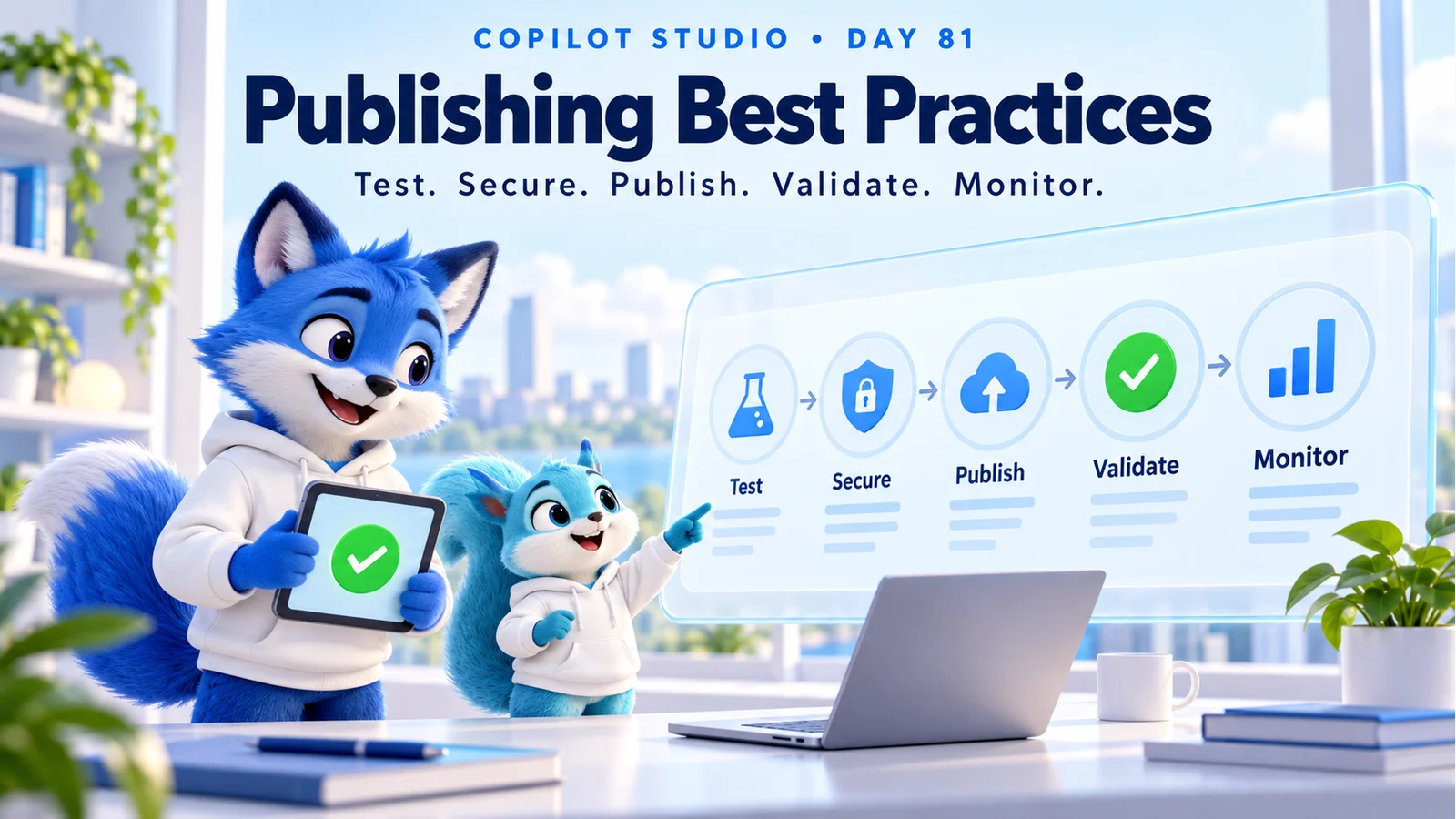
Day 81 of 365 Days of Copilot Studio covers Copilot Studio publishing best practices: how to move a working agent into a dependable user experience. The release process is test, secure, publish, validate, and monitor.
A successful demonstration is a useful milestone. A production release also needs evidence that ordinary users can access the right information, complete supported actions, recover from errors, and reach help. This lesson expands the Day 81 PDF into a practical release guide with examples, test cases, and a reusable checklist.
The hero is a conceptual illustration. The HR scenario and suggested release records below are teaching examples, not screenshots, product guarantees, or measured results. Exact controls vary by agent experience, channel, tenant policies, and available features; the linked publishing reference describes the standard-harness experience.
1. Define the Release Before You Publish
Write down the audience, supported tasks, intended channel, and evidence that will count as success. Keep the first release focused enough that someone can test the whole journey. A support owner should know what the agent handles and where it should hand off.
For an employee assistance agent, the initial scope might be answering approved leave-policy questions and creating an HR enquiry. Payroll changes and medical advice could remain outside that scope. The agent should explain the boundary and offer the approved next step when a request falls outside it.
| Release decision | Example evidence |
|---|---|
| Audience and scope | Named employee pilot group; supported tasks and exclusions recorded. |
| Answer quality | Reviewed questions match the current approved policy and relevant employee context. |
| Action outcome | A test enquiry exists in the intended system with the expected fields and reference. |
| Access boundary | Authorized users succeed; unauthorized users receive no restricted content. |
| Operational readiness | Named support owner, monitored signals, and an agreed recovery procedure. |
These are example release decisions. Choose acceptance criteria that reflect the consequences of a wrong answer or failed action in your own workflow.
2. Test Common Questions and Conversation Recovery
Start with the questions people actually ask. Include paraphrases, short messages, spelling variations, incomplete details, follow-up questions, and a change of intent halfway through a conversation. Check whether the agent asks for the missing information instead of inventing it.
Microsoft’s testing strategy guidance supports validating agent behavior throughout delivery. Keep a small repeatable regression set alongside exploratory testing so that a repair to one topic does not silently break another.
| Test | Expected behavior |
|---|---|
| “How do I request annual leave?” | Provide the approved process and relevant source. |
| “Can I take leave?” without dates or context | Ask for necessary details or explain the policy boundary. |
| “Actually, I need help with a payslip.” | Recognize the changed intent and route appropriately. |
| A question unsupported by approved sources | State the limitation and offer an appropriate next step. |
| A user cancels an enquiry | Stop the requested action and explain what has or has not happened. |
Record the input, user context, expected result, observed response, and pass or fail. For important tasks, review the whole conversation rather than a single attractive answer.
3. Verify Knowledge Quality and Access
Review the sources behind the agent’s answers. Assign an owner to important policies, remove obsolete duplicates, and make applicability clear. Two valid-looking documents with different leave entitlements can produce confusing answers if their dates and audiences are unclear.
Test representative questions against the intended sources and inspect the evidence supporting the answer. Microsoft’s knowledge testing guidance provides product-specific checks. Confirm that the source is ready for use before treating a missing answer as a conversation-design problem.
Repeat the same question using an ordinary employee account. A maker’s access is often broader than a user’s access. Also test a person who should not receive the information. Record the source, test identity, expected boundary, and observed result without copying sensitive material into the release notes.
For deeper troubleshooting, use Day 75: Troubleshooting Knowledge Sources.
4. Check Authentication and Authorization Separately
Authentication identifies a user. Authorization determines what that user or the configured tool identity can access. Review both before release. Signing in successfully is only one part of the check.
In the standard experience, review Settings > Security > Authentication. Microsoft documents the available options in Configure user authentication. Choose the option supported by the intended channel and organizational policy. Authentication changes require publishing before they affect the published agent.
For an internal HR agent, test an intended employee, a person outside the pilot group, and a user without access to a restricted source. Verify connector credentials and downstream permissions as well as the conversation sign-in experience. Never solve an access problem by broadly sharing a confidential source.
Inspect error responses and logs for accidental exposure of tokens, private endpoints, personal data, or internal diagnostic details. Capture useful troubleshooting references while keeping user-facing messages understandable.
5. Validate Every Tool and Business Action
A polished response can conceal an unsuccessful operation. Test actions independently and through the conversation. Check required fields, data types, missing values, permission failures, timeouts, and repeated requests.
For example, an HR enquiry action might need an employee identifier, category, and description. The system should validate these values before writing a record. Microsoft provides additional input settings for topics and tools; use the applicable controls and validate again in the receiving service where required.
- Valid request: confirm the destination record, reference, and response.
- Missing information: ask for the necessary input before attempting the write.
- Denied permission: avoid claiming completion and provide the approved support route.
- Timeout after submission: check whether the record was created before retrying a write.
- Repeated request: use the workflow’s duplicate-handling design to prevent accidental repeated transactions.
Where an action has consequences, make the requested change clear and obtain the appropriate confirmation. A sentence saying “done” is useful only when the destination system supports that claim.
6. Choose the Channel and Validate Its Experience
Select the channel based on where the intended audience works and the controls it needs. An employee assistant in Teams and a customer-facing website agent have different access and presentation requirements.
Microsoft’s publishing reference explains publishing and channel configuration. Updates apply to the agent’s connected channels. The demo website supports team and stakeholder trials; it is not intended as the production customer experience.
For each intended channel, check sign-in, readable messages, links, cards or buttons used by the conversation, file behavior where applicable, and the route to support. Test on the devices your audience actually uses. A response that fits the authoring panel may be awkward on a phone.
If a channel is unavailable, investigate the channel’s requirements and your tenant’s policies with the administrator. Expanding access to work around a blocked channel can change the release’s security assumptions.
7. Keep Development, Test, and Production Configuration Clear
For a maintained business agent, follow a controlled promotion process. Microsoft’s ALM guidance recommends separate development, test, and production environments, solutions for transporting components, and environment-specific settings and connections.
After deploying a solution, review the target environment. Some Copilot Studio settings require separate attention, including authentication, web-channel security, channels, sharing, and Application Insights configuration. Keep these checks in the release procedure instead of assuming that importing a solution reproduces every operational setting.
Maintain a short deployment record: solution version, environment, agent identifier, changed components, approved test results, target connections, and person responsible for the release. Never put connection secrets in that record.
8. Publish and Verify a Fresh Live Session
Once the release checks pass, publish the approved agent version and wait for the operation to complete. Open the actual channel with an intended user account and start a new conversation. Check a known answer, a supported action, and an expected recovery path.
Existing sessions can continue using earlier published content. For supported persistent channels, Microsoft documents start over as a way to reset the current conversation. Allow for channel update behavior before assuming that an unchanged reply means publication failed.
A useful smoke test is small and observable: request the approved leave-process link, submit one clearly marked test enquiry, verify its destination record, and confirm a denied-access case. Clean up test records according to the team’s procedure.
Record the agent version, channel, user role, time, and result. A publish success message establishes that publishing finished; the channel smoke test establishes that the intended user journey works.
9. Worked Example: Releasing an Employee HR Assistant
Imagine a team preparing a pilot for an agent that answers leave-policy questions and creates HR enquiries. During testing, the maker receives a complete answer, but a pilot employee cannot open the cited policy. A failed enquiry action also produces an optimistic completion message.
Investigation: the team checks the policy’s intended audience and finds an access mismatch. It also checks the action response and discovers that a failure path does not distinguish an unsuccessful write from a completed request.
Repair: the source owner corrects access for the approved employee audience. The maker improves the action result handling so the agent returns a reference only after confirmed creation, and otherwise offers a useful recovery route.
Release evidence: an ordinary employee can open the source; a person outside the permitted audience cannot retrieve it; a valid enquiry produces one correct record; and an injected failure produces no false success claim. The team repeats previously passing questions and then performs the same checks in the published pilot channel.
This example illustrates a release decision, not a universal HR implementation. The exact permissions, fields, and approval process must come from the organization’s own system.
10. Monitor Outcomes After Publishing
Assign someone to review the pilot and define what should trigger investigation. Microsoft’s operations and capacity guidance covers maintaining the service after delivery. Review quality, failures, access issues, capacity, and user feedback together.
For the example HR pilot, a sensible review might examine failed enquiry creation, repeated unanswered policy questions, slow responses, unexpected access errors, and cases where a person asks for human help. Compare equivalent periods and user groups before attributing a change to the release.
Use Day 78: Measuring AI Performance to define evidence and Day 80: Conversation History to investigate individual interactions. A resolution label or positive tone alone does not establish a correct business outcome.
11. Update Safely and Plan Recovery
Treat changes to instructions, knowledge, authentication, tools, or dependencies as a reason to rerun the relevant tests. Microsoft’s evaluation checklist describes building a baseline and expanding repeatable evaluation over time. Add real recurring failures to that set.
Before a release, decide how to contain a problem and recover. Keep approved packages or configuration records, identify who can restrict an affected channel or action, and rehearse the procedure in an appropriate environment. Verify dependency compatibility before restoring an earlier configuration.
Republish when required and validate fresh channel sessions after recovery. Restoring agent content does not reverse a request already submitted or a record already changed; those operations need their own reconciliation procedure.
12. Troubleshoot Common Publishing Problems
| Symptom | Check first | Evidence before closing |
|---|---|---|
| An old answer remains visible | Published version, current session, channel update behavior, and source freshness. | A fresh session returns the expected approved answer. |
| The maker succeeds but a user fails | User audience, source permissions, connector identity, and downstream authorization. | Representative allowed and denied accounts behave correctly. |
| An action claims success without a result | Actual tool response, error handling, and destination-system state. | The agent reports verified completion or a useful failure outcome. |
| A channel is unavailable | Channel support, authentication requirements, and organizational controls. | The administrator confirms the intended supported configuration. |
| A deployment works in test only | Target settings, connections, endpoints, sharing, and source access. | The same scenario passes in a controlled production smoke test. |
13. Practical Pre-release and Post-release Checklist
- Confirm the supported audience, tasks, exclusions, and release owner.
- Run core questions, paraphrases, follow-ups, cancellation, and recovery cases.
- Check approved knowledge, source applicability, and ordinary-user access.
- Verify authentication, sharing, tool credentials, and downstream permissions.
- Validate action inputs, real outcomes, duplicate handling, and failure responses.
- Review target-environment settings and required post-deployment configuration.
- Confirm channel readiness, monitoring ownership, and the recovery procedure.
- Publish the approved version and test a fresh session in each intended channel.
- Record the release evidence and review pilot feedback before expanding access.
- Turn confirmed production issues into reproducible regression cases.
Practice: choose one supported task in your agent. Write five tests covering a normal request, missing information, denied access, a failed action, and a follow-up. Run them with representative accounts, publish the approved change, and repeat the relevant checks through the intended channel. Keep the observed results with your release record.
Tagged
AI Agents · Security · Governance · Performance
Frequently asked questions
Do saved changes appear immediately in my published agent?
Changes to the agent need to be published before users receive the updated published content. Validate the release in a new session; an existing conversation may continue using the previous version.
Is the Test agent panel enough for production sign-off?
No. Use it during development, then validate the published agent through the intended channel with representative user accounts, source access, tool connections, and expected business results.
Can I use the demo website as the production channel?
Microsoft describes the demo website as a way for a team and stakeholders to try an agent. Use an appropriate production channel for customers or employees and validate its access configuration.
Does publishing automatically grant access to knowledge and tools?
No. Review the user audience, knowledge-source permissions, tool credentials, and downstream authorization independently. Test with accounts that should succeed and accounts that should be denied.
What should I check after importing an agent solution?
Verify environment variables and connection references, then review target-environment settings including authentication, web-channel security, deployed channels, sharing, and monitoring configuration. Do not assume an import alone makes the agent ready for users.
How should I recover from a bad release?
Follow a documented and rehearsed procedure that fits the agent and its dependencies. It may involve restricting an affected channel or action, restoring an approved package or configuration, republishing, and validating new sessions. Reverting the agent does not undo business transactions already completed.
Sources
- Publish and deploy your agent, Microsoft, accessed 2026-10-17
- Configure user authentication, Microsoft, accessed 2026-10-17
- Establish an application lifecycle management strategy, Microsoft, accessed 2026-10-17
- Design a testing strategy for your agents, Microsoft, accessed 2026-10-17
- Review the agent evaluation checklist, Microsoft, accessed 2026-10-17
- Test your agent knowledge sources, Microsoft, accessed 2026-10-17
- Additional settings for inputs of topics and tools, Microsoft, accessed 2026-10-17
- Monitor operations, compliance, and capacity, Microsoft, accessed 2026-10-17
Have a Microsoft 365 topic idea?
Share article suggestions, community session ideas, corrections, or real-world scenarios for future nextM365 learning notes.
Keep learning Microsoft 365
Explore more practical guides for SharePoint, Power Platform, Copilot Studio, migration, automation, governance, and security.
Continue learning
Related tutorials
Related questions
Related comparisons
Next action