Copilot Studio Version Management Best Practices | Day 82
Manage Copilot Studio releases with clear version records, solutions, separate environments, dependency checks, regression tests, deployment evidence, and a rehearsed recovery plan.
- Published
- Reading time
- 10 min read
Quick answer
Manage agent versions by linking every release to its source changes, solution package, environment configuration, test results, and deployment record. Build in development, validate in test, promote the approved artifact, and verify the published channel. Keep dependency checks and a rehearsed recovery procedure so the team can explain what changed and respond when a release fails.
Week 12 · Day 82 of 365 in 365 Days of Copilot Studio — view the full series
Before you start
Is this guide for you?
- Best entry point
- 365 Days of Copilot Studio
- Time investment
- 10 min read
- Prerequisite knowledge
- The publishing checks from Day 81, an agent with a defined task, and familiarity with the development, test, and production environments used by your team.
What you’ll learn
- Distinguish draft content, published behavior, solution versions, and source revisions.
- Keep production changes traceable to an approved and tested release.
- Check knowledge, flows, connectors, permissions, and environment settings together.
- Rerun existing scenarios after changing instructions, topics, tools, or sources.
- Rehearse recovery; importing an older package is not a universal rollback procedure.
Before you start
- Prerequisite knowledge
- The publishing checks from Day 81, an agent with a defined task, and familiarity with the development, test, and production environments used by your team.
On this page (13 sections)
Day 82 of 365 Days of Copilot Studio covers Copilot Studio version management best practices. In Day 81, we checked release readiness. Today, we make each subsequent change traceable, testable, and recoverable.
A change to one instruction can affect answer selection. A connector update can alter an action’s inputs. An edited policy can change the response even when the agent definition stays the same. Version management gives the team a practical way to explain these changes and investigate their effects.
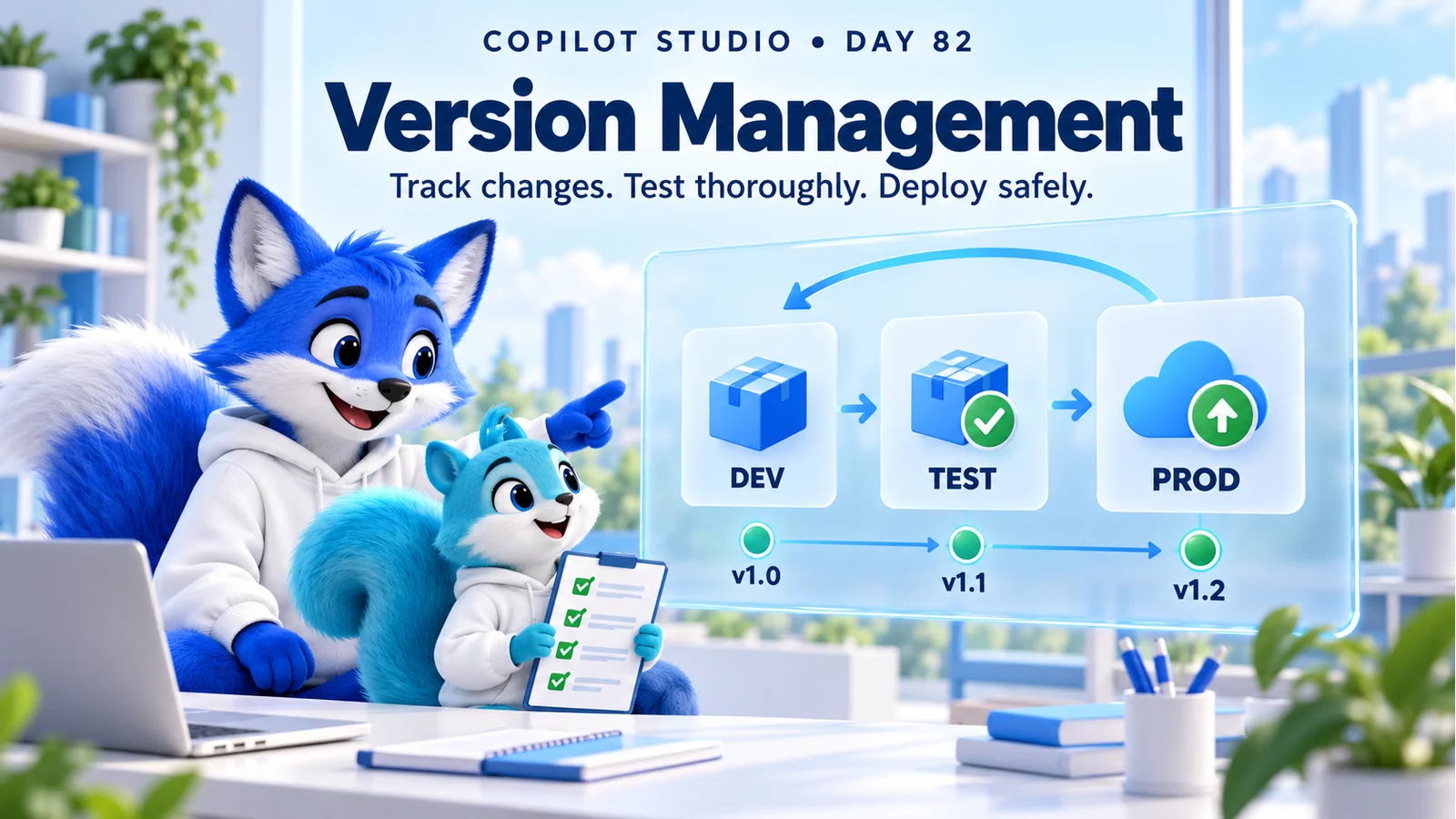
This guide expands the Day 82 PDF with a release record, dependency review, regression matrix, worked example, and recovery checklist. The hero and release labels such as v1.0 are conceptual teaching visuals, not product screenshots or automatically generated Copilot Studio agent version numbers. Product controls depend on the agent experience and environment; the linked solution guidance describes the standard-harness experience.
1. Understand Which Version You Are Tracking
Start by separating the identifiers involved in a release. A draft, a published agent, a solution package, a source revision, and the current external knowledge do not necessarily change together. A useful release record connects them instead of treating a single number as proof of the whole system’s state.
| Item | What to record | Why it matters |
|---|---|---|
| Authoring changes | Instructions, topics, tools, and other changed components. | Explains what the maker intended to change. |
| Published agent | Agent identifier, environment, publishing time, and approved release reference. | Connects live behavior to a delivery decision. |
| Solution package | Unique solution name, actual version, artifact reference, and dependencies. | Identifies the deployable package. |
| Source revision | Commit or approved source snapshot and review reference. | Supports comparison and rebuilding. |
| External configuration and knowledge | Applicable endpoints, source revisions, connection references, and access assumptions. | Captures dependencies that can change separately. |
A friendly label such as “HR Assistant v1.2” helps people discuss a release. Preserve the actual system identifiers alongside it so that an administrator can find the corresponding package and deployment.
2. Keep Development, Test, and Production Separate
Use development for making changes, test for validating them, and production for the approved user experience. Microsoft’s ALM guidance recommends this separation and promotes solutions and environment-specific configuration as part of a controlled lifecycle.
Give each environment a clear purpose and owner. Use test records and test destinations for actions during development. Before production promotion, confirm that the approved package is the one being deployed and that production connections point to the intended systems.
If an urgent production repair is unavoidable under your organization’s incident process, capture the change, reason, approver, and validation evidence. Reconcile the repair into the maintained source immediately so that a later deployment does not silently overwrite it.
3. Use Solutions to Package Related Components
A solution organizes the components you move between environments. Microsoft documents solution management in Copilot Studio, including viewing and managing the solution associated with an agent. Choose a solution structure that matches the components you need to deliver together.
Before export, review what the package contains. A new topic or flow used by the agent must be included through the supported solution process, with its required components. Keep a component inventory so that an action is not described in the agent while its implementing flow is missing from the release.
The export and import reference describes required-object handling and limitations. It also explains that an imported agent needs publishing before it can be shared. Follow the current procedure for your environment and inspect import logs when validation fails.
4. Choose Release Labels and Write Useful Notes
Agree on a release convention the team can explain. For example, an internal label might distinguish a new supported task from a targeted defect repair. This is a team convention; it does not redefine the version fields enforced by the platform.
Record the actual solution version separately and follow the platform’s version requirements. Microsoft’s solution update and upgrade guidance explains how versions and import options affect delivery. A larger number alone does not describe compatibility or prove that every dependency is correct.
Illustrative release record
Release: HR Assistant v1.2
Solution version: 1.2.0.0
Source: approved commit or source snapshot
Change: clarify leave-policy scope; improve enquiry failure handling
Dependencies: approved policy source; enquiry flow; target connection
Validation: regression run and access checks linked
Deployment: environment, time, operator, and result
Recovery: approved procedure and decision owner
Add the user-visible effect, known limitations, and support implications. “Improved the agent” gives the next reviewer little to investigate; “Missing enquiry categories now trigger clarification before submission” identifies an observable behavior.
5. Keep Source Changes Reviewable
Preserve the source and review history for maintained agents. Make a focused change, explain its purpose, and link it to the release record. A reviewer should be able to see the affected instructions, topics, or tool definitions and understand the expected behavior.
Microsoft’s Visual Studio Code extension supports a local development workflow and integration with Git-based source control practices. Use the supported workflow your team has approved, and verify changes in the product before release.
Keep secrets out of source and release notes. Identify which connection or protected setting is required without storing its credential. Also preserve the exact exported artifact that passed validation, using your team’s approved artifact store and integrity checks.
6. Review Dependencies Before Deployment
Inspect the whole supported journey. A policy answer can depend on an accessible source; an enquiry can depend on a flow, connector, connection, table, and permission. A package that imports successfully can still fail at one of those boundaries.
| Dependency | Release question | Example evidence |
|---|---|---|
| Knowledge | Is the approved source current and available to the intended users? | Answer review and ordinary-user access test. |
| Flow or API | Are expected inputs, outputs, and error behavior compatible? | Integration cases with verified destination outcomes. |
| Connections | Does the target reference use the intended identity and service? | Connection mapping and a controlled test operation. |
| Data and permissions | Can intended users perform only the supported operations? | Allowed and denied test identities. |
| Environment settings | Are endpoints and other target values correct? | Reviewed deployment configuration. |
Give each dependency an owner. Record compatibility assumptions and maintenance dates, especially when another team controls the API or policy source. A release record becomes much more useful when it identifies who can verify an external change.
7. Run Regression Tests After Every Meaningful Change
Test the new behavior and the journeys that already worked. Include different user phrasings, follow-ups, missing values, permission failures, and tool errors. For actions, verify the resulting record or state rather than accepting the agent’s completion sentence.
Microsoft’s evaluation checklist describes establishing a baseline and developing continuous evaluation. Keep a comparable test set so that the team can distinguish an improvement from a regression.
| Scenario | Before and after comparison |
|---|---|
| Existing policy question | Correct applicability, usable source, and no missing essential guidance. |
| Updated enquiry task | Valid input creates the intended record with a reference. |
| Missing enquiry category | The agent asks for clarification and avoids a premature write. |
| Restricted employee information | An unauthorized account receives no restricted data. |
| Failed downstream service | The agent avoids false success and offers an appropriate next step. |
Investigate important failures before approval. Where output wording varies, assess the required facts and task outcome with a clear rubric. Preserve the environment, user role, inputs, expected result, and observed evidence.
8. Make Promotion Repeatable With Pipelines
A repeatable pipeline reduces reliance on someone remembering every delivery step. It should connect the approved artifact with target configuration, validation, approvals where required, and deployment evidence.
Power Platform pipelines provide a supported deployment approach. Check current environment, licensing, permissions, and pipeline requirements before choosing an implementation. Automation supports the release procedure; it still needs a team to define what is acceptable.
Keep build, deployment, and validation results distinct. A successful import establishes that a package was imported. It does not establish that an ordinary employee can complete the intended task in the published channel.
9. Validate Target Configuration and Published Behavior
Review settings that need separate target-environment attention. Microsoft’s ALM guidance identifies authentication, web-channel security, deployed channels, sharing, and Application Insights settings as areas outside the ordinary solution transfer process. Include them in the deployment checklist.
After configuration, publish the approved agent and start a fresh session through the intended channel. Check a known answer, an action result, and an expected failure path. The publishing reference explains why existing sessions can continue using earlier published content.
Record the release identifier with the smoke-test evidence. If users report older behavior, check the environment, channel, session state, source freshness, and actual published change before repeatedly publishing unrelated edits.
10. Prepare Recovery Before the Release
Decide who can pause an affected action, restrict access where appropriate, approve a corrective release, and communicate the service status. Keep the known-good source and artifacts, but verify how they can actually be used to recover this environment.
Do not assume importing an older managed package is a universal rollback. Version rules, solution layers, changed schemas, dependencies, and data can affect the available options. A tested forward fix may be safer than attempting a downgrade. An environment restore, where supported and approved, has a broader scope that must be evaluated separately.
Rehearse the recovery procedure outside production. Include the required permissions, target configuration, republishing where necessary, fresh-session tests, and business-data reconciliation. Changing agent content does not undo a record already created or a request already submitted.
11. Worked Example: A Connector Change Breaks an Enquiry
Imagine HR Assistant v1.1 already answers policy questions and creates enquiries. A team prepares v1.2 to ask clearer follow-up questions. During integration testing, the enquiry service now requires a category value that older tests did not supply.
Before: ordinary policy questions pass, but the updated conversation can call the enquiry tool with an empty category. A successful knowledge test alone would miss this problem.
Repair: the team adds a clarification path, validates the tool inputs, and handles unsuccessful responses explicitly. The service owner confirms the request contract. The maker includes the relevant components in the release package and records the external dependency.
Validation: a valid request creates one correct enquiry, a missing category prompts for clarification, a failed service produces a useful recovery message, and existing policy questions still work. An unauthorized user cannot perform the restricted operation.
Release: the approved package is promoted, target connections are checked, and a fresh published-channel smoke test confirms the outcomes. Support receives the release notes and watches the enquiry failure pattern during the pilot. These are illustrative steps; use the fields and controls of your real service.
12. Diagnose Common Versioning Problems
| Problem | Investigation | Completion evidence |
|---|---|---|
| No one knows which change is live | Compare deployment and publishing records with source and package references. | The live environment is linked to an identifiable approved release. |
| Import fails | Read the import log and inspect required components and dependencies. | The corrected package imports and passes target validation. |
| Test passes but production fails | Compare connections, endpoints, access, policies, and external service behavior. | The intended user journey passes in production. |
| A repair disappears after deployment | Check whether a direct change was omitted from maintained source. | The approved repair is reconciled and validated in the next artifact. |
| An old package cannot restore service | Review version rules, dependencies, schema changes, and the recovery design. | A rehearsed and approved recovery path restores the supported journey. |
13. Version Management Checklist and Practice
- Identify the source revision, actual package version, and internal release label.
- Document the changed behavior, affected components, owner, and approval.
- Review dependencies, target configuration, and required access.
- Run the changed scenario and previously successful journeys.
- Preserve the validated artifact and link its test evidence.
- Promote through the approved environments and record deployment results.
- Check target settings, publish, and validate a fresh channel session.
- Confirm support ownership, monitoring, and the rehearsed recovery procedure.
- Reconcile urgent fixes into maintained source and refresh regression cases.
Practice: choose one small improvement in your agent. Create a release record, list its dependencies, and write five before-and-after checks. Make the change in development, validate the package and target configuration in test, and rehearse how the team would recover if its main action failed. Use Day 45: Version Management for the earlier foundation and Day 78: Measuring AI Performance for outcome-based validation.
Tagged
AI Agents · Governance · Security · Performance
Frequently asked questions
Are v1.0 and v1.1 automatic Copilot Studio agent version numbers?
They are illustrative release labels in this lesson. Record the actual identifiers used by your solution, source control, deployment tooling, and published agent. Do not assume one label identifies all of these automatically.
Is a saved draft the same as the published agent?
No. Saved authoring changes and the version users receive through a published channel can differ. Record which approved change was published and validate it in a fresh channel session.
Does a solution export include every operational setting?
No. Verify included components and dependencies, then review target-environment connections, authentication, channels, sharing, monitoring, and external knowledge. An export is not a complete backup of every connected service or its data.
Should a small instruction change trigger regression testing?
Yes. It can affect routing, answer selection, or tool use beyond the intended scenario. Rerun the changed task, related paths, previously successful tasks, and relevant access or failure cases.
Can I roll back by importing any older managed solution?
Do not assume that works. Managed-solution version rules, layers, dependencies, schema changes, and business data can limit recovery. Use a procedure tested for your release, which may include a forward fix or an approved environment restore.
Do deployment pipelines replace live validation?
No. Pipelines can make promotion more repeatable, but the team still needs approvals, dependency and configuration checks, regression evidence, and a smoke test in the intended published channel.
Sources
- Establish an application lifecycle management strategy, Microsoft, accessed 2026-10-17
- Create and manage solutions in Copilot Studio, Microsoft, accessed 2026-10-17
- Export and import agents using solutions, Microsoft, accessed 2026-10-17
- Upgrade or update a solution, Microsoft, accessed 2026-10-17
- Overview of pipelines in Power Platform, Microsoft, accessed 2026-10-17
- Overview of the Copilot Studio extension for Visual Studio Code, Microsoft, accessed 2026-10-17
- Review the agent evaluation checklist, Microsoft, accessed 2026-10-17
- Publish and deploy your agent, Microsoft, accessed 2026-10-17
Have a Microsoft 365 topic idea?
Share article suggestions, community session ideas, corrections, or real-world scenarios for future nextM365 learning notes.
Keep learning Microsoft 365
Explore more practical guides for SharePoint, Power Platform, Copilot Studio, migration, automation, governance, and security.
Continue learning
Related tutorials
Related questions
Related comparisons
Next action