Structured vs Unstructured Knowledge in Copilot Studio | Day 72
Compare structured and unstructured knowledge in Copilot Studio so agents use the right source for data questions, policy questions, and grounded answers.
- Published
- Reading time
- 6 min read
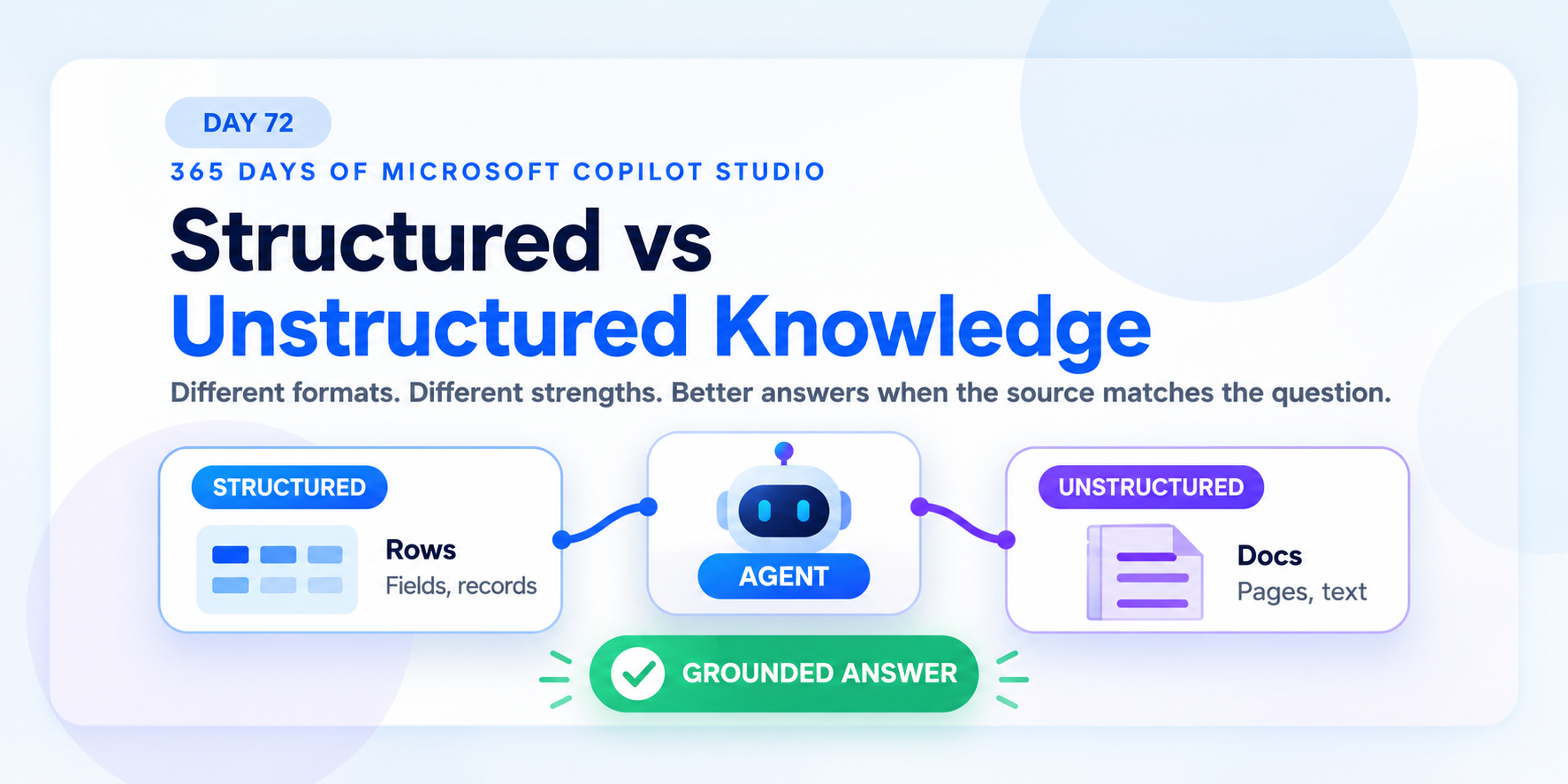
Week 11 · Day 72 of 365 in 365 Days of Copilot Studio — view the full series
Before you start
Is this guide for you?
- Best entry point
- 365 Days of Copilot Studio
- Time investment
- 6 min read
In this article
- Knowledge Comes in Different Forms
- What Structured Knowledge Means
- Where Structured Knowledge Lives
- What Unstructured Knowledge Means
- Where Unstructured Knowledge Lives
On this page (11 sections)
Day 72 of 365 Days of Copilot Studio explains structured vs unstructured knowledge: two different knowledge shapes that help Copilot Studio agents answer different kinds of questions.
Day 71 covered knowledge source best practices. Today is about matching the question to the right source. Structured data gives facts. Unstructured content gives context. The best agents often need both.
Knowledge Comes in Different Forms
Not all knowledge looks the same. Some knowledge is organized into rows, columns, fields, and records. Other knowledge is written as documents, pages, policies, guides, and natural language text.
Both can help an agent. They just help in different ways.
| Knowledge type | Common form | Best fit |
|---|---|---|
| Structured | Rows, columns, fields, records, relationships | Facts, status, counts, lists, and business records |
| Unstructured | Documents, pages, text, policies, guides | Meaning, explanation, context, and guidance |
The practical rule is simple: know what your agent is working with before judging the answer.
What Structured Knowledge Means
Structured knowledge is organized and predictable. It usually lives in systems that store data with a known shape: Dataverse tables, SQL tables, SharePoint lists, business applications, or other record-based sources.
For example, employee data might include:
- Employee: Alex or Maya.
- Department: Sales or IT.
- Location: London or New York.
Structured knowledge is good when the user asks a precise question such as:
- "How many open cases do we have?"
- "Which orders are overdue?"
- "Who owns this request?"
- "What is the status of my ticket?"
Think records, fields, and relationships. Structured sources are strong when the answer depends on data that can be filtered, counted, grouped, or matched.
Where Structured Knowledge Lives
Structured knowledge often lives in systems designed for data. In Microsoft 365 and Power Platform projects, common examples include Dataverse, SQL, SharePoint lists, and line-of-business systems.
| Source | Structured strength |
|---|---|
| Dataverse | Business tables, relationships, security, and app data. |
| SQL | Relational records, queries, reporting, and enterprise datasets. |
| SharePoint lists | Lightweight business lists, statuses, owners, and approvals. |
| Business systems | Operational records such as cases, orders, assets, or requests. |
When an agent needs a factual answer from a business record, structured knowledge is usually the better starting point.
What Unstructured Knowledge Means
Unstructured knowledge is rich in context and meaning. It usually lives in documents, pages, PDFs, Word files, SharePoint pages, web content, policies, guides, and support documentation.
For example, a remote work policy might explain who is eligible, what approvals are required, what equipment rules apply, and what exceptions exist. That information is not just a row in a table. It is context.
Unstructured knowledge is useful when users ask questions such as:
- "What is our return policy?"
- "Can employees work remotely?"
- "How do I configure this feature?"
- "What does this policy mean for my situation?"
Think policies, guides, and documentation. Unstructured sources are strong when the answer depends on explanation, interpretation, or narrative context.
Where Unstructured Knowledge Lives
Unstructured knowledge often lives in places where people write information for other people. In Microsoft 365 projects, common examples include PDFs, Word documents, SharePoint pages, web content, and knowledge-base articles.
| Source | Unstructured strength |
|---|---|
| PDFs | Policies, reports, handbooks, manuals, and formal guidance. |
| Word documents | Procedures, working guides, templates, and maintained business documents. |
| SharePoint pages | Department guidance, intranet content, FAQs, and service information. |
| Web content | Public or internal help pages, reference articles, and product guidance. |
When an agent needs meaning and context, unstructured knowledge is often the better starting point.
Structured vs Unstructured Is Not a Competition
Structured and unstructured knowledge serve the same goal: better answers. They just use different shapes.
| Question | Better source | Reason |
|---|---|---|
| "How many open cases are assigned to Sales?" | Structured data | The answer depends on filtered records. |
| "What does the return policy say?" | Unstructured content | The answer depends on policy text and meaning. |
| "Is this customer eligible for the premium support process?" | Both | The agent may need customer data plus support policy context. |
Do not ask one source type to do every job. Match the question to the right source.
The Best Agents Use Both
Strong Copilot Studio agents often combine structured data and unstructured content. Structured data gives facts. Unstructured content gives context.
For example, an agent might use structured data to find a user's case status, then use unstructured documentation to explain what that status means and what happens next.
- Business question: what does the user need to know?
- Structured data: facts, records, counts, owners, or status values.
- Unstructured content: policies, explanations, guidance, or next steps.
- Right knowledge: the agent combines the relevant context.
- Better answer: the user gets both facts and meaning.
Data gives facts. Content gives context. Agents need both when the user's question needs both.
Design Knowledge Around the Question
Start with the user's question before choosing a source. A source-first design often connects whatever content is easiest to add. A question-first design connects the knowledge the agent actually needs.
Use this decision pattern:
- Does the question need a count, status, owner, date, or record? Start with structured data.
- Does the question need explanation, policy language, or process guidance? Start with unstructured content.
- Does the question need a fact and an explanation? Use both.
This prevents a common mistake: connecting a document when the user really needs data, or connecting a table when the user really needs policy context.
Governance Still Matters
Both knowledge types need governance. Structured data needs accurate records, ownership, security, and lifecycle management. Unstructured content needs clear authorship, current versions, approved wording, and access control.
| Governance area | Structured knowledge | Unstructured knowledge |
|---|---|---|
| Quality | Accurate rows, valid fields, clean relationships. | Clear content, current wording, no conflicting versions. |
| Ownership | Data owner, table owner, process owner. | Content owner, page owner, policy owner. |
| Security | Role and row-level access. | Document, page, and site permissions. |
| Testing | Validate filters, counts, records, and status answers. | Validate source retrieval, grounding, and wording. |
Good answers require good sources. That is true whether the knowledge lives in a table or a document.
Before You Publish
Before publishing an agent that uses structured and unstructured knowledge, check:
- Question fit: each major user question maps to the right source type.
- Source quality: records and documents are accurate enough for user-facing answers.
- Access control: users only receive answers from sources they should be able to use.
- Conflict review: data and documents do not contradict each other.
- Real testing: questions are tested with natural user wording.
Key Takeaway
Structured knowledge and unstructured knowledge are both useful in Copilot Studio. Structured data is best for predictable facts and records. Unstructured content is best for context, meaning, policies, and guidance.
The practical rule is: structure provides facts, content provides context, and agents need the right source for the question.
Next: Day 73: Knowledge Source Configuration.
Tagged
Knowledge Sources · AI Agents · Governance · Security · Integrations
Frequently asked questions
What is structured knowledge in Copilot Studio?
Structured knowledge is organized data such as rows, columns, fields, records, and relationships. It is useful when an agent needs facts, counts, status values, or predictable business data.
What is unstructured knowledge in Copilot Studio?
Unstructured knowledge is content such as documents, policies, pages, guides, and natural language text. It is useful when an agent needs explanation, context, or policy interpretation.
Should an agent use structured or unstructured knowledge?
Use the source that matches the question. Structured data works well for facts and records. Unstructured content works well for policies, guidance, and context. Many strong agents use both.
Can Copilot Studio agents combine structured data and documents?
Yes. A well-designed agent can use structured data for facts and unstructured content for context, as long as access, quality, and source ownership are clear.
How should I choose the right knowledge source?
Start with the business question. Then decide whether the answer needs records and fields, documents and meaning, or both.
Have a Microsoft 365 topic idea?
Share article suggestions, community session ideas, corrections, or real-world scenarios for future nextM365 learning notes.
Keep learning Microsoft 365
Explore more practical guides for SharePoint, Power Platform, Copilot Studio, migration, automation, governance, and security.
Continue learning
Related tutorials
Related questions
Related comparisons
Next action