Microsoft Copilot StudioJul 28, 2026
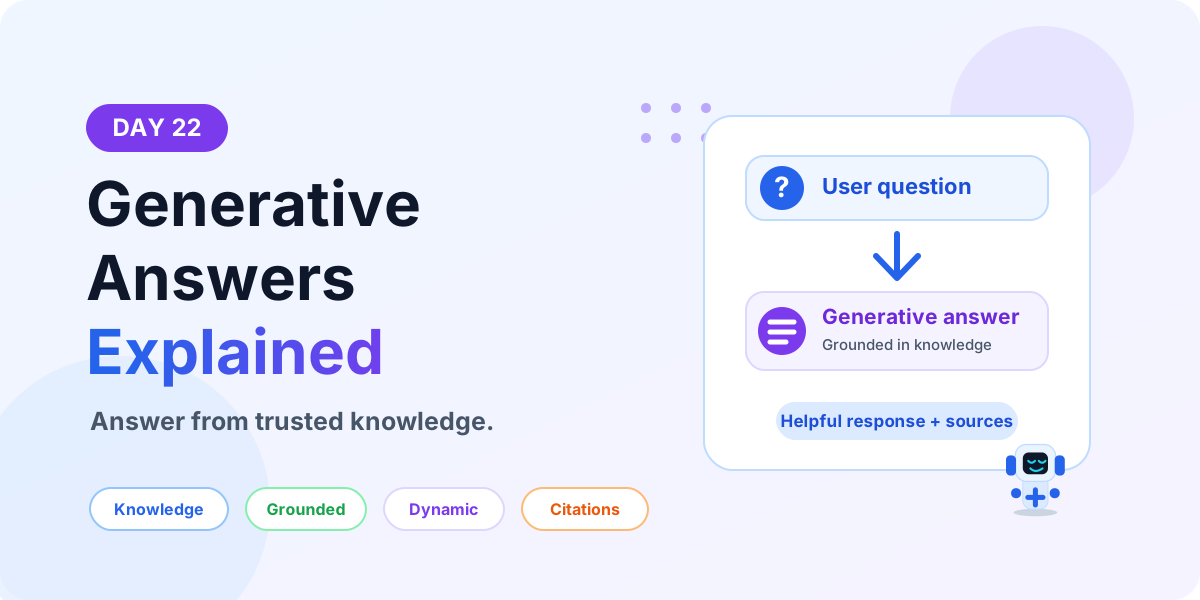
Day 22: Microsoft Copilot Studio Generative Answers Explained
Learn what Generative Answers are in Microsoft Copilot Studio, how they use trusted knowledge sources, when to use them, and how to design safer AI answers.
By Suresh Girinathuni7 min read
'%2F%3E%3Cstop%20offset%3D'1'%20stop-color%3D'rgb(220%2C252%2C231)'%2F%3E%3C%2FlinearGradient%3E%20%3ClinearGradient%20id%3D'adminTypesTitle'%20x1%3D'0'%20y1%3D'0'%20x2%3D'1'%20y2%3D'0'%3E%3Cstop%20offset%3D'0'%20stop-color%3D'rgb(37%2C99%2C235)'%2F%3E%3Cstop%20offset%3D'1'%20stop-color%3D'rgb(13%2C148%2C136)'%2F%3E%3C%2FlinearGradient%3E%20%3C%2Fdefs%3E%20%3Crect%20width%3D'1200'%20height%3D'600'%20fill%3D'url(%23adminTypesBg)'%2F%3E%20%3Cg%20transform%3D'translate(78%2C72)%20scale(0.55)'%3E%20%3Crect%20x%3D'0'%20y%3D'0'%20width%3D'46'%20height%3D'46'%20fill%3D'%23F25022'%2F%3E%20%3Crect%20x%3D'52'%20y%3D'0'%20width%3D'46'%20height%3D'46'%20fill%3D'%237FBA00'%2F%3E%20%3Crect%20x%3D'0'%20y%3D'52'%20width%3D'46'%20height%3D'46'%20fill%3D'%2300A4EF'%2F%3E%20%3Crect%20x%3D'52'%20y%3D'52'%20width%3D'46'%20height%3D'46'%20fill%3D'%23FFB900'%2F%3E%20%3C%2Fg%3E%20%3Ctext%20x%3D'146'%20y%3D'116'%20font-family%3D'Segoe%20UI%2C%20Arial%2C%20sans-serif'%20font-size%3D'28'%20font-weight%3D'800'%20fill%3D'rgb(15%2C23%2C42)'%3EMicrosoft%20365%3C%2Ftext%3E%20%3Ctext%20x%3D'80'%20y%3D'205'%20font-family%3D'Segoe%20UI%2C%20Arial%2C%20sans-serif'%20font-size%3D'68'%20font-weight%3D'900'%20fill%3D'rgb(15%2C23%2C42)'%3ETypes%20of%20Admin%3C%2Ftext%3E%20%3Ctext%20x%3D'80'%20y%3D'286'%20font-family%3D'Segoe%20UI%2C%20Arial%2C%20sans-serif'%20font-size%3D'68'%20font-weight%3D'900'%20fill%3D'url(%23adminTypesTitle)'%3ECenters%20Explained%3C%2Ftext%3E%20%3Ctext%20x%3D'84'%20y%3D'350'%20font-family%3D'Segoe%20UI%2C%20Arial%2C%20sans-serif'%20font-size%3D'25'%20font-weight%3D'650'%20fill%3D'rgb(51%2C65%2C85)'%3EKnow%20which%20portal%20to%20use%20for%20users%2C%20mail%2C%3C%2Ftext%3E%20%3Ctext%20x%3D'84'%20y%3D'386'%20font-family%3D'Segoe%20UI%2C%20Arial%2C%20sans-serif'%20font-size%3D'25'%20font-weight%3D'650'%20fill%3D'rgb(51%2C65%2C85)'%3ETeams%2C%20SharePoint%2C%20identity%20and%20security.%3C%2Ftext%3E%20%3Cg%20transform%3D'translate(84%2C466)'%20font-family%3D'Segoe%20UI%2C%20Arial%2C%20sans-serif'%20font-size%3D'15'%20font-weight%3D'800'%3E%20%3Crect%20x%3D'0'%20y%3D'0'%20width%3D'122'%20height%3D'42'%20rx%3D'21'%20fill%3D'white'%20stroke%3D'rgb(147%2C197%2C253)'%20stroke-width%3D'2'%2F%3E%3Ctext%20x%3D'61'%20y%3D'27'%20fill%3D'rgb(37%2C99%2C235)'%20text-anchor%3D'middle'%3ECore%3C%2Ftext%3E%20%3Crect%20x%3D'138'%20y%3D'0'%20width%3D'126'%20height%3D'42'%20rx%3D'21'%20fill%3D'white'%20stroke%3D'rgb(153%2C246%2C228)'%20stroke-width%3D'2'%2F%3E%3Ctext%20x%3D'201'%20y%3D'27'%20fill%3D'rgb(13%2C148%2C136)'%20text-anchor%3D'middle'%3EWorkloads%3C%2Ftext%3E%20%3Crect%20x%3D'280'%20y%3D'0'%20width%3D'118'%20height%3D'42'%20rx%3D'21'%20fill%3D'white'%20stroke%3D'rgb(221%2C214%2C254)'%20stroke-width%3D'2'%2F%3E%3Ctext%20x%3D'339'%20y%3D'27'%20fill%3D'rgb(124%2C58%2C237)'%20text-anchor%3D'middle'%3EIdentity%3C%2Ftext%3E%20%3Crect%20x%3D'414'%20y%3D'0'%20width%3D'126'%20height%3D'42'%20rx%3D'21'%20fill%3D'white'%20stroke%3D'rgb(254%2C202%2C202)'%20stroke-width%3D'2'%2F%3E%3Ctext%20x%3D'477'%20y%3D'27'%20fill%3D'rgb(220%2C38%2C38)'%20text-anchor%3D'middle'%3ESecurity%3C%2Ftext%3E%20%3C%2Fg%3E%20%3Cg%20transform%3D'translate(684%2C82)'%20font-family%3D'Segoe%20UI%2C%20Arial%2C%20sans-serif'%3E%20%3Crect%20x%3D'0'%20y%3D'0'%20width%3D'430'%20height%3D'430'%20rx%3D'32'%20fill%3D'white'%20stroke%3D'rgb(191%2C219%2C254)'%20stroke-width%3D'2'%2F%3E%20%3Crect%20x%3D'46'%20y%3D'38'%20width%3D'338'%20height%3D'76'%20rx%3D'22'%20fill%3D'rgb(239%2C246%2C255)'%20stroke%3D'rgb(147%2C197%2C253)'%20stroke-width%3D'2'%2F%3E%20%3Ctext%20x%3D'215'%20y%3D'70'%20text-anchor%3D'middle'%20font-size%3D'24'%20font-weight%3D'900'%20fill%3D'rgb(37%2C99%2C235)'%3EMicrosoft%20365%3C%2Ftext%3E%20%3Ctext%20x%3D'215'%20y%3D'98'%20text-anchor%3D'middle'%20font-size%3D'20'%20font-weight%3D'800'%20fill%3D'rgb(15%2C23%2C42)'%3EAdmin%20Center%3C%2Ftext%3E%20%3Cpath%20d%3D'M215%20114%20V146'%20stroke%3D'rgb(148%2C163%2C184)'%20stroke-width%3D'4'%20stroke-linecap%3D'round'%2F%3E%20%3Cpath%20d%3D'M92%20226%20H338'%20stroke%3D'rgb(148%2C163%2C184)'%20stroke-width%3D'4'%20stroke-linecap%3D'round'%20opacity%3D'0.55'%2F%3E%20%3Cpath%20d%3D'M215%20146%20V344'%20stroke%3D'rgb(148%2C163%2C184)'%20stroke-width%3D'4'%20stroke-linecap%3D'round'%20opacity%3D'0.55'%2F%3E%20%3Cg%20font-size%3D'15'%20font-weight%3D'850'%3E%20%3Crect%20x%3D'44'%20y%3D'150'%20width%3D'150'%20height%3D'62'%20rx%3D'18'%20fill%3D'rgb(239%2C246%2C255)'%20stroke%3D'rgb(191%2C219%2C254)'%2F%3E%3Ctext%20x%3D'72'%20y%3D'186'%20fill%3D'rgb(37%2C99%2C235)'%3EExchange%3C%2Ftext%3E%20%3Crect%20x%3D'236'%20y%3D'150'%20width%3D'150'%20height%3D'62'%20rx%3D'18'%20fill%3D'rgb(245%2C243%2C255)'%20stroke%3D'rgb(221%2C214%2C254)'%2F%3E%3Ctext%20x%3D'280'%20y%3D'186'%20fill%3D'rgb(124%2C58%2C237)'%3ETeams%3C%2Ftext%3E%20%3Crect%20x%3D'44'%20y%3D'240'%20width%3D'150'%20height%3D'62'%20rx%3D'18'%20fill%3D'rgb(240%2C253%2C250)'%20stroke%3D'rgb(153%2C246%2C228)'%2F%3E%3Ctext%20x%3D'70'%20y%3D'276'%20fill%3D'rgb(13%2C148%2C136)'%3ESharePoint%3C%2Ftext%3E%20%3Crect%20x%3D'236'%20y%3D'240'%20width%3D'150'%20height%3D'62'%20rx%3D'18'%20fill%3D'rgb(254%2C242%2C242)'%20stroke%3D'rgb(254%2C202%2C202)'%2F%3E%3Ctext%20x%3D'282'%20y%3D'276'%20fill%3D'rgb(220%2C38%2C38)'%3ESecurity%3C%2Ftext%3E%20%3Crect%20x%3D'44'%20y%3D'330'%20width%3D'150'%20height%3D'62'%20rx%3D'18'%20fill%3D'rgb(255%2C247%2C237)'%20stroke%3D'rgb(253%2C186%2C116)'%2F%3E%3Ctext%20x%3D'88'%20y%3D'366'%20fill%3D'rgb(234%2C88%2C12)'%3EEntra%3C%2Ftext%3E%20%3Crect%20x%3D'236'%20y%3D'330'%20width%3D'150'%20height%3D'62'%20rx%3D'18'%20fill%3D'rgb(236%2C254%2C255)'%20stroke%3D'rgb(165%2C243%2C252)'%2F%3E%3Ctext%20x%3D'282'%20y%3D'366'%20fill%3D'rgb(8%2C145%2C178)'%3EIntune%3C%2Ftext%3E%20%3C%2Fg%3E%20%3C%2Fg%3E%20%3C%2Fsvg%3E)