Generative Answers Explained | Copilot Studio Day 22
Learn what Generative Answers are in Microsoft Copilot Studio, how they use trusted knowledge sources, when to use them, and how to design safer AI answers.
- Published
- Reading time
- 7 min read
Week 4 · Day 22 of 365 in 365 Days of Copilot Studio — view the full series
What you’ll learn
- What are Generative Answers?
- Why Generative Answers matter
- How Generative Answers work
- Real example: HR policy question
- When to use Generative Answers
On this page (14 sections)
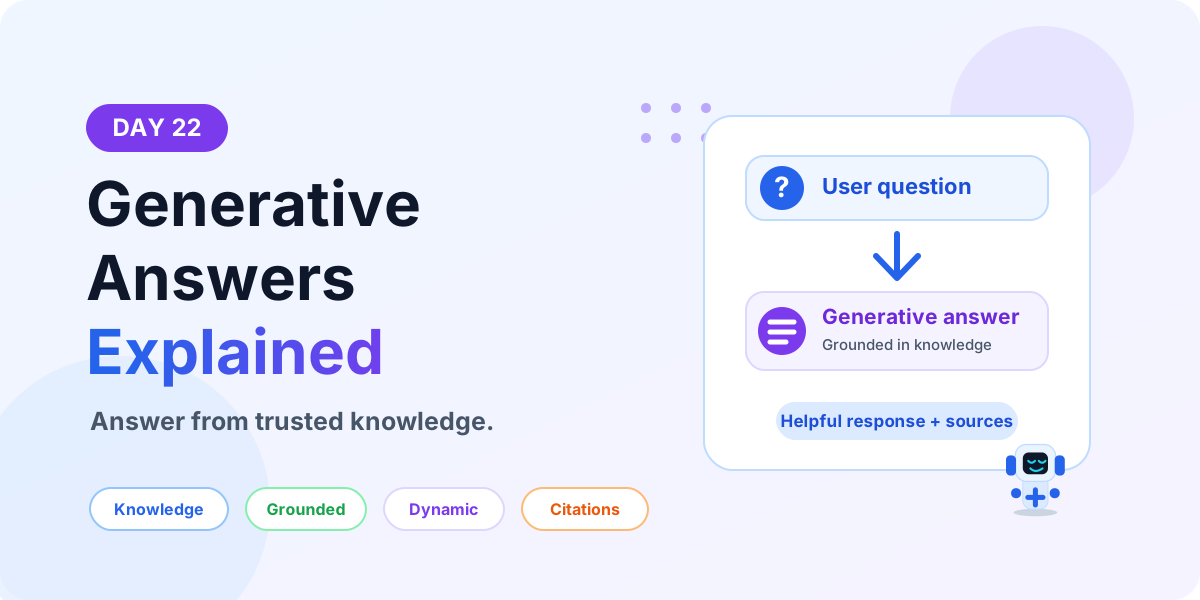
Generative Answers in Microsoft Copilot Studio help an agent answer user questions from configured knowledge sources. Instead of writing every possible answer inside a topic, you can connect trusted content and let the agent generate a helpful response when the user asks a related question.
Day 22 of the 365 Days of Microsoft Copilot Studio series explains Generative Answers in beginner-friendly language: what they are, why they matter, how they work, where to use them, how they compare with topics and Message nodes, and how to design safer AI answers.
If you are new to the series, start with Day 14: Conversation Flow Explained and Day 11: Knowledge Sources Explained. Generative Answers work best when your agent has clean topics and reliable knowledge sources.
What are Generative Answers?
Generative Answers are AI-generated responses created from the knowledge sources connected to your Copilot Studio agent. The agent reads the user's question, searches the configured content, finds relevant information, and creates a natural-language answer.
For example, a user might ask, What is the company leave carry-forward policy? If the policy is available in a connected knowledge source, the agent can generate an answer from that content instead of needing a manually written topic for that exact question.
In simple words: Generative Answers = answer from trusted content without building every answer manually.
Why Generative Answers matter
Many business questions are knowledge questions. Users ask about policies, processes, product details, troubleshooting steps, onboarding instructions, benefits, documentation, or internal FAQs. Writing a separate topic for every possible question can become slow and hard to maintain.
Generative Answers help by using existing knowledge content as the source for answers.
- Less manual topic design: you do not need to build a full topic for every simple knowledge question.
- Better coverage: users can ask questions in different ways and still get a useful answer.
- Faster updates: when the source content changes, the agent can use the updated information.
- Natural responses: answers can be written in conversational language instead of rigid FAQ text.
- Useful fallback: if no exact topic matches, the agent can still try to answer from knowledge.
How Generative Answers work
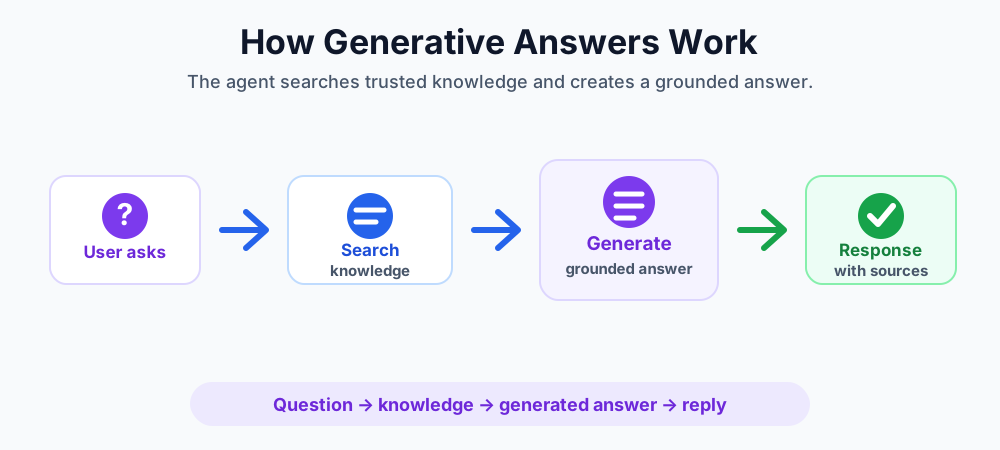
The basic flow is simple: user question, knowledge search, grounded answer, response.
- User asks a question. The user types a natural-language question.
- Agent checks available knowledge. Copilot Studio searches the configured knowledge sources.
- Relevant content is selected. The agent identifies the content that best matches the question.
- Answer is generated. The AI creates a response based on the selected content.
- User receives the answer. The response is shown in the conversation, often with source context depending on configuration.
In short: question → trusted knowledge → generated answer → helpful reply.
Real example: HR policy question
Imagine an HR assistant with company policy documents connected as knowledge sources. A user asks, How many days of parental leave can I take?
With Generative Answers, the agent can search the HR policy content, find the relevant section, summarize it, and respond in a clear way. The user gets an answer without the maker needing to build a separate topic for every HR policy question.
This is useful for policies because users rarely ask questions in exactly the same wording. One user might ask about parental leave. Another might ask about maternity leave, paternity leave, adoption leave, or family leave. Good knowledge content helps the agent answer more variations.
When to use Generative Answers
Use Generative Answers when the user needs information from content, not when the user needs a controlled business process.
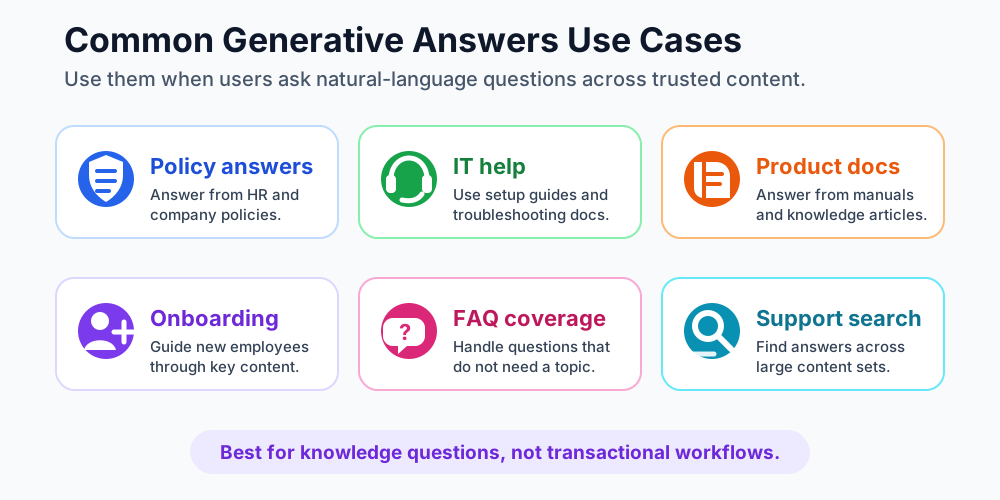
- Policy questions: HR policies, expense policies, leave policies, security policies, and internal procedures.
- IT help: setup guides, troubleshooting steps, access instructions, device help, and common support answers.
- Product documentation: product guides, feature explanations, release notes, and technical documentation.
- Onboarding: new employee guides, department introductions, training material, and first-week instructions.
- FAQ coverage: questions that do not need a dedicated topic or workflow.
- Support search: finding answers across a large content set without forcing users to search manually.
When not to use Generative Answers
Generative Answers are powerful, but they are not the right tool for every requirement. If the conversation must follow a strict workflow, collect exact input, call a system, or produce a guaranteed result, use designed topics and actions instead.
- Transactional workflows: submitting leave, creating tickets, approving expenses, or updating records.
- High-risk answers: legal, financial, medical, or compliance-sensitive responses that require strict approved wording.
- Personal data lookups: checking user-specific balances, status, or private information from a system.
- Exact policy decisions: situations where the agent must follow a controlled decision tree.
- Poor source content: old, duplicate, conflicting, or incomplete knowledge can create weak answers.
Generative Answers vs topics
Topics and Generative Answers work together, but they solve different problems.
- Topics: best for structured workflows, predictable steps, forms, decisions, actions, and controlled user journeys.
- Generative Answers: best for flexible knowledge questions where the answer can be grounded in trusted content.
For example, use a topic to submit a leave request because the agent must collect dates, validate values, call an action, and confirm the result. Use Generative Answers to explain the leave policy because the answer can come from a policy document.
Generative Answers vs Message nodes
A Message node displays text or rich content that you control inside a topic. Generative Answers create an answer dynamically from knowledge sources.
- Use Message nodes for fixed wording, confirmations, instructions, and controlled responses.
- Use Generative Answers for knowledge questions where users may ask in many different ways.
Both are useful. Message nodes provide precision. Generative Answers provide coverage.
How knowledge sources affect answer quality
Generative Answers are only as useful as the knowledge they can use. If the connected content is accurate, current, well-structured, and easy to understand, the generated answer is more likely to be helpful. If the content is outdated or conflicting, the answer quality will suffer.
Good knowledge source practices include:
- Use approved and trusted content sources.
- Remove old or duplicate documents.
- Keep policy and process pages updated.
- Use clear headings and simple language in source content.
- Avoid mixing draft content with published content.
- Review answers regularly with real user questions.
Beginner design pattern
A practical beginner pattern is to combine topics, knowledge, and fallback routing.
- Create important structured topics. Build topics for workflows such as leave requests, ticket creation, approval status, or password reset.
- Add trusted knowledge sources. Connect policy pages, help articles, product docs, or SharePoint content that users can ask about.
- Use Generative Answers for knowledge questions. Let the agent answer flexible informational questions from source content.
- Redirect when needed. Use a Redirect node to send users to a structured topic when the conversation should follow a process.
- Call actions for real work. Use a Call an Action node when the agent must run a flow, API, or backend process.
Best practices for Generative Answers
- Use trusted sources only. Do not connect content that is outdated, unofficial, or unapproved.
- Keep source content clean. Clear headings, short sections, and accurate wording improve answer quality.
- Test real user questions. Test different phrasing, spelling, and common beginner questions.
- Review answer accuracy. Check whether the generated response matches the source content.
- Use fallback paths. If the answer is not found, redirect to a topic, show support guidance, or ask a clarifying question.
- Separate knowledge from transactions. Use Generative Answers for information and topics/actions for process execution.
Common mistakes to avoid
- Do not expect Generative Answers to fix poor knowledge content.
- Do not connect too many unmanaged sources without content ownership.
- Do not use generated answers for critical process decisions that need strict logic.
- Do not ignore permissions and access to source content.
- Do not publish without testing common user questions.
- Do not rely only on Generative Answers when a structured topic would give a better user experience.
Testing checklist before publishing
- Ask common user questions from each knowledge area.
- Ask the same question in multiple ways.
- Check whether the answer is grounded in the correct source.
- Test questions that should go to a structured topic instead.
- Test questions that should not be answered.
- Review fallback messages for missing or unclear answers.
- Ask a business owner to review answer quality before publishing.
Key takeaways
- Generative Answers help with knowledge questions. They answer from trusted content instead of requiring every answer to be manually written.
- Good content matters. Clean, current, approved knowledge sources create better answers.
- Use topics for process control. Structured workflows still need topics, questions, conditions, variables, actions, and endings.
- Test before publishing. Review answer quality, source grounding, fallback behavior, and user experience.
Generative Answers are useful when users need fast, natural answers from trusted content. Use them with clean knowledge sources, clear topic design, and strong testing.
Next in the series: Day 23.
Related resources
Topics covered
Generative AI · Knowledge Sources · Conversation Design · AI Agents
Frequently asked questions
What are Generative Answers in Copilot Studio?
Generative Answers allow a Copilot Studio agent to create responses from configured knowledge sources instead of requiring every answer to be manually written inside a topic.
When should I use Generative Answers?
Use Generative Answers for knowledge-based questions such as policies, FAQs, product documentation, IT guides, onboarding content, and support articles.
Are Generative Answers the same as topics?
No. Topics are designed conversation flows. Generative Answers are dynamic answers created from knowledge sources when a fixed topic is not needed or does not match.
Do Generative Answers replace Message nodes?
No. Message nodes show controlled text in a topic. Generative Answers are useful when the answer should be created from trusted content at runtime.
What knowledge sources can Generative Answers use?
They can use configured knowledge sources such as websites, uploaded documents, SharePoint content, Dataverse knowledge, or other supported sources depending on your Copilot Studio setup.
What are best practices for Generative Answers?
Use trusted sources, keep content current, test common questions, review answer quality, provide clear fallback paths, and avoid using Generative Answers for sensitive transactional workflows.
Sources
- Microsoft Learn: Knowledge Copilot Studio, Microsoft
- Microsoft Learn: Microsoft Copilot Studio, Microsoft
Have a Microsoft 365 topic idea?
Share article suggestions, community session ideas, corrections, or real-world scenarios for future nextM365 learning notes.
Keep learning Microsoft 365
Explore more practical tutorials for SharePoint, Power Platform, Copilot Studio, migration, automation, governance, and security.
Continue learning
Related tutorials
Related questions
Related comparisons