Ask a Question vs Message Node | Copilot Studio Day 23
Learn the difference between Ask a Question and Message nodes in Microsoft Copilot Studio, when to use each one, and how they affect variables and conversation flow.
- Published
- Reading time
- 6 min read
Week 4 · Day 23 of 365 in 365 Days of Copilot Studio — view the full series
What you’ll learn
- Quick answer
- What is a Message node?
- What is Ask a Question?
- Ask a Question vs Message node comparison
- When to use a Message node
On this page (16 sections)
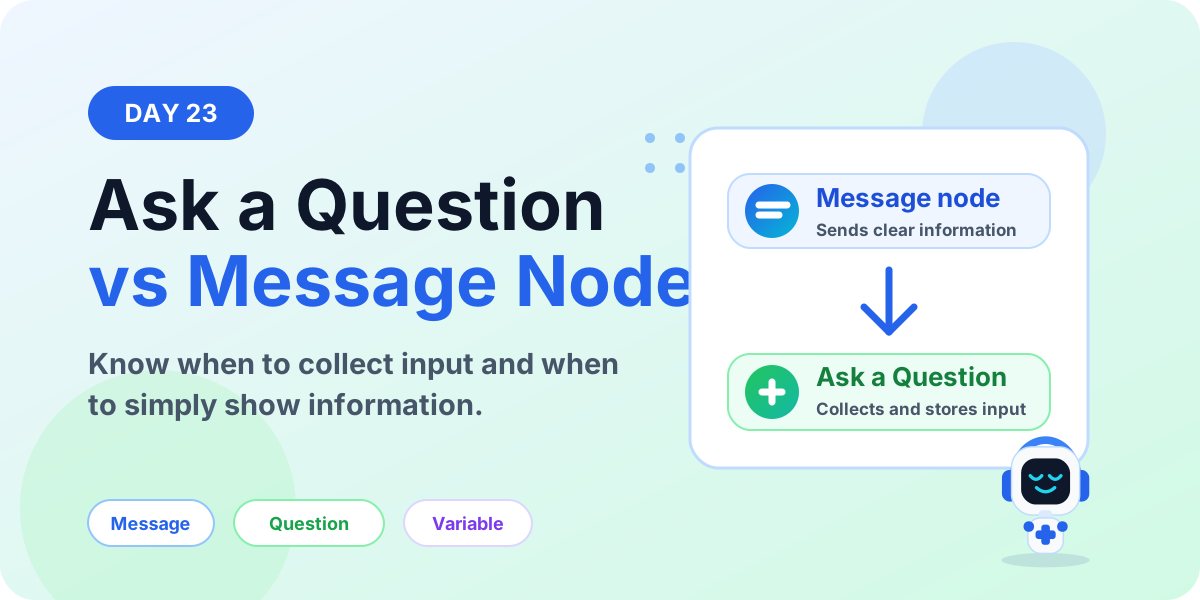
Ask a Question and Message nodes are two of the most common nodes in Microsoft Copilot Studio. They look simple, but beginners often mix them up. The difference is important: one node sends information, and the other collects information.
Day 23 of the 365 Days of Microsoft Copilot Studio series explains Ask a Question vs Message node in beginner-friendly language. You will learn what each node does, when to use it, how variables are created, and how to design clearer topics.
If you have not read the earlier lessons, start with Day 15: Message Node Explained and Day 16: Question Node Explained. This lesson compares both nodes side by side.
Quick answer
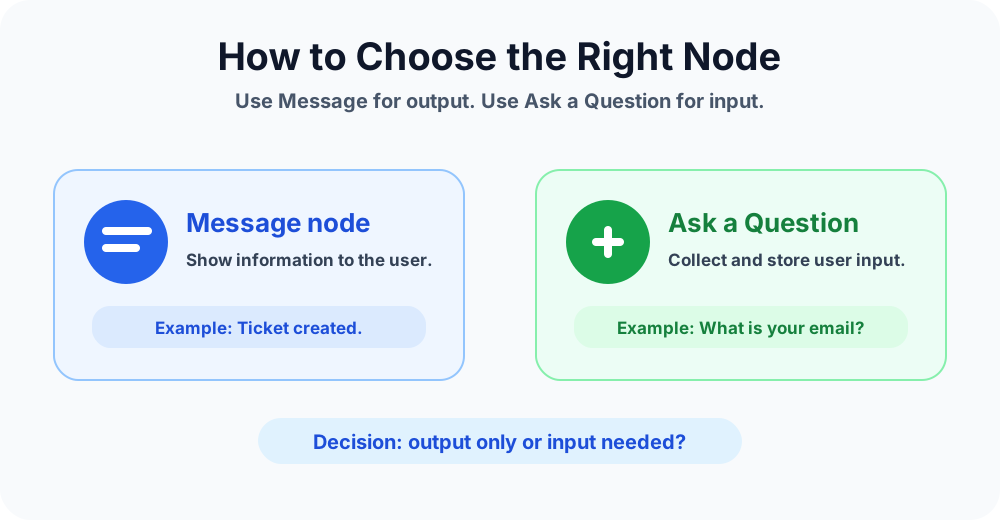
Use a Message node when your Copilot only needs to tell the user something. Use Ask a Question when your Copilot needs the user to provide an answer that should be stored, validated, routed, or reused later.
Simple rule: Message = output. Ask a Question = input.
What is a Message node?
A Message node shows information to the user inside a topic. It can be used for instructions, explanations, status updates, confirmations, links, images, cards, and final replies.
For example, a help desk agent can use a Message node to say, Your support ticket has been created. The agent is not asking for anything. It is only giving the user a clear update.
Common Message node examples
- Welcome messages
- Short instructions before a process starts
- Status updates after an action runs
- Policy explanations
- Links to helpful pages
- Final confirmation messages
What is Ask a Question?
Ask a Question prompts the user to provide information. The answer can be stored in a variable and used later in the same topic, another topic, a condition, a message, or an action.
For example, an HR assistant can ask, How many leave days do you need? The answer can be saved as a number variable such as Leave Days. Then a Condition node can check whether the value needs manager approval.
Common Ask a Question examples
- Ask for a user's name or email address
- Ask for a date or number
- Ask the user to choose from options
- Ask yes or no confirmation
- Collect ticket details
- Capture a value that will be passed to an action
Ask a Question vs Message node comparison
| Area | Message node | Ask a Question |
|---|---|---|
| Main purpose | Show information | Collect information |
| User response needed? | No | Yes |
| Creates a variable? | No | Yes, when configured to save the response |
| Best for | Instructions, confirmations, updates | Names, numbers, choices, dates, yes/no answers |
| Used with conditions? | Usually no | Often yes |
| Used with actions? | Can explain the action result | Can collect values before an action runs |
When to use a Message node
Use a Message node when the user does not need to answer. The goal is clarity, not data collection.
- Before a question: explain why you need information.
- After a question: confirm what the user entered.
- After an action: tell the user what happened.
- At the end: provide a final clear response before using an End Conversation node.
Example: I will ask a few questions to create your support ticket. This is a Message node because it prepares the user. It does not collect input.
When to use Ask a Question
Use Ask a Question when the conversation needs a user answer. The answer should usually be saved to a variable so it can be reused later.
- Input collection: ask for a value such as email, phone number, department, or issue type.
- Choice selection: let users pick from fixed options.
- Validation: collect an answer in the correct format.
- Routing: use the answer to send the user down the right path.
- Actions: pass the answer to a Call an Action node.
How variables change the decision
The biggest practical difference is variables. Ask a Question can save the user's answer. A Message node cannot.
If the answer must be used later, use Ask a Question. If the text is only shown to the user, use Message.
Example pattern:
- Message node: I can help create a leave request.
- Ask a Question: How many leave days do you need?
- Save answer to variable: Leave Days.
- Condition node: check if leave days are greater than the approval threshold.
- Action node: submit the request or notify the manager.
For a deeper explanation of stored values, read Day 18: Variable Node Explained.
Real example: IT support topic
Imagine a user says, I need help with Outlook. The Copilot should create a support ticket.
- Message: I can help create an IT support ticket.
- Ask a Question: What issue are you facing?
- Ask a Question: How urgent is this issue?
- Message: Thanks. I will submit this now.
- Call an Action: Create the ticket in the help desk system.
- Message: Your ticket has been created.
The Message nodes make the conversation clear. The Ask a Question nodes collect the details needed to do the work.
Common use cases
The easiest way to choose is to ask what the node should do for the user.
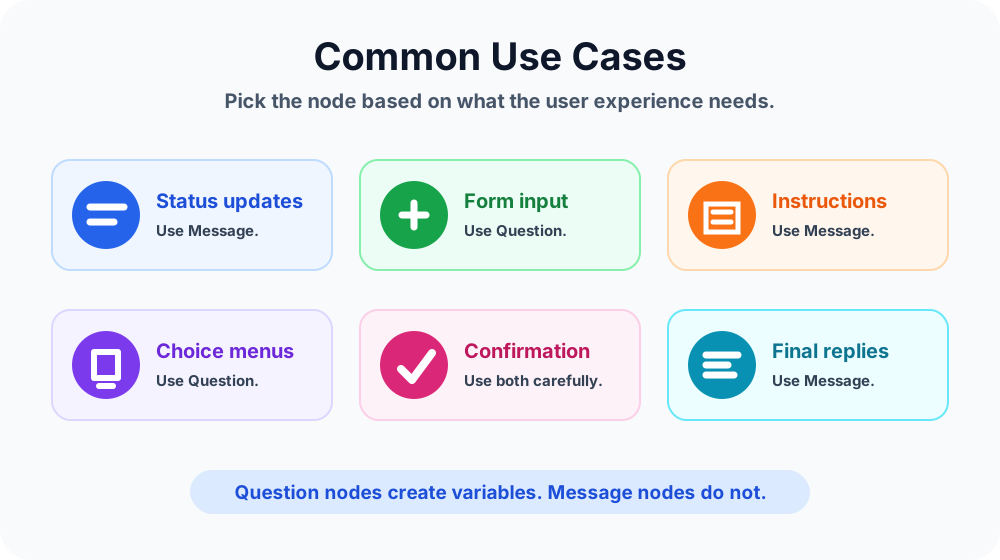
- Status update: use Message.
- Collect ticket description: use Ask a Question.
- Show instructions: use Message.
- Let the user choose a category: use Ask a Question.
- Confirm a submitted request: use Message.
- Ask for approval confirmation: use Ask a Question with yes/no options.
Best practices
- Ask one thing at a time. Do not combine multiple questions into one prompt.
- Use Message nodes to set context. Tell users why you need information before asking for it.
- Use clear variable names. Names like User Email and Leave Days are easier to reuse than vague names.
- Use choice options when possible. Choices reduce typing errors and make routing easier.
- Confirm important answers. Show the collected value back to the user before submitting a request.
- Do not overuse questions. Ask only for information needed to complete the task.
Common mistakes to avoid
- Using a Message node when the agent actually needs to collect input.
- Using Ask a Question for text that does not require an answer.
- Forgetting to save an answer into a useful variable.
- Asking several unrelated questions in one prompt.
- Not validating important values such as email, date, number, or phone number.
- Using unclear wording that makes users unsure what to enter.
Beginner decision checklist
Before adding a node, ask these questions:
- Do I only need to show information? Use Message.
- Do I need the user to answer? Use Ask a Question.
- Do I need to reuse the answer later? Use Ask a Question and save it to a variable.
- Do I need to route based on the answer? Use Ask a Question plus a Condition node.
- Do I need to run a workflow? Use Ask a Question to collect inputs, then Call an Action.
How this fits in conversation flow
Good Copilot Studio topics usually use both nodes. A Message node explains the experience. Ask a Question collects the required input. Conditions route the user. Variables store values. Actions do the work. End Conversation closes the topic cleanly.
For the full pattern, read Day 14: Conversation Flow Explained.
Key takeaways
- Message nodes send information. They are best for instructions, confirmations, updates, and final replies.
- Ask a Question collects information. It is best for user input, choices, validation, and variables.
- Variables are the main difference. If you need to use the answer later, use Ask a Question.
- Use both together. Message nodes make the conversation clear, and Question nodes make it interactive.
Choosing between Ask a Question and Message nodes is one of the first skills every Copilot Studio maker should learn. Once you understand output versus input, your topics become easier to build, test, and maintain.
Next in the series: Day 24.
Related resources
Topics covered
Topics · Variables · Conversation Design · AI Agents
Frequently asked questions
What is the difference between a Message node and Ask a Question node in Copilot Studio?
A Message node sends information to the user. An Ask a Question node prompts the user for input, stores the response in a variable, and can use that value later in the conversation.
When should I use a Message node?
Use a Message node when the agent only needs to display instructions, status updates, confirmations, links, images, or final information without collecting a response.
When should I use Ask a Question in Copilot Studio?
Use Ask a Question when the agent needs user input such as a name, email address, choice, date, number, yes or no answer, or another value that must be stored and reused.
Does a Message node create a variable?
No. A Message node displays content only. If you need to capture and store a user answer, use Ask a Question.
Can I use both nodes in the same Copilot Studio topic?
Yes. A common pattern is to use a Message node to explain what is needed, then use Ask a Question to collect the required input.
Which node is better for validations?
Ask a Question is better for validation because it can collect typed or selected responses and store them as variables for conditions, actions, and later messages.
Sources
- Microsoft Learn: Authoring Create Edit Topics, Microsoft
- Microsoft Learn: Microsoft Copilot Studio, Microsoft
Have a Microsoft 365 topic idea?
Share article suggestions, community session ideas, corrections, or real-world scenarios for future nextM365 learning notes.
Keep learning Microsoft 365
Explore more practical tutorials for SharePoint, Power Platform, Copilot Studio, migration, automation, governance, and security.
Continue learning
Related tutorials
Related questions
Related comparisons