Branching Conversations Explained | Copilot Studio Day 24
Learn how branching conversations work in Microsoft Copilot Studio, how questions, variables, conditions, and redirects guide users through the right topic path.
- Published
- Reading time
- 7 min read
Week 4 · Day 24 of 365 in 365 Days of Copilot Studio — view the full series
What you’ll learn
- What is a branching conversation?
- Why branching conversations matter
- Core building blocks of branching
- Simple branching pattern
- Real example: leave approval branch
On this page (20 sections)
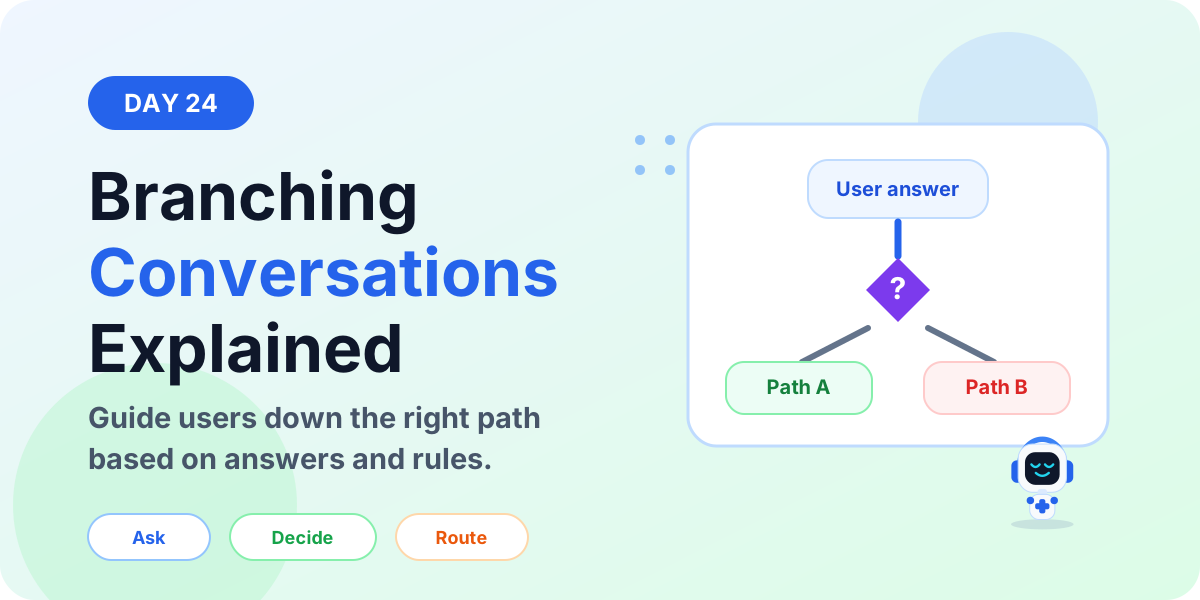
Branching conversations in Microsoft Copilot Studio help your agent guide users down different paths based on their answers, choices, variables, and business rules. Instead of forcing every user through the same topic, branching lets the conversation adapt.
Day 24 of the 365 Days of Microsoft Copilot Studio series explains branching conversations in beginner-friendly language: what branching means, why it matters, which nodes are involved, how to design branches, and how to avoid messy topics.
If you are following the series, this lesson builds directly on Day 23: Ask a Question vs Message Node, Day 17: Condition Node Explained, and Day 21: Redirect Node Explained.
What is a branching conversation?
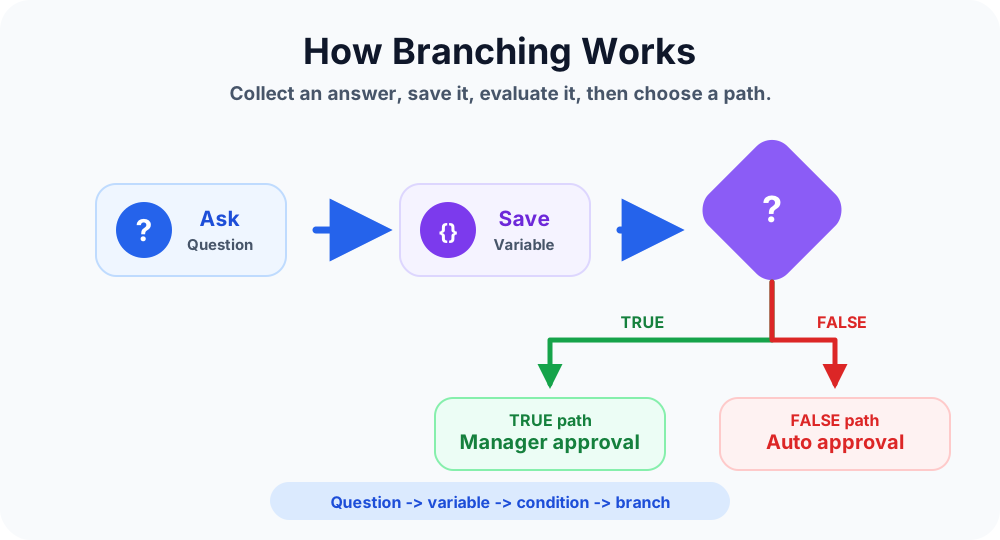
A branching conversation is a topic design pattern where the next step depends on something the user says, chooses, or already has stored in a variable. The agent evaluates that information and sends the user to the most relevant path.
For example, a user asks for leave. If the number of leave days is small, the agent can continue with an auto-approval path. If the number of leave days is high, the agent can send the request to manager approval. Both users start in the same topic, but they do not follow the same path.
In simple words: branching means one conversation can have multiple possible routes.
Why branching conversations matter
Real business conversations are rarely one straight line. Users have different needs, different roles, different answers, and different outcomes. Branching helps the Copilot respond more like a guided assistant and less like a static form.
- Better user experience: users only see steps that are relevant to their situation.
- Cleaner topics: logic can be organized into clear paths instead of long mixed conversations.
- More accurate routing: answers and variables decide what happens next.
- Less confusion: users do not need to read instructions that do not apply to them.
- Better automation: branches can decide when to call actions, redirect topics, or end the conversation.
Core building blocks of branching
Branching conversations usually combine several Copilot Studio nodes. Each node has a role.
Ask a Question
An Ask a Question node collects the user answer. This answer might be a number, choice, yes/no value, date, text, or another supported response type.
Variables
A variable stores the answer so the topic can reuse it later. Without a stored value, the agent has nothing reliable to evaluate.
Conditions
A Condition node checks the value and decides which branch should run. For example: if Leave Days is greater than 2, go to manager approval. Otherwise, continue with auto approval.
Redirect nodes
A Redirect node sends the user to another topic. This is useful when a branch becomes large enough to deserve its own reusable topic.
Message and Action nodes
A Message node explains what is happening. A Call an Action node runs Power Automate flows, APIs, or backend work when the branch needs to do something real.
Simple branching pattern
Most beginner branching topics follow this pattern:
- Ask a question. Collect the information that decides the next path.
- Save the answer. Store the value in a clear variable.
- Check a condition. Compare the answer against a rule.
- Follow the right branch. Continue to the relevant message, action, redirect, or ending.
- Confirm the outcome. Tell the user what happened and what to do next.
In short: question -> variable -> condition -> branch -> outcome.
Real example: leave approval branch
Imagine a Copilot that helps employees submit leave requests. The topic asks: How many leave days do you need?
The answer is saved to a variable named Leave Days. Then the topic checks a condition:
- If Leave Days is greater than 2: send the request to manager approval.
- If Leave Days is 2 or less: continue with the auto-approval path.
This is a branching conversation because one user may go to manager approval while another user may continue without approval. The path depends on the answer.
Common branching use cases
Use branching when the next step depends on a user's answer, role, request type, or business rule.
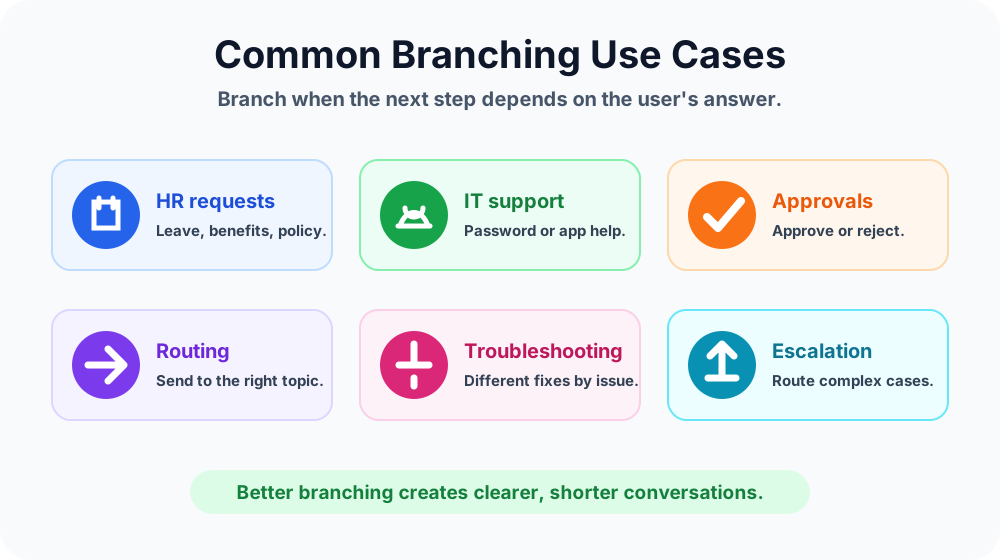
- HR requests: route leave, benefits, policy, and payroll questions differently.
- IT support: branch by issue type such as password, Outlook, Teams, device, or access problem.
- Approvals: choose approval or rejection paths based on a user or manager decision.
- Routing: send users to the right reusable topic instead of rebuilding the same steps.
- Troubleshooting: ask diagnostic questions and show different fixes.
- Escalation: send complex or high-risk requests to a support team or human handoff process.
Branching with choices
Choice questions are one of the easiest ways to create branches. Instead of letting users type anything, you give them fixed options. Each option can lead to a different path.
Example: What do you need help with?
- Password reset
- Email issue
- Teams issue
- Device issue
Each choice can redirect to a specific support topic. This keeps the first topic short and makes the whole Copilot easier to maintain.
Branching with yes or no questions
Yes/no questions are useful when the topic needs a simple decision. For example: Do you already have approval from your manager?
- Yes: continue to collect request details.
- No: explain the approval requirement and route to the manager approval process.
Use yes/no questions when the decision is truly binary. If there are more than two possible paths, use choices instead.
Branching with numeric conditions
Numeric branches are useful when the topic needs to compare quantities. Common examples include leave days, expense amount, priority score, number of users affected, or quantity requested.
Examples:
- If expense amount is greater than 500, require finance approval.
- If more than 10 users are affected, mark the ticket as high priority.
- If leave days are greater than 2, notify the manager.
When using numeric branches, make sure the question response type collects a number. This avoids comparing text values by mistake.
Branching vs redirecting
Branching and redirecting are related, but they are not the same thing.
- Branching: deciding which path the conversation should follow.
- Redirecting: sending the user to another topic after the branch decision is made.
For small paths, you can keep the branch inside the same topic. For larger paths, redirect to another topic. This keeps your main topic readable.
Best practices for branching conversations
- Keep each branch focused. A branch should solve one clear user need.
- Name variables clearly. Use names like Issue Type, Leave Days, or Approval Required.
- Use choices for predictable paths. Choices reduce spelling problems and improve routing.
- Use redirects for reusable logic. If several topics need the same path, create a reusable topic and redirect to it.
- Confirm important decisions. Tell the user which path they are entering and why.
- Test every branch. Do not test only the happy path.
Common mistakes to avoid
- Creating too many branches inside one large topic.
- Using free-text answers when fixed choices would be better.
- Forgetting to test false paths, fallback paths, and edge cases.
- Using unclear variable names that make conditions hard to understand.
- Repeating the same branch logic in many topics instead of using redirects.
- Ending a branch without a clear final message or next step.
Testing checklist
Before publishing a branching topic, test each possible path.
- Test every choice option.
- Test TRUE and FALSE condition paths.
- Test boundary values such as 2, 3, 500, or 501 depending on the rule.
- Test invalid answers and fallback behavior.
- Test redirects to make sure the user lands in the correct topic.
- Test final messages so users know what happened.
How branching fits into conversation design
Branching is part of the wider conversation flow. A good topic usually asks the right question, stores the answer, evaluates the rule, routes the user, performs the action, and ends clearly.
Branching makes this flow more flexible. Instead of building a single path for everyone, you design a topic that adapts to the user.
Key takeaways
- Branching creates multiple paths. The user's answer decides what happens next.
- Questions and variables are the starting point. You need reliable input before you can branch safely.
- Conditions make decisions. They compare values and choose TRUE, FALSE, or other configured paths.
- Redirects keep topics clean. Move large branch paths into reusable topics.
- Testing is critical. Every branch must be tested before publishing.
Branching conversations are one of the most important skills for building useful Copilot Studio agents. Once you understand how to combine questions, variables, conditions, redirects, and actions, your topics become clearer and more practical.
Next in the series: Day 25: Trigger Phrases Best Practices.
Related resources
Topics covered
Topics · Conditions · Variables · Conversation Design · Workflow Automation
Frequently asked questions
What is a branching conversation in Copilot Studio?
A branching conversation sends users down different topic paths based on their answers, variables, conditions, or business rules.
Which nodes are commonly used for branching?
Branching usually uses Ask a Question nodes to collect input, variables to store answers, Condition nodes to evaluate rules, and Redirect nodes to send users to reusable topics.
When should I use branching in a Copilot Studio topic?
Use branching when different users need different next steps, such as HR requests, IT support issues, approval paths, troubleshooting flows, or escalation handling.
Is branching the same as a Condition node?
No. A Condition node is one tool used to create branches. Branching is the broader conversation design pattern where a topic has multiple possible paths.
Can branching conversations use variables?
Yes. Variables are often used in branching because they store user answers that conditions can evaluate later in the topic.
What is a common mistake with branching conversations?
A common mistake is creating too many branches inside one topic. Large topics are harder to test and maintain, so reusable topics and redirects are often better.
Sources
- Microsoft Learn: Authoring Create Edit Topics, Microsoft
- Microsoft Learn: Microsoft Copilot Studio, Microsoft
Have a Microsoft 365 topic idea?
Share article suggestions, community session ideas, corrections, or real-world scenarios for future nextM365 learning notes.
Keep learning Microsoft 365
Explore more practical tutorials for SharePoint, Power Platform, Copilot Studio, migration, automation, governance, and security.
Continue learning
Related tutorials
Related questions
Related comparisons