Redirect Node Explained | Copilot Studio Day 21
Learn what a Redirect node is in Microsoft Copilot Studio, when to use it, how it sends users to another topic, and how redirects keep agent topics clean and reusable.
- Published
- Reading time
- 7 min read
Week 3 · Day 21 of 365 in 365 Days of Copilot Studio — view the full series
What you’ll learn
- What is a Redirect node?
- Why Redirect nodes matter
- How a Redirect node works
- Real example: HR assistant routing
- When to use a Redirect node
On this page (13 sections)
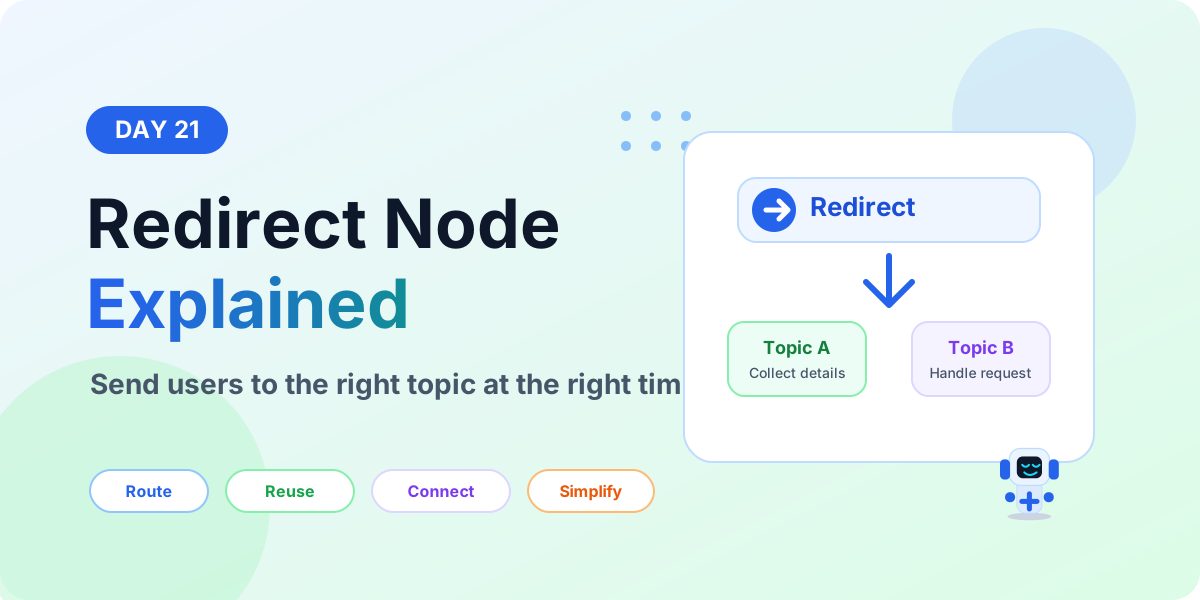
A Redirect node in Microsoft Copilot Studio sends the user from the current topic to another topic. It helps you reuse topic logic, keep large conversations easier to manage, and guide users to the correct flow without rebuilding the same steps again.
Day 21 of the 365 Days of Microsoft Copilot Studio series explains Redirect nodes in beginner-friendly language: what they are, why they matter, how they work, when to use them, common examples, best practices, and mistakes to avoid.
If you are new to topic structure, read Day 14: Conversation Flow Explained first. Redirect nodes make more sense once you understand how topics, questions, conditions, actions, and endings work together.
What is a Redirect node?
A Redirect node is a topic step that transfers the conversation to another topic. The current topic does not need to contain every possible step. Instead, it can redirect the user to a topic that already handles the next part of the conversation.
For example, an employee might start in a general HR topic and ask about leave balance. Instead of building leave balance logic inside every HR topic, the agent can redirect the user to a dedicated leave balance topic.
In simple words: Redirect node = send the user to the right topic.
Why Redirect nodes matter
Without redirects, topics can become very large. A single topic may try to handle leave requests, policy questions, password reset, ticket status, approvals, FAQ answers, and escalation paths. That makes the topic harder to test, troubleshoot, and improve.
Redirect nodes solve this by letting you split the agent into smaller reusable topics.
- Cleaner topic design: each topic can focus on one purpose.
- Reusable flows: common topics can be used from many entry points.
- Easier maintenance: update one target topic instead of editing duplicate logic in many places.
- Better user routing: send users to the path that best matches their request.
- Less duplication: avoid rebuilding the same questions, conditions, and messages again and again.
How a Redirect node works
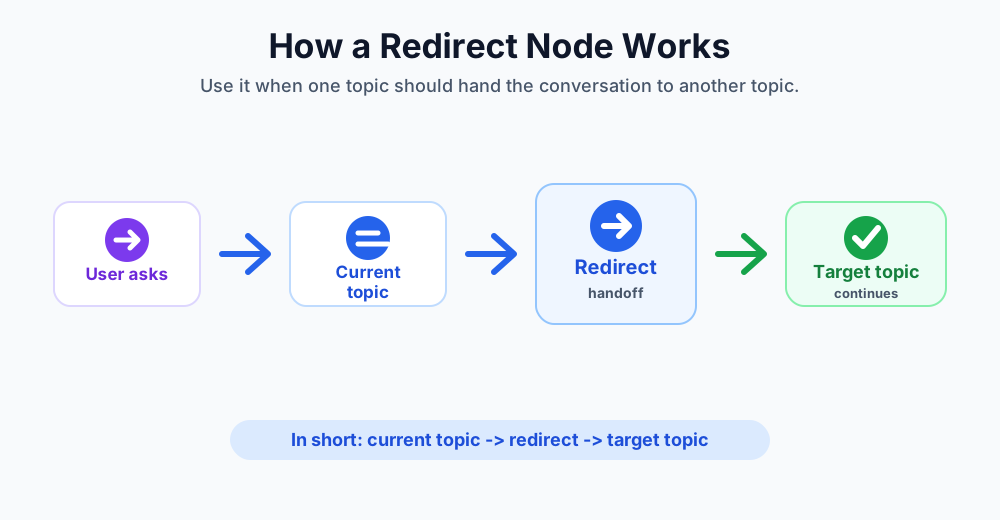
The pattern is simple: the current topic identifies where the user should go, then the Redirect node hands the conversation to the target topic.
- User starts a topic. The user asks a question or chooses an option.
- Current topic evaluates the need. The topic may use trigger phrases, a Question node, a Condition node, or a variable value to decide what should happen next.
- Redirect node runs. The topic redirects the conversation to another topic.
- Target topic continues. The target topic asks questions, shows messages, calls actions, or completes the request.
- User gets the result. The conversation continues naturally in the correct topic.
In short: current topic → redirect → target topic → useful response.
Real example: HR assistant routing
Imagine an HR assistant with one starting topic called HR Help. A user can ask about leave balance, benefits, payroll, onboarding, or company policies. Instead of building every HR process in one topic, you can redirect to smaller topics.
- Leave balance: redirect to the Leave Balance topic.
- Leave request: redirect to the Apply Leave topic.
- Benefits question: redirect to the Benefits FAQ topic.
- Payroll issue: redirect to the Payroll Support topic.
- Policy question: redirect to the HR Policy topic.
This keeps the starting topic simple. It acts like a router that sends the user to the right specialist topic.
When to use a Redirect node
Use a Redirect node when another topic is the better place to continue the conversation.
- When the next step already exists: redirect to an existing topic instead of copying the same nodes.
- When the topic is getting too large: split complex logic into smaller topics.
- When many topics share the same process: reuse a common topic such as authentication, ticket creation, approval status, or FAQ lookup.
- When routing depends on user choice: ask what the user needs, then redirect based on their answer.
- When escalation needs a standard path: redirect to a human handoff or support instruction topic.
Common Redirect node use cases
Redirect nodes are useful when one conversation needs to hand off to another topic.
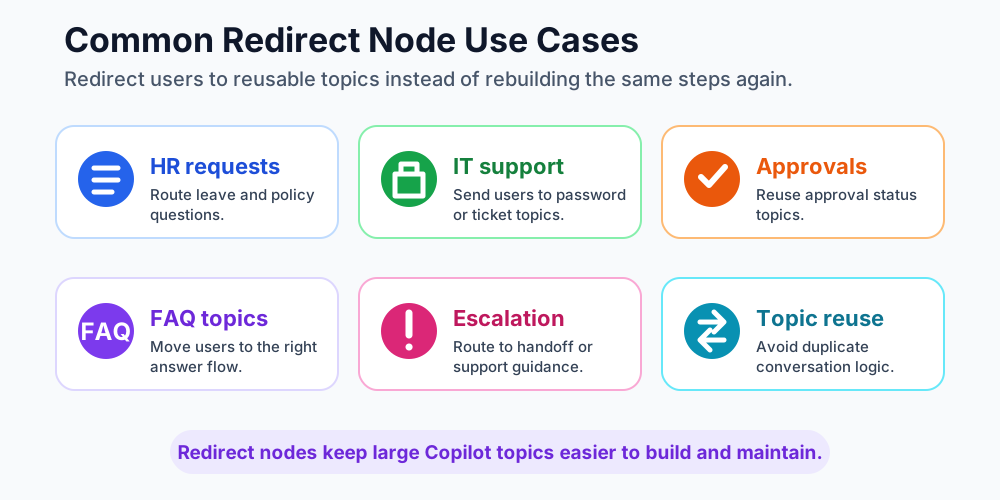
- HR requests: route users to leave, benefits, payroll, onboarding, or policy topics.
- IT support: route password reset, access request, device issue, or ticket status questions.
- Approvals: redirect users to approval status, approval submission, or manager review topics.
- FAQ topics: send users to the correct answer flow based on category.
- Escalation: redirect users to a support handoff path when the agent cannot resolve the issue.
- Topic reuse: call the same shared topic from multiple parent topics.
Redirect node vs other nodes
Redirect nodes are often confused with Message, Condition, Call an Action, and End Conversation nodes. Each node has a different job.
- Redirect node: moves the conversation to another topic.
- Message node: shows information to the user and keeps the topic moving.
- Question node: collects information from the user and stores it in a variable.
- Condition node: checks a value and chooses a TRUE or FALSE path.
- Call an Action node: runs a flow, API, connector, or process outside the conversation.
- End Conversation node: closes the conversation after the task is complete.
Use Redirect when the next step is another topic. Use Call an Action when the next step is external work. Use End Conversation when the chat should close.
How Redirect nodes help with reusable topics
Reusable topics are one of the biggest benefits of Redirect nodes. If multiple conversations need the same steps, build those steps once in a dedicated topic and redirect to it whenever needed.
For example, many topics may need to collect an employee ID. Instead of rebuilding that question everywhere, you can create a shared topic that collects and validates the employee ID, then use that topic from other flows. This design works well with Variable nodes because collected information can be reused later in the conversation.
Beginner design pattern
A simple beginner-friendly pattern is to use one intake topic and several specialist topics.
- Start topic: welcomes the user and asks what they need.
- Question node: collects the request category.
- Condition node: checks the selected category.
- Redirect node: sends the user to the correct topic.
- Target topic: handles the specific request.
This pattern is useful for HR bots, IT help desk bots, customer support bots, finance assistants, and internal knowledge assistants.
Best practices for Redirect nodes
- Name topics clearly. A redirect is easier to maintain when the target topic name explains its purpose.
- Keep target topics focused. Each target topic should solve one clear need.
- Avoid duplicate logic. If you copy the same nodes into many topics, consider using a Redirect node instead.
- Pass context carefully. Make sure important variables are available when the target topic needs them.
- Test the full path. Test the parent topic, the redirect, and the target topic together.
- Handle fallback paths. If the user does not match a category, provide a helpful default route or clarification question.
Common mistakes to avoid
- Do not redirect without explaining why the user is moving to another flow when the change may feel sudden.
- Do not create circular redirects where Topic A redirects to Topic B and Topic B redirects back to Topic A.
- Do not redirect to a topic that requires missing information.
- Do not use one giant topic when smaller reusable topics would be easier to maintain.
- Do not use Redirect when you actually need to run a Power Automate flow or API. Use Call an Action for that.
- Do not end the conversation when the user should continue in another topic. Use Redirect instead.
Testing checklist before publishing
- Test each option that can lead to a Redirect node.
- Confirm the correct target topic opens.
- Confirm required variables are still available after the redirect.
- Confirm the target topic gives the expected answer or next step.
- Test invalid choices and fallback routing.
- Check that there are no circular redirects.
- Review the conversation as a user and make sure the handoff feels natural.
Key takeaways
- Redirect nodes send users to another topic. They help the conversation continue in the right place.
- Redirects improve topic design. They keep large topics smaller, cleaner, and easier to maintain.
- Reusable topics save time. Build common flows once and redirect to them from many places.
- Use the right node for the job. Redirect moves topics, Call an Action runs work, and End Conversation closes the chat.
Use Redirect nodes when your Copilot needs better routing, cleaner topic structure, and reusable conversation flows.
Next in the series: Day 22.
Related resources
Topics covered
Topics · Conversation Design · AI Agents · Workflow Automation
Frequently asked questions
What is a Redirect node in Copilot Studio?
A Redirect node sends the conversation from the current topic to another topic so the agent can continue the flow in the right place.
When should I use a Redirect node?
Use it when another topic already handles the next step, when you want to reuse a common flow, or when a large topic should be split into smaller topics.
Does a Redirect node end the conversation?
No. A Redirect node moves the user to another topic. An End Conversation node closes the conversation.
How is Redirect different from Call an Action?
Redirect moves the conversation to another topic. Call an Action runs work outside the conversation, such as a Power Automate flow or API.
Can Redirect nodes help topic maintenance?
Yes. Redirect nodes reduce duplicate topic logic and make large Copilot Studio topics easier to test, update, and reuse.
What are common Redirect node examples?
Common examples include routing HR questions, sending password reset requests to an IT topic, moving users to approval status, reusing FAQ flows, and handling escalation paths.
Sources
- Microsoft Learn: Authoring Create Edit Topics, Microsoft
- Microsoft Learn: Microsoft Copilot Studio, Microsoft
Have a Microsoft 365 topic idea?
Share article suggestions, community session ideas, corrections, or real-world scenarios for future nextM365 learning notes.
Keep learning Microsoft 365
Explore more practical tutorials for SharePoint, Power Platform, Copilot Studio, migration, automation, governance, and security.
Continue learning
Related tutorials
Related questions
Related comparisons