Trigger Phrases Best Practices | Copilot Studio Day 25
Learn practical Copilot Studio trigger phrase best practices so your topics match user intent, avoid duplicate triggers, and start the right conversation.
- Published
- Reading time
- 7 min read
Week 4 · Day 25 of 365 in 365 Days of Copilot Studio — view the full series
What you’ll learn
- What are trigger phrases?
- Why trigger phrase quality matters
- How Copilot Studio uses trigger phrases
- Best practice 1: use natural user language
- Best practice 2: include phrase variety
On this page (20 sections)
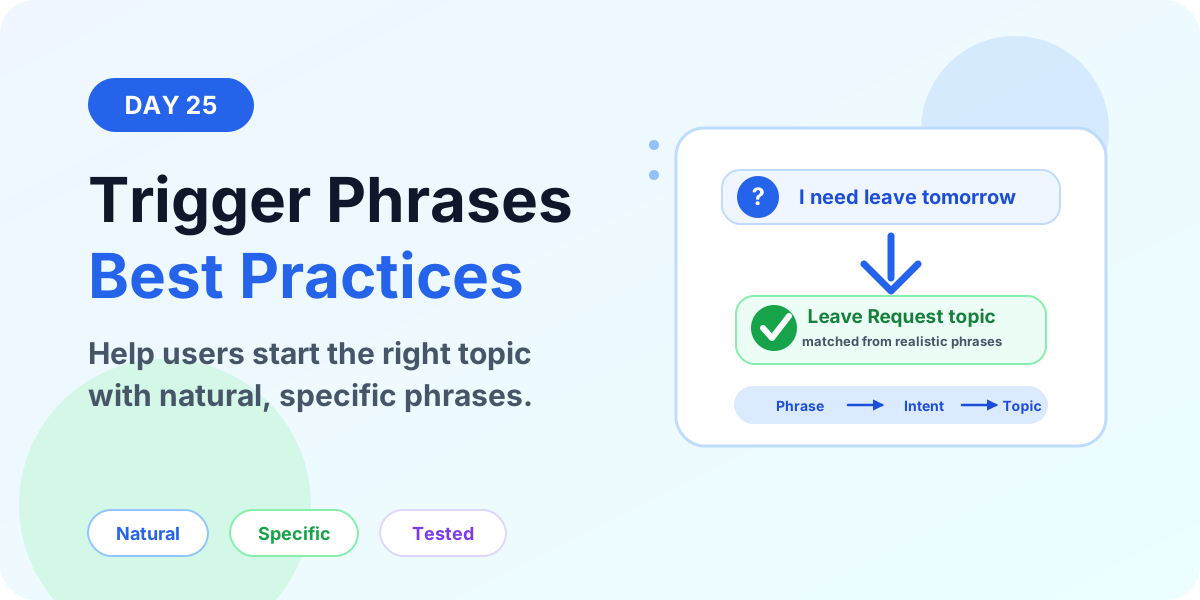
Trigger phrases are one of the most important parts of topic design in Microsoft Copilot Studio. They help your copilot understand what the user wants and decide which topic should start.
Day 25 of the 365 Days of Microsoft Copilot Studio series focuses on practical trigger phrase best practices: how to write natural phrases, avoid confusing topic matches, test user wording, and improve topic routing.
This lesson builds on Day 13: Microsoft Copilot Studio Triggers Explained, then turns the concept into a builder checklist you can use while designing real topics.
What are trigger phrases?
Trigger phrases are example messages that represent how users might ask for a specific outcome. Copilot Studio uses these examples to understand the intent and start the topic that best matches the user's message.
For example, a leave request topic might include these trigger phrases:
- Apply leave
- Request vacation
- Book time off
- I need leave tomorrow
- Submit annual leave request
These phrases are different, but they point to the same intent. The user wants help with leave. Good trigger phrases help Copilot Studio recognize that intent even when the user does not type your exact wording.
Trigger phrases are examples, not scripts. Users should be able to ask naturally.
Why trigger phrase quality matters
If trigger phrases are weak, vague, duplicated, or too similar across topics, users may land in the wrong conversation. This creates frustration because the topic starts with the wrong questions, wrong actions, or wrong information.
Good trigger phrases improve:
- Topic matching: the right topic starts more consistently.
- User experience: users do not need to know menu names or exact commands.
- Conversation flow: the topic starts at the right point with the right context.
- Testing quality: makers can quickly see whether common user wording is covered.
- Maintenance: clear trigger boundaries make large copilots easier to manage.
How Copilot Studio uses trigger phrases
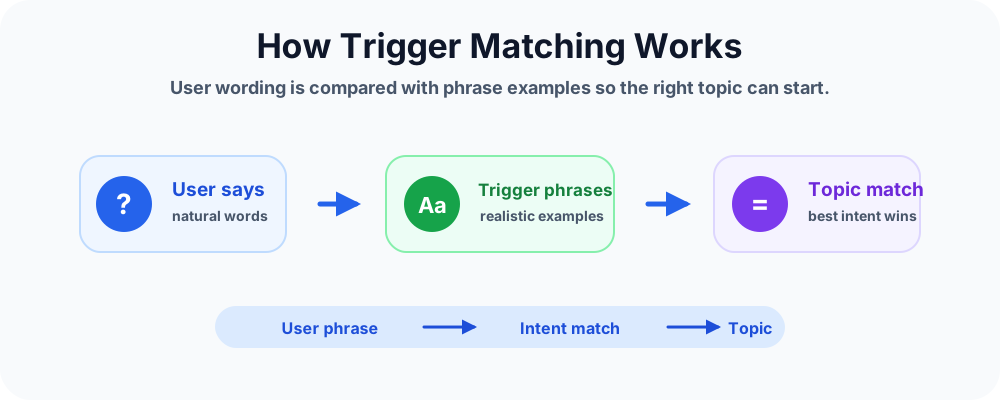
Trigger matching is based on intent, not exact keyword matching. When a user sends a message, Copilot Studio compares the message against the available topics and their trigger phrases. The best matching topic starts.
A simple matching flow looks like this:
- User asks in natural language. For example: Can I take PTO next Friday?
- Copilot Studio evaluates the intent. It compares the message against trigger phrase examples.
- The best topic is selected. The topic with the strongest match starts.
- The conversation continues. The topic can ask questions, store variables, branch, call actions, or redirect.
This is why the examples you provide matter. You are teaching the topic what kinds of requests belong there.
Best practice 1: use natural user language
Write phrases the way real users speak. Avoid internal system names, process labels, or formal documentation language unless users actually type those words.
Better examples:
- I need leave tomorrow
- Reset my password
- Where is my payslip?
- Report a Teams issue
Weaker examples:
- Initiate employee absence workflow
- Access identity lifecycle transaction
- Submit ticket category collaboration platform incident
The weaker examples may describe the business process, but they do not sound like normal user messages.
Best practice 2: include phrase variety
Different users ask for the same thing in different ways. Add phrases that cover common synonyms and wording patterns.
For a leave topic, include variations like:
- Leave
- Vacation
- Time off
- Annual leave
- Sick leave
- PTO, if your organization uses that term
Do not copy the same phrase with tiny changes. Add meaningful variety instead.
Best practice 3: keep phrases specific
A phrase should point clearly to one topic. If a phrase could start several topics, make it more specific or rethink the topic boundaries.
For example, help is too broad. It could mean HR help, IT help, payroll help, or admin help. A phrase like I need help resetting my password is more specific and easier to route.
Specific phrases reduce wrong-topic starts.
Best practice 4: avoid duplicate trigger phrases
Do not reuse the same trigger phrases across competing topics. If two topics both include request access, Copilot Studio may struggle to decide which topic should start.
Use clearer boundaries:
- Request SharePoint access for SharePoint site access.
- Request Teams access for Teams membership.
- Request application access for business app permissions.
If two topics still overlap heavily, consider merging them or using a first question to branch users to the right path.
Best practice 5: keep most phrases short
Short trigger phrases usually keep the intent clearer. Long phrases can include extra details that make the matching signal less focused.
Good short phrases:
- Reset password
- Apply leave
- Open IT ticket
- Check order status
You can still include a few full questions, such as How do I reset my password? or Can I apply for leave tomorrow?. The goal is balance.
Best practice 6: use real user wording
The best trigger phrases often come from real user language. Review support tickets, Teams chats, help desk questions, HR inbox messages, search terms, or common questions from employees.
If users say holiday more than vacation, include holiday. If users say laptop issue instead of device incident, use laptop issue.
Trigger phrases should reflect your audience, not only your system design.
Best practice 7: test direct and indirect wording
Testing should include more than the exact phrases you typed. Use the test experience to try realistic variations.
For a leave request topic, test:
- Apply leave
- I need vacation
- Time off tomorrow
- Can I take annual leave next week?
- I am sick and need leave
- Book PTO for Friday
After each test, confirm that the correct topic starts. If the wrong topic starts, compare trigger phrases between both topics.
Trigger phrase checklist
Use this checklist before publishing a topic.
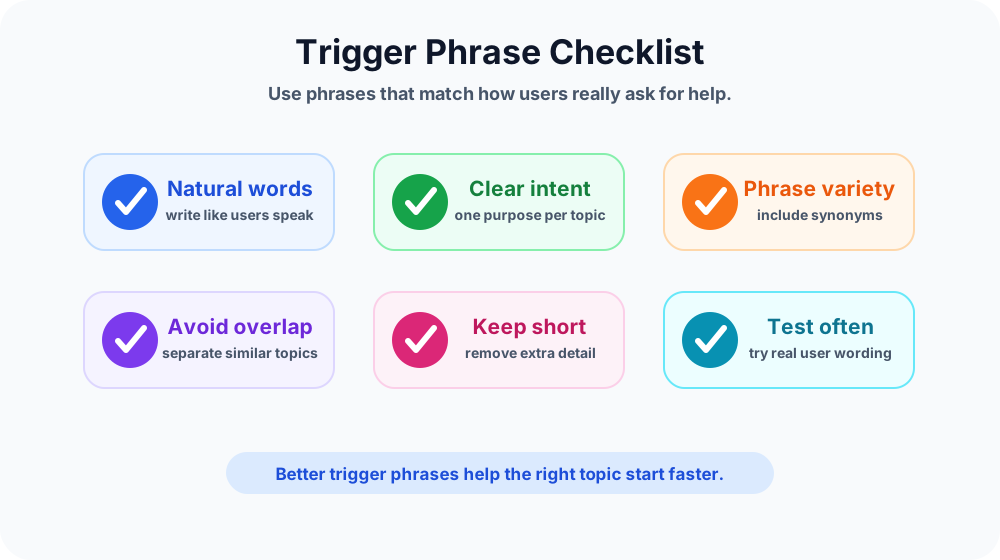
- Do the phrases sound like real user messages?
- Do they describe one clear intent?
- Are common synonyms included?
- Are phrases short enough to keep the signal clear?
- Are similar phrases avoided across competing topics?
- Have direct and indirect wording examples been tested?
- Does the topic still match correctly after adding new topics?
Examples by topic type
HR leave request
- I need leave
- Apply vacation
- Book time off
- Can I take sick leave?
IT password reset
- Reset password
- I forgot my password
- Cannot sign in
- Password not working
SharePoint access
- Request SharePoint access
- I need access to a site
- Add me to SharePoint
- Cannot open the document library
Expense help
- Submit expense
- Check reimbursement
- Expense claim status
- How do I upload receipts?
Common mistakes to avoid
- Using one phrase only: one example rarely covers real user wording.
- Adding too many near-duplicates: repeated phrases do not improve clarity.
- Using broad phrases: phrases like help, support, or request can match too many topics.
- Copying phrases across topics: duplicate examples create competing matches.
- Ignoring user terminology: internal names may not match how employees ask.
- Not retesting after changes: adding new topics can affect matching behavior.
How trigger phrases connect with other nodes
Trigger phrases start the topic. After the topic starts, other nodes guide the conversation:
- Message nodes explain what the copilot can do.
- Question nodes collect the details needed to continue.
- Variables store user answers.
- Condition nodes evaluate rules and branch the conversation.
- Redirect nodes send users to reusable topics.
Good trigger phrases get the user into the right topic. Good nodes make sure the topic completes the right outcome.
When trigger phrases are not enough
If two topics are naturally similar, trigger phrases alone may not solve the problem. In that case, use a triage topic. Start with a broader trigger, ask one clear question, then redirect to the right topic.
Example: a user says I need access. The copilot can ask:
- Do you need SharePoint access?
- Teams access?
- Application access?
Then the topic can redirect the user to the correct access request flow.
Key takeaways
- Trigger phrases teach intent. They help Copilot Studio understand when a topic should start.
- Natural wording works best. Use phrases that sound like real user messages.
- Specific phrases reduce wrong matches. Avoid broad or duplicated phrases.
- Testing is required. Try real variations, synonyms, and competing-topic wording.
- Trigger phrases are part of conversation design. They work with questions, variables, conditions, redirects, and actions.
Better trigger phrases make your Copilot Studio agent feel smarter because users can ask in their own words and still reach the right topic.
Next in the series: Day 26: Custom Topics Explained.
Related resources
Topics covered
Triggers · Topics · Conversation Design · AI Agents
Frequently asked questions
What are trigger phrases in Microsoft Copilot Studio?
Trigger phrases are example user messages that help Copilot Studio understand when a topic should start. They represent the intent behind a user request.
How many trigger phrases should a topic have?
Use enough realistic examples to cover common ways users ask, but avoid adding near-duplicates. Quality, variety, and clear topic boundaries matter more than volume.
Should trigger phrases be long or short?
Most trigger phrases should be short and natural. A few full user-style questions are useful, but very long phrases can add unnecessary noise.
Can two topics use the same trigger phrase?
Avoid using the same or very similar trigger phrases across competing topics because it can make topic matching less reliable.
Do users need to type the exact trigger phrase?
No. Copilot Studio uses intent matching, so users do not need to type the exact phrase. Good examples help the system understand the expected intent.
How should I test trigger phrases?
Test direct requests, synonyms, short phrases, long questions, spelling variations, and phrases that could match another topic. Confirm that the correct topic starts.
Sources
- Microsoft Learn: Authoring Create Edit Topics, Microsoft
- Microsoft Learn: Microsoft Copilot Studio, Microsoft
Have a Microsoft 365 topic idea?
Share article suggestions, community session ideas, corrections, or real-world scenarios for future nextM365 learning notes.
Keep learning Microsoft 365
Explore more practical tutorials for SharePoint, Power Platform, Copilot Studio, migration, automation, governance, and security.
Continue learning
Related tutorials
Related questions
Related comparisons