Testing Your Copilot | Copilot Studio Day 41
Learn how to test a Copilot Studio agent before publishing, including topics, trigger phrases, questions, variables, actions, generative answers, fallback paths, and edge cases.
- Published
- Reading time
- 6 min read

Week 6 · Day 41 of 365 in 365 Days of Copilot Studio — view the full series
Before you start
Is this guide for you?
- Best entry point
- 365 Days of Copilot Studio
- Time investment
- 6 min read
In this article
- Why testing matters
- What should you test?
- Start with the test panel
- Test different user phrases
- Test topic triggers
On this page (15 sections)
Day 41 of 365 Days of Copilot Studio explains how to test a Microsoft Copilot Studio agent before publishing it to real users.
Testing is not just a final checkbox. It is how you discover whether the agent starts the right topic, understands realistic user phrases, collects the right input, calls actions correctly, gives safe answers, and recovers when something goes wrong.
This lesson builds on trigger phrases, Question nodes, Call an Action nodes, error handling, and fallback topics.
Why testing matters
A Copilot Studio agent can look good on the authoring canvas and still fail in a real conversation. Users do not always type the exact phrase you expected. Actions can return errors. Knowledge answers can be incomplete. Variables can be empty. A published agent needs to handle all of that clearly.
- Catch wrong answers. Check whether the response is accurate, useful, and grounded in the right content.
- Find broken conversations. Make sure every branch, condition, redirect, and ending actually works.
- Improve reliability. Validate actions, inputs, retries, fallback, and error paths before users see them.
- Build user trust. A tested copilot feels predictable, helpful, and safe.
What should you test?
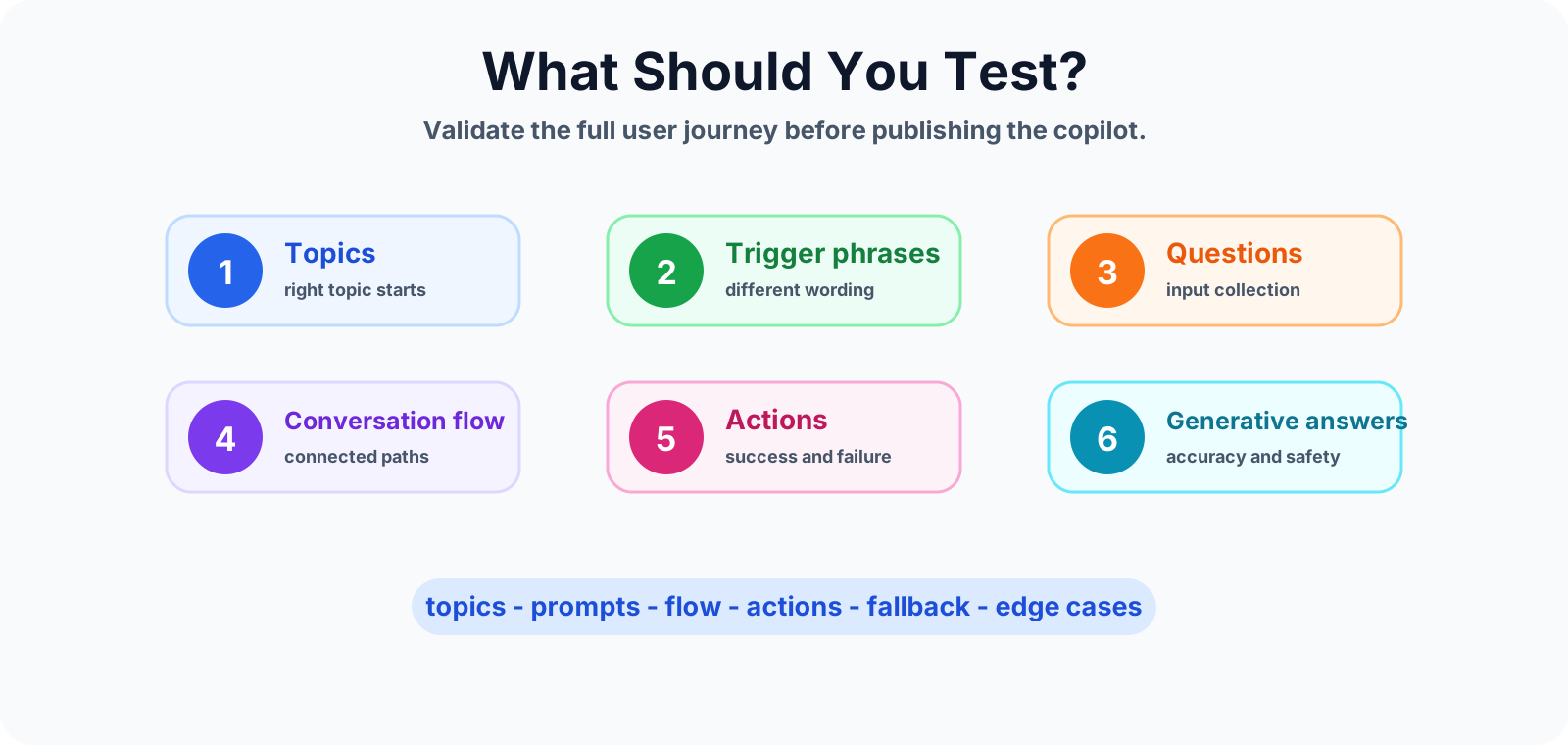
Do not test only one perfect path. A useful copilot needs testing across topics, user input, AI answers, actions, and recovery paths.
Start with the test panel
The test panel is the fastest place to validate conversation behavior while you build. Use it early and often, not only at the end.
- Ask realistic user questions.
- Validate that the right topic starts.
- Observe every response and question.
- Find weak branches, missing paths, and confusing wording.
- Retest after each meaningful update.
The goal is simple: test changes before publishing so users do not become the first testers.
Test different user phrases
Users will not always type your trigger phrase exactly. Test several ways a real person may ask for the same thing.
For example, a password reset topic should be tested with phrases such as:
- "Need my password reset"
- "Forgot login"
- "Cannot sign in"
- "My account is locked"
- "I need help accessing my account"
If only one phrase works, the topic is too fragile. Add better trigger phrases or route through a clearer greeting or triage topic.
Test topic triggers
Trigger testing confirms that the right topic starts for the right request. This is especially important when topics are similar.
For example, "I need help resetting my password" should start the Password Reset topic, not a generic IT Support topic or a fallback path. If matching is weak, review trigger phrases, topic names, and overlapping intents.
Test the conversation flow
A working topic is more than a matched trigger. The full conversation should move cleanly from trigger to question, response, action, result, and ending.
- Confirm each question appears at the right time.
- Check that answers are stored in the expected variables.
- Test every condition branch.
- Confirm redirects go to the right topic.
- Make sure the user receives a clear final message.
If one branch leads nowhere, the user experience breaks even if the first response looked correct.
Test variables and user input
Variables are only useful when the agent captures, stores, and reuses the right values. Test how the topic behaves when user input is clean, incomplete, changed, or invalid.
- Blank answer: what happens if the user skips a required value?
- Wrong format: what happens if a date, email, ticket number, or ID is invalid?
- Changed answer: what happens if the user corrects a previous response?
- Repeated input: does the topic ask the same question again unnecessarily?
Test generative answers
If your copilot uses generative answers, test them with care. A good answer should be accurate, relevant, complete enough for the task, and safe for the audience.
- Check whether the answer uses the right knowledge source.
- Compare the answer with the source content.
- Try vague questions, detailed questions, and follow-up questions.
- Check tone and wording for business users.
- Confirm the answer does not expose sensitive or unsupported information.
Generative answers can be powerful, but they still need human review before production use.
Test actions and integrations
If the copilot calls Power Automate, connectors, APIs, Dataverse, SharePoint, or another system, test all expected outcomes. Do not assume integrations always work.
- Success: the action returns the expected data or completes the task.
- Failure: the user gets a useful message and the issue is handled.
- Timeout: the topic does not leave the user waiting without guidance.
- Missing data: the topic can explain what is missing or route to support.
Test fallback and error paths
Strong testing includes the paths you hope users never see. Test unclear messages, unsupported requests, failed actions, missing data, repeated fallback, and escalation.
A good fallback or error path should tell the user what happened, offer a recovery option, and route to support when automation cannot continue safely.
Test edge cases
Edge cases reveal whether the copilot is ready for real users. Try the unusual cases before users do.
- Unexpected questions outside the agent scope.
- Repeated inputs and repeated clicks.
- Incomplete information.
- Invalid response formats.
- Empty, missing, or unknown data from connected systems.
- User asks a follow-up question after the topic completes.
Run a real-world test scenario
After testing individual parts, test the complete journey as a real user would experience it. Use a scenario such as IT support, HR policy help, leave request, ticket status, or onboarding guidance.
- Ask the first question in natural language.
- Check that the correct topic starts.
- Provide sample user input.
- Validate the action or knowledge response.
- Ask a follow-up question.
- Confirm the topic ends or routes cleanly.
Common testing mistakes
- Testing only happy paths: the agent looks good in a demo but fails in real conversations.
- Expecting exact phrases: users ask in different ways, so trigger testing must include variations.
- Skipping edge cases: missing data, invalid input, and failed actions are common in production.
- Not retesting changes: a small update can break an existing path.
- Skipping real users: makers often test differently from the people who will use the copilot.
Copilot testing checklist
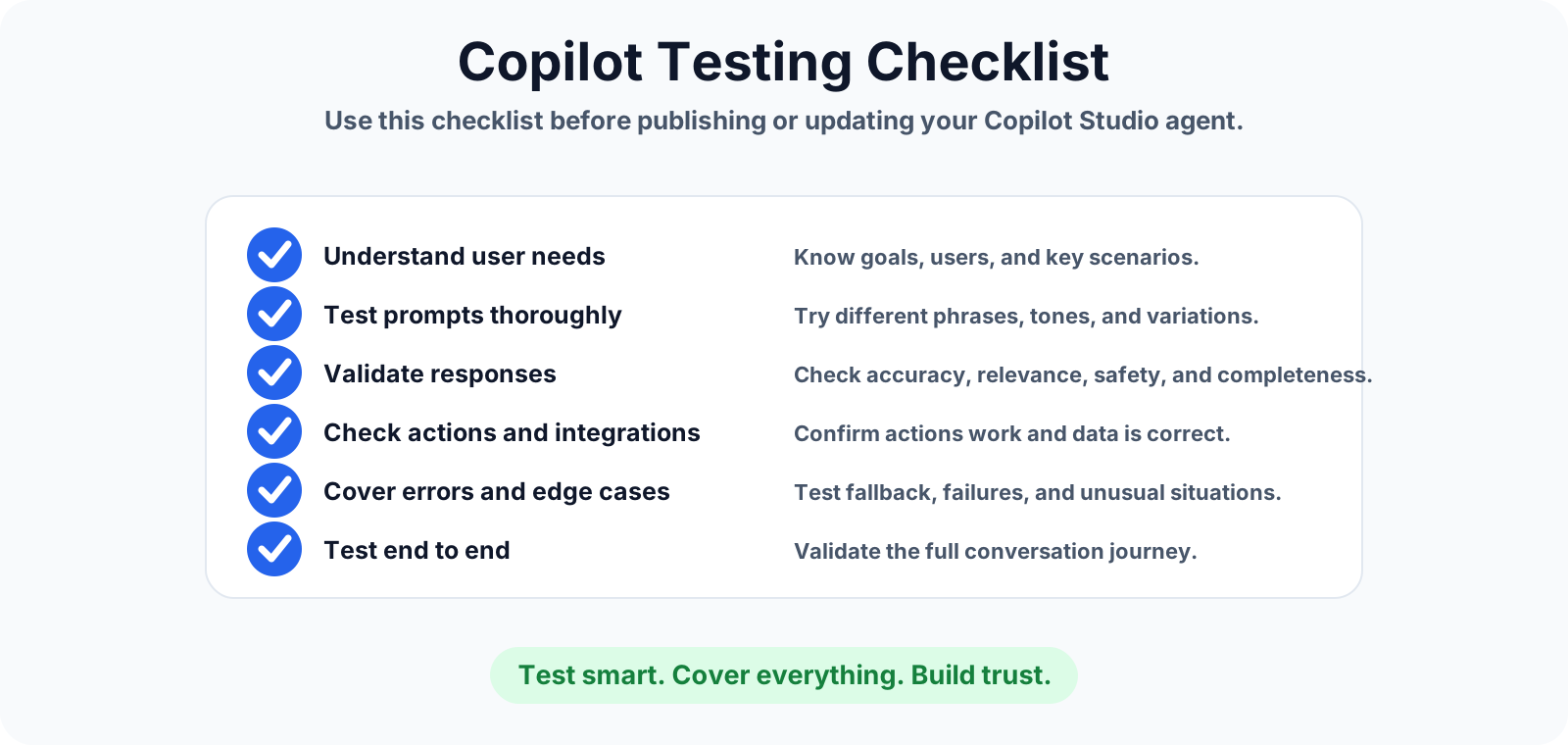
- Understand users, goals, and key scenarios.
- Test prompts with different phrases, tones, and variations.
- Validate response accuracy, relevance, safety, and completeness.
- Check actions, integrations, and returned data.
- Cover fallback, errors, and unusual situations.
- Test the full end-to-end conversation journey.
- Track results and improve the copilot over time.
Summary
Testing your Copilot Studio agent helps you catch wrong answers, broken topic paths, weak trigger phrases, failed actions, unsafe responses, and missing recovery paths before users are affected.
Test smart, cover everything, and build trust. Next, review fallback topics, error handling, and trigger phrases so your testing covers the full conversation lifecycle.
Tagged
Conversation Design · Topics · Triggers · Actions · AI Agents
Frequently asked questions
Why should I test a Copilot Studio agent before publishing?
Testing helps catch wrong answers, broken conversation paths, weak trigger phrases, failed actions, unsafe responses, and fallback issues before users depend on the agent.
What should I test in Copilot Studio?
Test topics, trigger phrases, questions, variables, actions, generative answers, fallback paths, error paths, edge cases, and the complete end-to-end conversation journey.
What is the Copilot Studio test panel used for?
The test panel lets makers try user messages, validate topic matching, observe responses, find weak paths, and retest changes before publishing the copilot.
How do I test trigger phrases?
Use realistic variations of how users speak. Test direct phrases, short phrases, misspellings, alternate wording, and incomplete requests to confirm the right topic starts.
Should I test only the happy path?
No. Testing only the happy path is a common mistake. You should also test missing input, invalid data, action failures, fallback loops, unclear questions, and unexpected user behavior.
Sources
- Microsoft Learn: Authoring Test Bot, Microsoft
- Microsoft Learn: Microsoft Copilot Studio, Microsoft
Have a Microsoft 365 topic idea?
Share article suggestions, community session ideas, corrections, or real-world scenarios for future nextM365 learning notes.
Keep learning Microsoft 365
Explore more practical guides for SharePoint, Power Platform, Copilot Studio, migration, automation, governance, and security.
Continue learning
Related tutorials
Related questions
Related comparisons
Next action