Native SharePoint vs. Enterprise Intranets (Unily, LumApps): Architecture, Feature Matrix & 3-Year TCO Breakdown (2026 Guide)
An enterprise architecture and 3-year TCO comparison of Native SharePoint, Viva Connections, Unily, and LumApps for CIOs and digital workplace leaders planning intranet modernization.
- Published
- Reading time
- 15 min read
Before you start
Is this guide for you?
- Best entry point
- SharePoint
- Time investment
- 15 min read
In this article
- Executive Summary: The Modern Intranet Dilemma
- Deep-Dive Architectural Models
- Side-by-Side Architecture Comparison
- Detailed Technical and Operational Capability Matrix
- 3-Year Total Cost of Ownership Economic Model
On this page (18 sections)
Native SharePoint vs enterprise intranet is no longer a simple "build versus buy" conversation. For a 3,000-user or 10,000-user organization, the intranet is an employee experience platform, a communications channel, a knowledge surface, a compliance boundary, a search strategy, and a long-term operating model. Choosing between Native SharePoint + Viva Connections and platforms such as Unily or LumApps affects licensing, integrations, mobile reach, content governance, analytics, support, and the future flexibility of the digital workplace stack.
This 2026 guide is written for CIOs, Digital Workplace Directors, CHROs, IT Directors, and Enterprise Collaboration Leads who need an objective architectural and economic comparison. It does not assume that SharePoint is always best because the organization already pays for Microsoft 365. It also does not assume that a premium intranet platform is always justified because it looks better in a demo. The right answer depends on architecture, operating maturity, communications ownership, workforce profile, and three-year total cost of ownership.
Executive Summary: The Modern Intranet Dilemma
Legacy intranets fail because they were designed as publishing portals, not living digital workplaces. On-premises SharePoint farms, SharePoint Classic publishing sites, static HTML portals, and old CMS-based intranets usually break down in four areas: mobile access, personalization, governance, analytics, and integration with the actual flow of work. Employees expect an intranet to find answers, surface tools, route requests, and work inside Microsoft Teams or a native mobile app. Leaders expect measurable reach, campaign analytics, audience targeting, and compliance control.
The dilemma is straightforward:
- Option A: Leverage sunk Microsoft 365 licensing with SharePoint Online, Viva Connections, Microsoft Search, Teams, Microsoft Graph, SharePoint Framework, and Power Platform.
- Option B: Procure an Intranet-as-a-Service platform such as Unily or LumApps to accelerate experience design, internal communications workflows, analytics, integrations, and mobile reach.
The decision is not only about license cost. Native SharePoint may appear cheaper because the platform is already included in Microsoft 365, but customization, governance, and internal operating overhead can be significant. Enterprise SaaS intranets may have a higher visible subscription cost, often modelled per employee per month, but they can reduce time-to-launch and provide packaged capabilities that would otherwise require custom development and governance effort.
Note: The cost models in this guide use planning ranges, not vendor quotes. Unily, LumApps, and similar enterprise intranet platforms usually price by package, scale, contract term, modules, implementation scope, integrations, and support model. Treat the numbers as a TCO planning model for procurement discussion, not a final commercial offer.
Deep-Dive Architectural Models
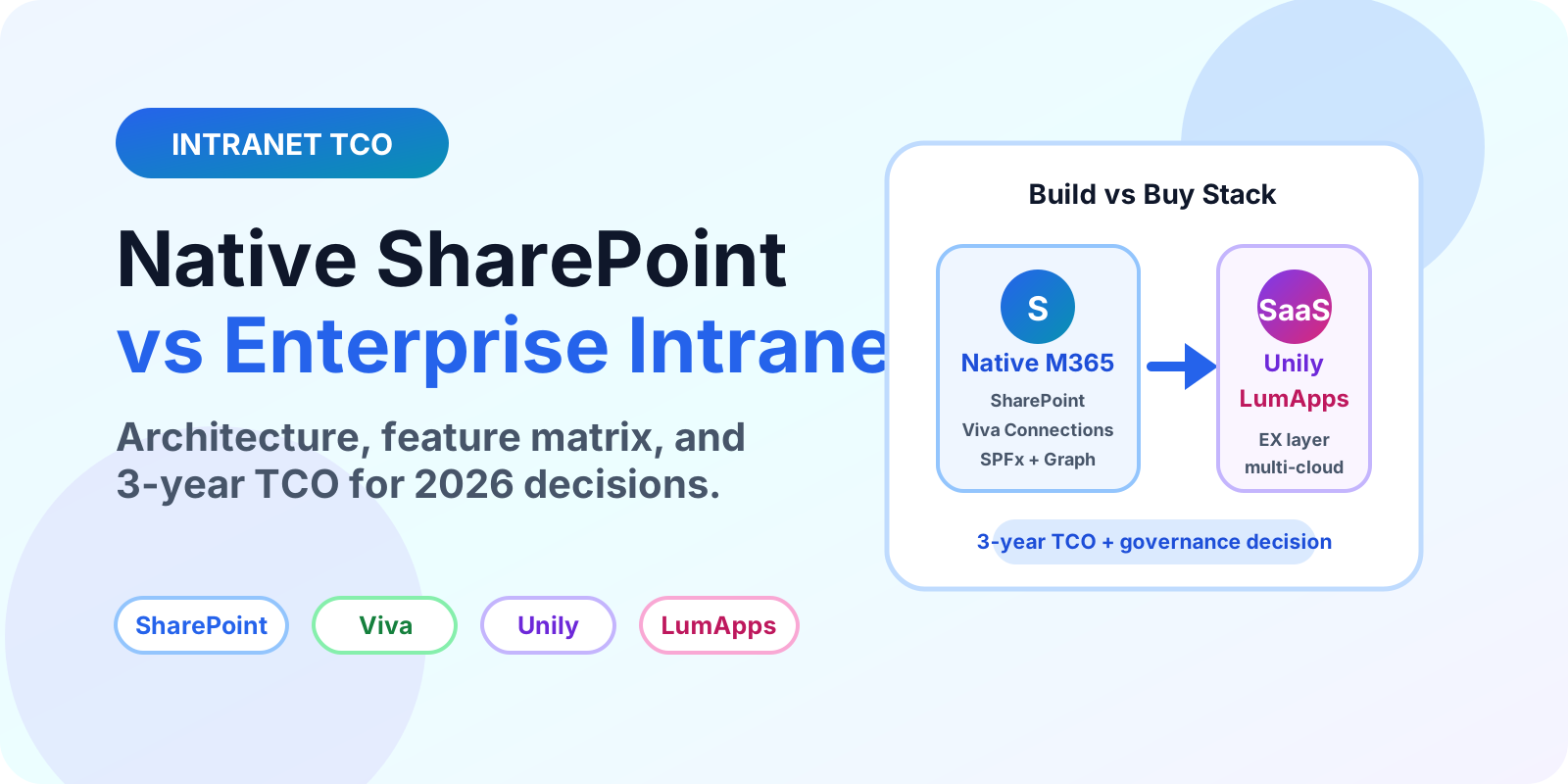
Architecture A: Native SharePoint + Viva Connections + SPFx
Native Microsoft 365 intranet architecture keeps content, identity, permissions, compliance, search, and collaboration primarily inside the Microsoft tenant. A typical deployment uses a SharePoint home site, hub sites, communication sites, Microsoft Teams, Viva Connections, Microsoft Search, SharePoint Framework customizations, Power Platform workflows, and Microsoft Graph integrations.
Data flow: Intranet pages, news, files, lists, metadata, and permissions live inside SharePoint Online. Identity is controlled by Microsoft Entra ID. Compliance and data governance can be managed through Microsoft Purview, sensitivity labels, retention labels, eDiscovery, audit, DLP, and tenant-level sharing policies. Viva Connections surfaces the experience in Teams desktop, tablet, mobile, and web entry points.
Extensibility: SharePoint Framework is the supported model for client-side web parts, extensions, and Viva Connections Adaptive Card Extensions. Developers can call Microsoft Graph APIs, SharePoint REST APIs, Azure Functions, Power Platform connectors, and line-of-business APIs where permitted. Authentication is normally Entra ID based, with single sign-on and conditional access controls aligned to the Microsoft tenant.
Delivery channels: SharePoint home sites, SharePoint app bar global navigation, Microsoft Teams via Viva Connections, SharePoint mobile app, Microsoft Search, Microsoft 365 Copilot surfaces where licensed and configured, and links from Teams channels or Viva Engage communities.
Architecture A: Native Microsoft 365 Intranet

Employees
  |
  | Web, Teams desktop, Teams mobile, SharePoint mobile
  v
Viva Connections + SharePoint Home Site
  |
  | Navigation, news, dashboard, resources, pages
  v
SharePoint Online Hub Sites and Communication Sites
  |
  | Content, pages, lists, libraries, metadata, audience targeting
  v
Microsoft 365 Tenant Boundary
  |-- Microsoft Entra ID SSO and Conditional Access
  |-- Microsoft Search and Microsoft Graph
  |-- Power Platform workflows and connectors
  |-- Purview retention, DLP, eDiscovery, audit
  |-- Teams, Viva Engage, OneDrive, Stream
Architecture B: Third-Party Enterprise SaaS: Unily or LumApps
Enterprise intranet platforms such as Unily and LumApps are experience platforms that sit above Microsoft 365 and other enterprise systems. They usually provide a configurable CMS, branded templates, publishing workflows, audience targeting, analytics, mobile apps, integrations, and packaged employee experience features. The platform may index or integrate with SharePoint, Teams, Google Workspace, Workday, ServiceNow, Salesforce, and other systems.
Data flow: The experience layer is decoupled from the Microsoft tenant. Content may be created in the SaaS platform, synchronized from external systems, indexed through connectors, cached for performance, or linked back to original systems. That creates a broader digital workplace hub but also introduces an additional data processor, vendor compliance review, integration model, and contract dependency.
Extensibility: SaaS intranet platforms typically provide proprietary widget or micro-app frameworks, marketplace connectors, workflow engines, APIs, webhooks, and no-code configuration. These can accelerate business-facing experiences, but they also create platform-specific implementation patterns that may not transfer cleanly if the organization later exits the vendor.
Multi-cloud glue: The strongest case for Unily or LumApps is often aggregation. A heterogeneous enterprise may need Microsoft 365, Google Workspace, Workday, ServiceNow, SAP SuccessFactors, Salesforce, Confluence, Slack, and custom systems surfaced in one employee portal. A native SharePoint intranet can integrate many of these systems, but specialist SaaS platforms often package more of this experience out of the box.
Architecture B: Enterprise Intranet SaaS

Employees
  |
  | Web portal, standalone mobile app, Teams app, email/news digest
  v
Unily / LumApps Experience Layer
  |
  | CMS, campaign tools, widgets, journeys, analytics, personalization
  v
SaaS Platform Services
  |-- Proprietary publishing workflows and templates
  |-- Vendor search or federated indexing
  |-- Mobile app push notifications
  |-- Engagement analytics and heatmaps
  |-- API gateway, marketplace connectors, webhooks
  |
  +--> Microsoft 365: SharePoint, Teams, Outlook, OneDrive, Viva Engage
  +--> Google Workspace: Drive, Docs, Gmail, Calendar
  +--> HR/IT/CRM: Workday, ServiceNow, Salesforce, SAP, Confluence
  +--> Identity: Entra ID or other SSO provider
Side-by-Side Architecture Comparison
| Layer | Native SharePoint + Viva Connections | Unily / LumApps Enterprise SaaS |
|---|---|---|
| System of record | SharePoint Online pages, libraries, lists, news, metadata, and permissions | Vendor CMS plus indexed or integrated content from M365 and other systems |
| Identity | Microsoft Entra ID native identity, groups, conditional access | SSO with Entra ID or another IdP, plus vendor-specific roles and profile model |
| Compliance boundary | Primarily inside Microsoft 365 and Purview controls | Additional SaaS data processor; compliance depends on vendor controls, hosting, contracts, and integration design |
| Customization | Modern SharePoint pages, web parts, SPFx, ACEs, Power Platform | Vendor templates, widgets, marketplace apps, CSS/HTML options, APIs, webhooks |
| Search | Microsoft Search across Microsoft 365 tenant content and configured connectors | Federated or vendor search layer across M365, Google, HR, ITSM, CRM, and vendor CMS content |
| Mobile | Teams mobile, SharePoint mobile, Viva Connections mobile | Standalone branded native mobile apps plus optional Teams or web delivery |
| Operating owner | Usually IT plus communications team with SharePoint site owners | Often internal communications, HR, and digital workplace teams with vendor success support |
Detailed Technical and Operational Capability Matrix
| Capability | Native SharePoint + Viva | Unily | LumApps | Architecture Impact |
|---|---|---|---|---|
| Licensing prerequisites | Typically included for users with Microsoft 365 Enterprise, Frontline, or Academic licensing for SharePoint and Viva Connections baseline scenarios; extra Viva modules may require additional licensing | Separate enterprise subscription, usually negotiated by user count, modules, support, and contract term | Separate enterprise subscription, usually negotiated by user count, modules, support, and contract term | SharePoint has lower incremental platform cost when M365 is already standardized; SaaS platforms have clearer incremental subscription lines |
| UI/UX flexibility and branding | Modern SharePoint branding, themes, page templates, web parts, and Fluent UI-aligned constraints; deep changes require SPFx | Strong branded experience layer, templates, custom modules, and communication-focused design system | Strong branded employee experience, configurable pages, widgets, and mobile-first design patterns | SaaS platforms usually win polished experience speed; SharePoint wins Microsoft-native consistency and governance |
| Content authoring workflows | SharePoint news, pages, approvals, scheduling patterns, page templates, audience targeting; governance requires design discipline | Packaged internal communications workflows, campaigns, targeting, approval flows, and analytics | Packaged publishing, targeting, journeys, and comms-oriented authoring for non-technical teams | Comms-led organizations often value SaaS authoring workflows more than IT-led SharePoint flexibility |
| Search experience | Microsoft Search across SharePoint, OneDrive, Teams, Outlook, and supported connectors | Vendor experience layer with integrations across Microsoft 365 and other systems | Federated workplace hub with integrations across Microsoft, Google, ServiceNow, Workday, and many connectors | Native search is strongest inside Microsoft 365; SaaS can simplify cross-stack discovery |
| Frontline worker reach | Teams mobile and Viva Connections can work well where frontline workers already use Teams and have appropriate licenses | Standalone mobile app, push notifications, campaigns, and frontline-oriented employee experience capabilities | Standalone mobile app and engagement-oriented features for deskless and distributed workers | SaaS platforms may justify cost when mobile-first reach is a primary KPI |
| Analytics and engagement | SharePoint usage, Viva analytics where licensed, Microsoft 365 reports, custom Power BI models if built | Engagement analytics, campaign insights, content performance, and platform reporting | Engagement analytics, audience insights, and content lifecycle tracking capabilities | Native Microsoft analytics may need assembly; SaaS usually packages comms analytics more directly |
| Extensibility | SPFx, Graph, Power Platform, Azure Functions, Teams apps, Viva ACEs | Vendor widgets, integration framework, APIs, micro-frontends, connector ecosystem | Marketplace connectors, micro-apps, APIs, no-code app builder patterns | Microsoft-native extensibility is portable inside M365; SaaS extensibility can accelerate cross-platform UX but increases vendor-specific skill needs |
| Compliance and DLP | Strong alignment with Microsoft Purview, retention, eDiscovery, DLP, audit, sensitivity labels | Depends on vendor certifications, data residency, integration scope, and whether content is stored or indexed | Depends on vendor certifications, data residency, integration scope, and whether content is stored or indexed | Regulated Microsoft-first tenants often prefer keeping intranet data inside M365 unless SaaS provides a clear business advantage |
Warning: Do not compare only license line items. A SharePoint intranet with unmanaged content ownership can become expensive through support tickets, SPFx maintenance, inconsistent branding, stale pages, and rework. A SaaS intranet can become expensive through per-user subscription growth, integration scope creep, and vendor lock-in.
3-Year Total Cost of Ownership Economic Model
The TCO model below uses realistic planning ranges for a 2026 enterprise intranet evaluation. It assumes the organization already owns Microsoft 365 licensing for all users. SaaS platform license assumptions use $1.50 to $4.50+ per employee per month as a modelling range because actual enterprise pricing depends on vendor, package, modules, implementation partner, region, support tier, integrations, mobile requirements, and contract term.
Costs included:
- Initial implementation, discovery, information architecture, UX design, templates, governance model, launch planning
- Annual software subscription or incremental platform cost
- Custom development such as SPFx web parts, Viva dashboard cards, APIs, widgets, or integrations
- Internal administrative overhead and content operations
- Maintenance, enhancements, analytics, support, and periodic governance reviews
Scenario 1: 3,000 users over three years
| Cost Category | Native SharePoint + Viva | Enterprise SaaS Low Case | Enterprise SaaS High Case |
|---|---|---|---|
| Initial IA, design, implementation | $90,000 to $180,000 | $140,000 | $260,000 |
| Platform licensing | $0 incremental if existing M365 covers target experience | $1.50 PEPM x 3,000 x 36 = $162,000 | $4.50 PEPM x 3,000 x 36 = $486,000 |
| Custom development and integrations | $60,000 to $160,000 | $60,000 | $180,000 |
| Internal admin and content operations | $180,000 to $300,000 | $150,000 | $240,000 |
| Maintenance and enhancement budget | $75,000 to $180,000 | $90,000 | $210,000 |
| 3-year cumulative total | $405,000 to $820,000 | $602,000 | $1,376,000 |
| 3-year cost per user | $135 to $273 | $201 | $459 |
Scenario 2: 10,000 users over three years
| Cost Category | Native SharePoint + Viva | Enterprise SaaS Low Case | Enterprise SaaS High Case |
|---|---|---|---|
| Initial IA, design, implementation | $180,000 to $360,000 | $260,000 | $520,000 |
| Platform licensing | $0 incremental if existing M365 covers target experience | $1.50 PEPM x 10,000 x 36 = $540,000 | $4.50 PEPM x 10,000 x 36 = $1,620,000 |
| Custom development and integrations | $120,000 to $360,000 | $120,000 | $420,000 |
| Internal admin and content operations | $360,000 to $720,000 | $300,000 | $540,000 |
| Maintenance and enhancement budget | $150,000 to $360,000 | $180,000 | $420,000 |
| 3-year cumulative total | $810,000 to $1,800,000 | $1,400,000 | $3,520,000 |
| 3-year cost per user | $81 to $180 | $140 | $352 |
The pattern is important. Native SharePoint scales economically when the organization already owns Microsoft 365 and can operate the intranet with disciplined governance. SaaS platforms scale economically when they prevent custom build effort, reduce communication operations overhead, improve frontline reach, and deliver engagement outcomes that Microsoft-native tools would require significant customization to match.
Tip: Ask vendors and internal teams to price the same use cases, not generic platform categories. Compare "launch targeted frontline campaign with analytics and mobile push" or "surface Workday leave actions inside the intranet", not "has integrations".
Decision Framework: Which Route Should You Choose?
Choose Native SharePoint + Viva Connections when
- Your organization is a pure Microsoft shop with high Microsoft 365 adoption.
- Most employees already use Teams daily.
- Compliance, DLP, retention, sensitivity labels, audit, and eDiscovery must stay tightly aligned to Microsoft Purview.
- You want to minimize incremental software subscription spend.
- Your intranet requirements are mostly news, navigation, document portals, department sites, search, dashboards, and knowledge hubs.
- You have internal or partner capability for SharePoint information architecture and SPFx where needed.
- You prefer long-term flexibility inside the Microsoft 365 roadmap over vendor-specific experience tooling.
Native SharePoint is usually the pragmatic default for Microsoft-centric organizations. It is especially strong when the intranet is part of a broader Microsoft 365 governance model involving Teams, SharePoint, OneDrive, Viva, Purview, Power Platform, and Microsoft Search.
Choose Unily or LumApps when
- The enterprise has a heterogeneous stack: Microsoft 365 plus Google Workspace, Workday, ServiceNow, Salesforce, SAP, Confluence, Slack, or other major systems.
- Internal communications owns the intranet and needs campaign-grade authoring, scheduling, governance, analytics, and audience targeting without relying on developers.
- The workforce includes many frontline, deskless, retail, manufacturing, healthcare, field, aviation, or logistics users who need a standalone mobile-first experience.
- The intranet is expected to become an employee experience layer, not just a content portal.
- Executives need richer engagement metrics, heatmaps, content lifecycle tracking, and adoption reporting.
- The organization values faster time-to-launch over maximum Microsoft-native control.
Unily and LumApps can be the right investment when business outcomes justify the subscription: broader reach, better communications governance, multi-system task completion, mobile adoption, and lower custom build burden.
Licensing Traps and Vendor Lock-In Considerations
Procurement teams should watch for hidden cost drivers:
- Viva licensing expansion: baseline Viva Connections scenarios may be available with Enterprise, Frontline, or Academic licensing, but multiple experiences or broader Viva suites can require additional licenses depending on the target model.
- SaaS module packaging: mobile app, advanced analytics, employee journeys, AI, integrations, or premium support may be packaged separately.
- Integration maintenance: connectors need ownership when APIs change, authentication policies change, or business systems are upgraded.
- Data residency and compliance: SaaS platform content, indexes, logs, profiles, and analytics may sit outside the Microsoft 365 tenant.
- Exit cost: custom widgets, page templates, CMS structures, and analytics models may not export cleanly to SharePoint or another platform later.
Warning: Vendor lock-in is not automatically bad. It is bad when the business cannot explain what value the vendor-specific layer delivers and what it would cost to exit. Document the exit model before signing a multi-year intranet contract.
Free Evaluation Matrix
A 2026 Enterprise Intranet Evaluation Matrix & TCO Calculator in Excel format can structure this comparison. It includes weighted scoring for architecture, licensing, compliance, mobile reach, integrations, analytics, implementation effort, governance maturity, and three-year cost modelling for 3,000 and 10,000 user scenarios.
Use it before vendor demos so every option is scored against the same business outcomes instead of presentation quality.
Recommended Evaluation Process
- Define outcomes: internal communications reach, frontline access, knowledge discovery, HR self-service, leadership comms, compliance, or cost optimization.
- Map audiences: office workers, frontline workers, managers, contractors, executives, countries, languages, and subsidiaries.
- Inventory systems: Microsoft 365, Google Workspace, Workday, ServiceNow, Salesforce, SAP, LMS, CRM, custom portals.
- Score must-have capabilities: mobile push, targeted campaigns, governance workflows, analytics, search, AI, integrations, and content lifecycle.
- Build two target architectures: one Microsoft-native and one SaaS-supported.
- Run a TCO model: include licensing, implementation, internal labor, custom development, support, and exit risk.
- Pilot with real content: executive news, HR policy, frontline resource, search scenario, and one integration.
- Decide operating model: who owns content quality, governance, analytics, templates, campaign scheduling, support, and roadmap?
Final Recommendation
For many Microsoft-first organizations, the starting point should be Native SharePoint + Viva Connections because it uses existing Microsoft 365 investment, stays close to Purview compliance controls, and integrates naturally with Teams, Microsoft Search, Graph, and Power Platform. The architecture is flexible, but it requires strong information architecture, communications governance, and disciplined ownership.
For organizations with complex multi-cloud environments, heavy frontline workforces, sophisticated internal communications needs, and a business case for faster experience delivery, platforms such as Unily or LumApps can be justified. The premium should be evaluated against measurable outcomes: reach, engagement, task completion, content lifecycle control, reduced tool switching, and faster launch time.
Summary
The best intranet decision is not the cheapest subscription or the most impressive demo. It is the architecture that your organization can govern, operate, secure, measure, and evolve over three years. Native SharePoint + Viva Connections is compelling for Microsoft-centric enterprises that prioritize compliance boundaries and cost optimization. Unily and LumApps are compelling for enterprises that need a packaged employee experience layer across many systems, stronger internal communications tooling, and mobile-first engagement.
Run the decision through architecture, capability, operating model, compliance, and TCO. That is how a CIO avoids both underbuilding a strategic employee platform and overbuying a premium intranet when Microsoft 365 already meets the business need.
Keep learning on nextM365
Design the native option with the SharePoint hub sites architecture guide and fix sprawling libraries with the document-dump structure blueprint.
Tagged
Governance · Teams · Microsoft 365 Copilot · Security · Admin Center
Frequently asked questions
Is Native SharePoint cheaper than Unily or LumApps?
If an organization already owns Microsoft 365 E3, E5, or F licenses, Native SharePoint and Viva Connections can have no incremental platform subscription cost. However, design, implementation, SPFx development, governance, analytics, and internal administration still create real TCO.
When should an enterprise choose Unily or LumApps instead of SharePoint?
A third-party enterprise intranet platform is often justified when the organization needs advanced internal communications tooling, standalone native mobile apps, multi-cloud integrations, non-technical publishing workflows, engagement analytics, and a communications-led operating model.
Can Viva Connections replace an enterprise intranet platform?
Viva Connections can provide a Teams and web entry point for a SharePoint-based intranet, dashboards, resources, and targeted experiences. It may replace an intranet platform for Microsoft-centric organizations, but it does not automatically provide the same packaged comms CMS, engagement analytics, or multi-cloud hub features as specialist SaaS platforms.
What is the biggest hidden cost in a custom SharePoint intranet?
The biggest hidden costs are information architecture, page governance, custom SPFx maintenance, content ownership, analytics gaps, and operational support. A low subscription cost does not mean low lifecycle cost.
How should CIOs evaluate intranet TCO?
Evaluate implementation, licensing, internal labor, vendor support, custom development, integration maintenance, security review, analytics tooling, content governance, adoption campaigns, and exit or lock-in risk over at least a three-year horizon.
Sources
- Microsoft Learn: Planning Hub Sites, Microsoft
- Microsoft Learn: Introduction, Microsoft
Have a Microsoft 365 topic idea?
Share article suggestions, community session ideas, corrections, or real-world scenarios for future nextM365 learning notes.
Keep learning Microsoft 365
Explore more practical guides for SharePoint, Power Platform, Copilot Studio, migration, automation, governance, and security.
Continue learning
Related tutorials
Related questions
Related comparisons
Next action