ShareGate Incremental Copy and Pre-Check: Delta Passes Without Duplicates
Master ShareGate Copy-if-newer incremental passes and the pre-check gate: matching rules, large-library limits, and a duplicate-free delta routine.
- Published
- Reading time
- 3 min read
Before you start
Is this guide for you?
- Best entry point
- Migration
- Time investment
- 3 min read
In this article
- How matching works
- The pre-check gate (every wave, not just pilot)
- Large libraries need a different tactic
- What incremental does not do
- Choose the existing-item rule before the wave
On this page (7 sections)
Direct answer: ShareGate's Copy-if-newer (incremental) mode copies new items and refreshes matched ones only when the source is newer — files by name, list items by title plus created date. Pair every wave with the pre-check gate, keep folder hierarchy mirrored, and use time-range filters instead of incremental for very large libraries.
Vendor note (October 2026): Option names and defaults change across ShareGate releases. Confirm current behavior in the official incremental copy, copy options, and pre-check documentation before your wave.
Part of the ShareGate series: start with the ShareGate migration tutorial, then continue to the mappings guide. Method references: Migration Validation and SharePoint Migration Checklist.
How matching works
An incremental pass first decides whether source and destination items are the same item, then decides whether the source is newer. Files are considered the same item when the file name matches inside the same library; list items when title plus created date match. Anything without a counterpart is copied as new. Anything with a counterpart is refreshed only when the source modified date wins — destination-newer content is left alone, which is exactly the protection you want during coexistence.
Two consequences follow. First, keep file names, titles, and created dates stable between passes — renames break matching and produce duplicates. Second, list libraries with non-unique titles need a unique key property configured, otherwise the matcher cannot pair items reliably.
The pre-check gate (every wave, not just pilot)
Run ShareGate's pre-check before each copy and treat red findings as a wave gate: fix connectivity, credentials, permissions, and configuration issues before the job starts, not mid-wave when rollback is expensive. A clean pre-check plus a frozen source window is the cheapest insurance a migration wave can buy.
Large libraries need a different tactic
Incremental mode crawls source and destination in batches to decide what to copy, so on very large libraries the comparison pass itself becomes slow or throttled. For those waves, use Copy-and-replace scoped by a time-range filter (items created or modified in your window) instead of a blanket incremental pass, and schedule the job for off-hours. Measure pilot throughput first so the schedule is evidence-based — see Microsoft 365 throttling and performance notes.
What incremental does not do
Three limits shape validation planning. Deleted-at-source items are not removed at the destination — that is deliberate data-loss protection, so plan a manual cleanup pass. Permission changes are not re-checked by the incremental pass — validate effective access separately per wave (permissions guide). And versioning behavior follows destination settings, with its own edge cases under high-speed import modes — sample version history explicitly rather than assuming it.
Choose the existing-item rule before the wave
In Automatic operation mode ShareGate applies your existing-item rule silently — the right default for bulk waves. Copy and replace overwrites same-named items and suits first-time loads into empty libraries. Don't copy existing items skips matches and suits top-up waves where the destination is already curated. Copy and keep both renames colliding files (folders merge instead) and suits merges where nothing may be lost. Copy if newer is the incremental delta described above. Manual mode prompts per conflict and is only practical for tiny pilots — never for bulk waves.
Duplicate-free delta routine
- Freeze reorganizations — no folder moves or renames between the initial copy and the delta pass.
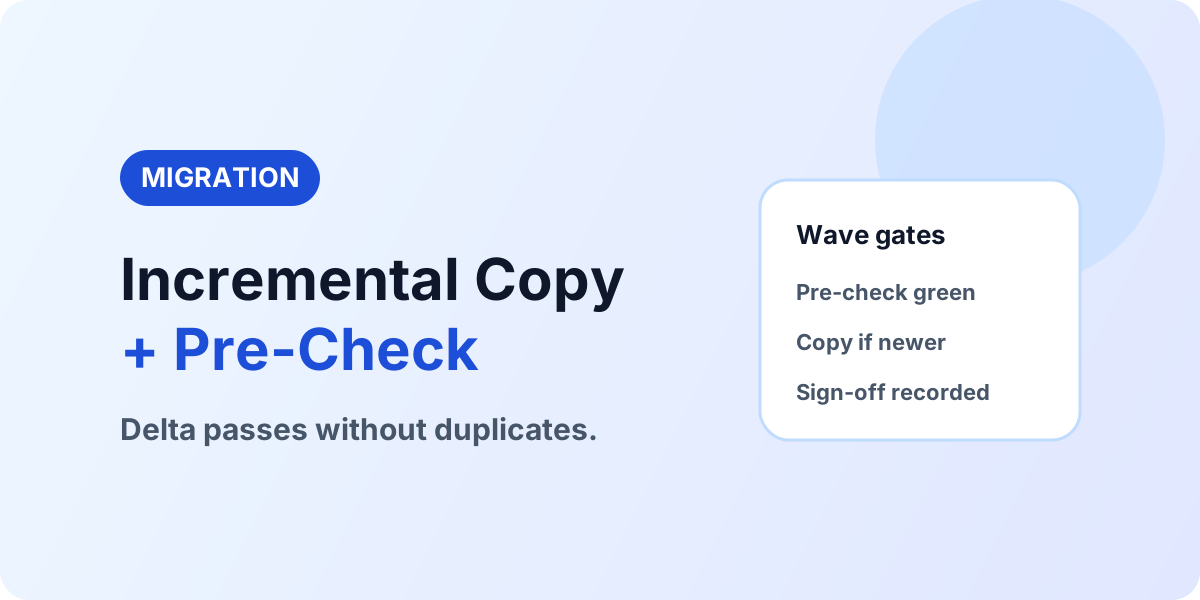
- Pre-check green — all findings cleared, credentials and mappings confirmed.
- Run the delta — incremental pass over the frozen source.
- Reconcile exceptions — retry, archive, exclude, or manual-move per item with an owner.
- Validate and sign off — counts, samples, permissions, links; owner acceptance recorded before the next wave starts.
Planning a ShareGate migration
If delta passes and validation evidence are where your program wobbles, bring the source, target, and timeline: Book a SharePoint Migration Assessment.
Continue with ShareGate Migration Tutorial, ShareGate Mappings Guide, and Migration Validation.
NEXT STEP
Make Every Wave Prove Itself
Pre-check gates plus a validation baseline turn incremental runs into evidence instead of hope.
30-minute technical discussion • No obligation • Practical next steps
Tagged
Architecture · Governance · Security
Frequently asked questions
How does ShareGate decide what an incremental pass copies?
It compares source and destination, copies items that do not exist at the destination, and refreshes matched items only when the source version is newer.
How are files and list items matched?
Files match by name within the same library; list items match by title plus created date. Keep both stable between passes.
Why do duplicates appear after an incremental pass?
The usual cause is a folder hierarchy that no longer mirrors the source, or items moved or deleted at the destination, so the matcher cannot find its counterpart and re-creates it.
When should incremental copy be avoided?
Avoid it for very large libraries where the crawl-and-compare pass slows down or throttles — scope those waves with time-range filters and Copy-and-replace instead.
What does the pre-check catch?
Connectivity, permission, and configuration blockers before the copy starts. Run it for every wave and clear all findings first.
Sources
- Microsoft Learn: Migrate To Sharepoint Online, Microsoft
- Microsoft Learn documentation, Microsoft
Have a Microsoft 365 topic idea?
Share article suggestions, community session ideas, corrections, or real-world scenarios for future nextM365 learning notes.
Keep learning Microsoft 365
Explore more practical guides for SharePoint, Power Platform, Copilot Studio, migration, automation, governance, and security.
Continue learning
Related tutorials
Related questions
Related comparisons
Next action