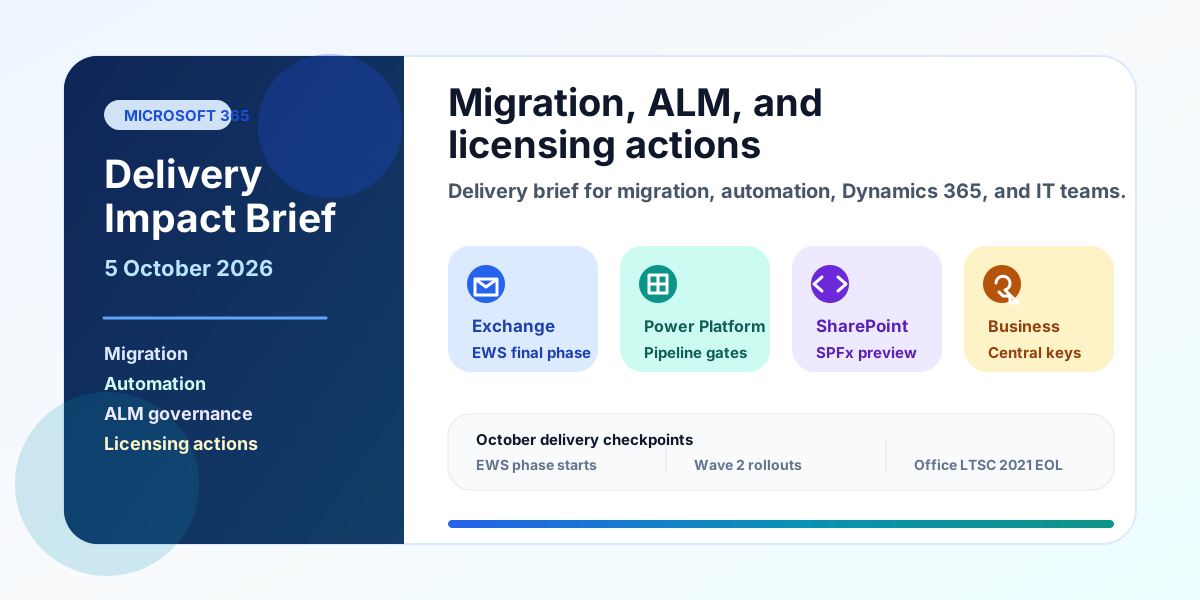
Microsoft Delivery Impact Brief — 5 October 2026
A practical Microsoft delivery brief for migration, automation, ALM, Dynamics 365, and admin teams covering EWS, cross-tenant mailbox migration, Power Platform pipelines, SPFx 1.24, Business Central keys, Copilot billing, and October deadlines.
- Published
- Reading time
- 5 min read
Before you start
Is this guide for you?
- Best entry point
- Microsoft 365
- Time investment
- 5 min read
In this article
- Introduction
- Executive summary
- Urgent actions
- Changes across Microsoft 365
- Changes across Power Platform and Dataverse
On this page (9 sections)
Introduction
This delivery impact brief is for Microsoft 365 migration consultants, Power Platform developers, Dynamics 365 teams, and IT administrators planning work in October 2026.
The main theme is simple: several Microsoft platform changes now affect delivery plans. Teams should check Exchange integrations, tenant-to-tenant migration assumptions, Power Platform ALM governance, SPFx adoption plans, Business Central upgrades, and deadlines.
Executive summary
- Announced and now phased: Exchange Web Services in Exchange Online starts global disablement in October 2026 and reaches full disablement in April 2027. Review the Exchange Online migration planning guide.
- Supported migration path, not live sync: Cross-tenant mailbox migration moves supported mailbox content. It is not a general cross-tenant email synchronization service. Explore tenant-to-tenant migration support.
- Governance enforcement: Power Platform pipeline targets are moving toward managed environment requirements with October 2026 admin notifications. Review Power Platform environment and ALM planning.
- Preview only: SPFx 1.24 is pre-release. Use it for React 18 and Copilot component testing, not as the default production baseline. Review SPFx development services.
- In effect: Business Central on-premises license keys changed on 1 October 2026 for version 28 and later. Review Microsoft 365 licensing planning.
Urgent actions
- Inventory all EWS usage in Exchange Online, including migration tools, service desk mail integrations, calendar integrations, and custom apps.
- Replace EWS dependencies with Microsoft Graph where Graph supports the scenario. Document any gap, owner, risk, and exit path.
- For tenant-to-tenant email projects, validate licenses, holds, Teams chat expectations, Microsoft 365 Groups scope, routing, and cutover plans.
- List every Power Platform pipeline target environment and confirm which targets are already managed environments.
- Keep SPFx 1.24 work in preview or lab branches unless a specific project accepts preview risk.
- Download refreshed Business Central license keys before each on-premises upgrade to version 28 or later.
Changes across Microsoft 365
EWS retirement is the most urgent Microsoft 365 delivery item. Microsoft says EWS starts being disabled globally in October 2026, with full disablement in April 2027. Exchange Server on-premises is outside this Exchange Online retirement scope. Use the Exchange Online migration guide to plan remediation.
Discovery scripts, mailbox migration utilities, archive tools, appointment sync jobs, and mail-enabled business processes may still call EWS. Do not assume all tenants fail on the same day. Treat October 2026 as enforcement start and April 2027 as the hard stop.
Cross-tenant mailbox migration is supported, but scope matters. Microsoft documents cross-tenant mailbox migration as a mailbox move process. It can move user-visible mailbox content. Microsoft also lists limits: mailboxes on hold are blocked, Microsoft 365 Groups are not supported, Teams chat folders are not migrated, and cross-cloud tenant-to-tenant migration is not supported. Use the NextM365 tenant-to-tenant migration guide for scope planning.
Consultants should avoid promising continuous cross-tenant email synchronization unless a separate approved product or coexistence design is in scope. For most projects, plan identity mapping, source MailUser routing, license assignment, and migration batches.
Changes across Power Platform and Dataverse
Power Platform pipelines now need governance attention. Microsoft says pipeline target environments are required to be managed environments. Starting in October 2026, the admin deployment page notifies admins when pipelines deploy to unmanaged targets. Admins get 30 days to approve managed environment enablement before future deployments are blocked. Review NextM365 Power Platform environment strategy and ALM guidance.
If a deployment path depends on unmanaged targets, update governance, security roles, environment strategy, licensing review, and release calendars before the next critical deployment.
Microsoft's 2026 wave 2 schedule is active in October: 2-5 October for Asia Pacific, GCC High, Japan, Singapore, Sweden, and the UK; 9-12 October for Europe; 16-19 October for Australia and North America; and 23-26 October for China, DoD, and GCC. Plan Power Platform release validation with NextM365.
Changes across Dynamics 365
Business Central license keys changed on 1 October 2026. Microsoft says new Business Central on-premises releases no longer include version-specific license keys. For version 28 and later, customers use a 28+ key, but they must download a refreshed key before each upgrade because a key downloaded for version 28 may not unlock later objects. Review licensing planning for Microsoft delivery projects.
This matters for Dynamics 365 teams using Dual Use Rights. Because Dual Use Rights license keys must be replaced every six months, upgrade runbooks should include key download, validation, and rollback checks.
Upcoming deadlines
| Date | Area | Status | Delivery action |
|---|---|---|---|
| 1 October 2026 | EWS and Business Central | In effect / phased | Track EWS remediation and refresh Business Central 28+ keys. |
| 2-5 October 2026 | Power Platform and Dynamics 365 | Regional rollout | Validate wave 2 in Asia Pacific, GCC High, Japan, Singapore, Sweden, and UK tenants. |
| 9-12 October 2026 | Power Platform and Dynamics 365 | Regional rollout | Validate Europe releases. |
| 13 October 2026 | Office LTSC 2021 | End of support | Complete upgrade plans for Office LTSC 2021 and Microsoft 365 Apps on Windows Server 2022. Review Microsoft 365 planning resources. |
| 16-19 October 2026 | Power Platform and Dynamics 365 | Regional rollout | Validate Australia and North America releases. |
| 23-26 October 2026 | Power Platform and Dynamics 365 | Regional rollout | Validate China, DoD, and GCC releases. |
| 1 December 2026 | Microsoft 365 Copilot Business through CSP | Announced | Review usage billing, limits, and exclusions for new subscriptions. |
| April 2027 | Exchange Online EWS | Full retirement | Remove remaining EWS dependencies before final disablement. |
Watchlist
SPFx 1.24 remains preview. Microsoft labels the 1.24 release line as pre-release. Production extensions should stay on the supported SPFx version for the tenant until GA guidance changes.
Copilot usage billing scope is narrow. Microsoft says usage-based billing defaults for new Microsoft 365 Copilot Business subscriptions purchased through CSP begin on 1 December 2026. Initial exclusions include Australia, Belgium, Brazil, France, Germany, India, Italy, Korea, Netherlands, Poland, and Spain. The default spending limit is 4,000 Copilot Credits per user per month, adjustable by admins. Compare Microsoft 365 Copilot and Copilot Studio planning paths.
Contact call to action
Need help assessing the impact on your Microsoft migration or automation projects? Contact NextM365 at suresh@nextM365.com.
Tagged
Governance · ALM · Licensing · Dynamics 365 · Microsoft Graph
Have a Microsoft 365 topic idea?
Share article suggestions, community session ideas, corrections, or real-world scenarios for future nextM365 learning notes.
Keep learning Microsoft 365
Explore more practical guides for SharePoint, Power Platform, Copilot Studio, migration, automation, governance, and security.
Continue learning
Related tutorials
Related questions
Related comparisons
Next action