Variables vs Entities | Copilot Studio Day 31
Learn the difference between variables and entities in Microsoft Copilot Studio, how entities recognize user input, and how variables store values for later use.
- Published
- Reading time
- 6 min read
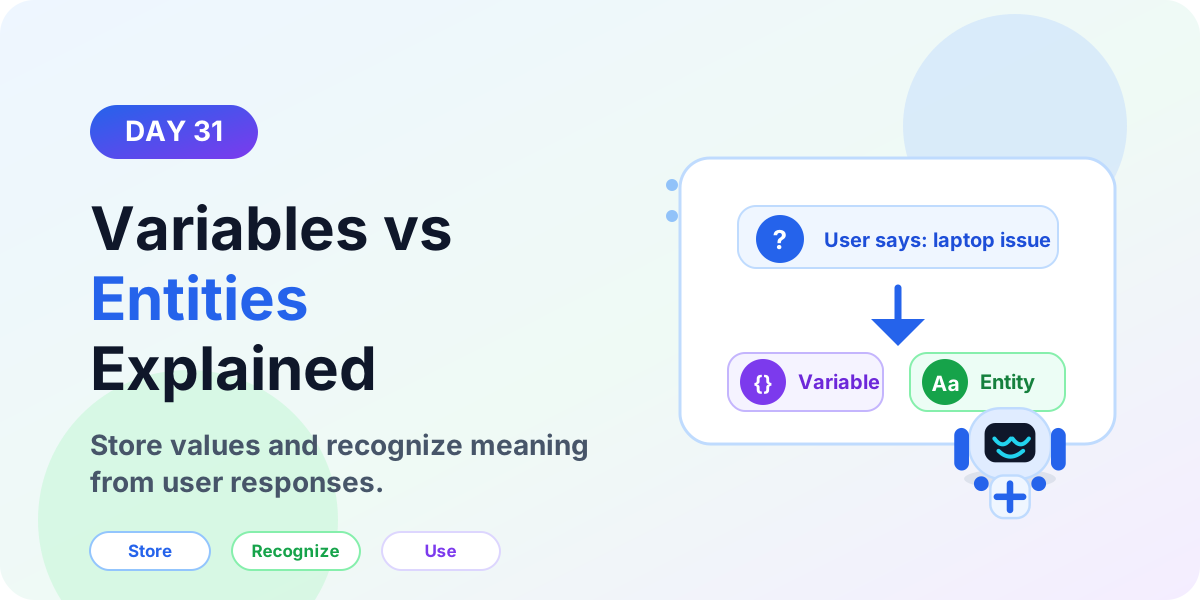
Week 5 · Day 31 of 365 in 365 Days of Copilot Studio — view the full series
Before you start
Is this guide for you?
- Best entry point
- 365 Days of Copilot Studio
- Time investment
- 6 min read
In this article
- What are variables in Copilot Studio?
- What are entities in Copilot Studio?
- Variables vs entities: the simple difference
- How variables and entities work together
- Common use cases for variables and entities
On this page (17 sections)
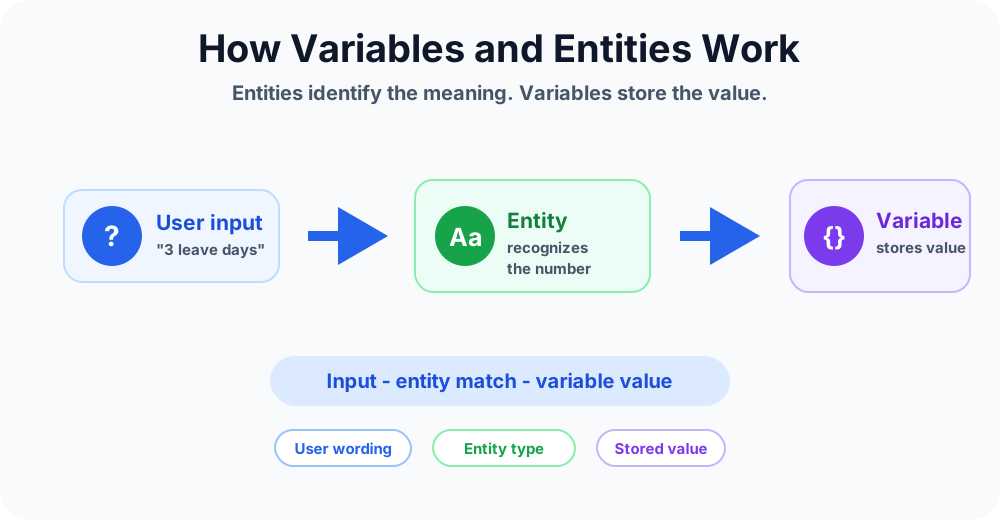
Variables and entities are closely related in Microsoft Copilot Studio, but they do different jobs. An entity helps the agent understand what kind of information the user gave. A variable stores that information so the agent can use it later.
Day 31 of the 365 Days of Microsoft Copilot Studio series explains the difference between variables and entities, when to use each one, and how they work together in real conversation design.
This lesson builds on Day 16: Question Node Explained, Day 18: Variable Node Explained, Day 28: Topic Variables Explained, Day 29: Bot Variables Explained, and Day 30: Conversation Variables Deep Dive.
What are variables in Copilot Studio?
A variable stores a value. That value may come from a question node, a trigger, a previous topic, an action result, or logic inside the topic.
Variables help the agent remember and reuse information. For example, if a user says they need 3 leave days, the agent can store LeaveDays = 3 and use it later in a condition, confirmation message, or Power Automate action.
Simple rule: variable = the value the agent remembers.
What are entities in Copilot Studio?
An entity helps the agent recognize the type or meaning of a user's response. Entities are useful when the user may type information in different ways, but the agent needs a clean value.
Examples of entity-style information include numbers, dates, email addresses, phone numbers, locations, product names, departments, request categories, and yes/no choices.
Simple rule: entity = the meaning or type of user input.
Variables vs entities: the simple difference
The easiest way to understand the difference is to separate recognition from storage.
| Concept | What it does | Example |
|---|---|---|
| Entity | Recognizes what the user said | User says "next Friday" and the agent recognizes a date |
| Variable | Stores the recognized value | StartDate stores the date value |
An entity helps capture clean input. A variable lets the agent use that captured value later.
How variables and entities work together
A common pattern looks like this:
- The agent asks a question.
- The user replies in natural language.
- An entity recognizes the value or category.
- The recognized value is saved into a variable.
- The variable is used in a message, condition, redirect, or action.
Example:
- User says: I need leave for 3 days.
- Entity recognizes: number = 3.
- Variable stores: LeaveDays = 3.
- Condition checks whether LeaveDays > 2.
- The conversation routes to manager approval or auto approval.
Common use cases for variables and entities
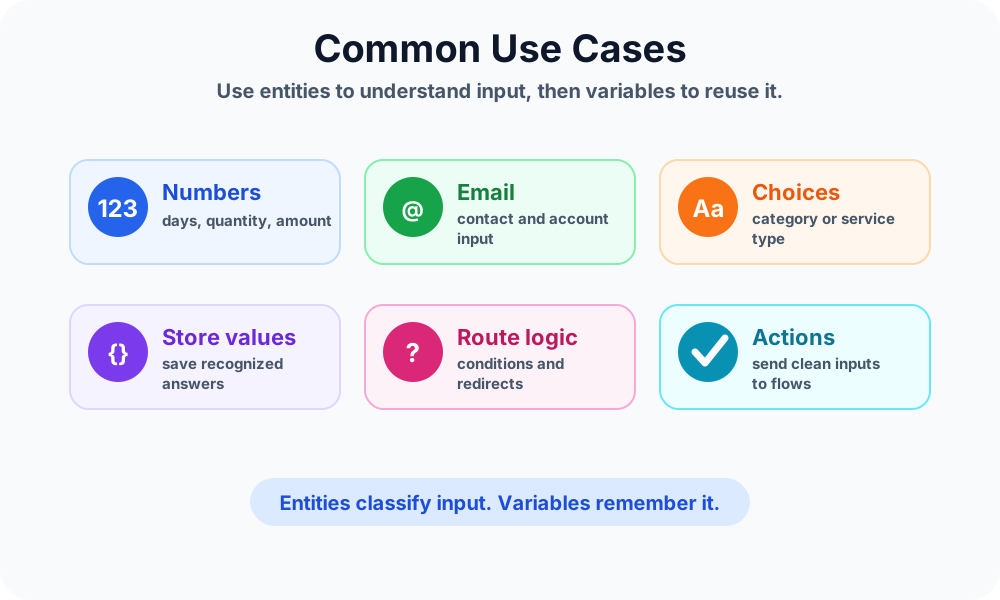
Variables and entities are useful in almost every business-focused Copilot Studio topic.
Leave request topics
An entity can recognize the number of days, leave type, or date. Variables then store values such as LeaveDays, LeaveType, and StartDate.
IT support topics
A custom entity can recognize issue categories such as password reset, laptop, Teams, Outlook, or VPN. A variable can store IssueType and route the user to the right troubleshooting path.
HR and employee service topics
Entities can recognize department names, locations, employee IDs, or policy categories. Variables store those values for confirmation, eligibility checks, or action inputs.
Approval and finance topics
Entities can capture amounts, dates, invoice types, and approval categories. Variables store the values and pass them to actions or conditions.
Built-in entities vs custom entities
Some entities are common and reusable, such as numbers, dates, email addresses, phone numbers, and yes/no responses. These are often handled as standard input types.
Custom entities are useful when the value is specific to your business. Examples include:
- Request categories: hardware, software, access, network
- Departments: HR, Finance, Sales, IT
- Regions: US, Canada, Australia, India
- Product names or service names
- Policy types or ticket categories
When to use a variable
Use a variable when the agent needs to remember a value after it is collected.
- Use a variable to personalize later messages.
- Use a variable to evaluate a condition.
- Use a variable to pass input to an action.
- Use a variable to build a final summary.
- Use a variable to avoid asking the same question again.
When to use an entity
Use an entity when the agent needs help recognizing structured information from user input.
- Use an entity when users may type the same idea in different ways.
- Use an entity when the answer must map to a known category.
- Use an entity when you need cleaner input before saving a variable.
- Use an entity when a free-text answer would make logic unreliable.
Example: IT ticket routing
Suppose a user says: My Teams app is not opening. The agent can use an entity to identify the product or issue area as Teams. Then it stores that value in a variable such as IssueApplication.
| User input | Entity match | Stored variable | Next step |
|---|---|---|---|
| Teams app is not opening | Teams | IssueApplication = Teams | Route to Teams troubleshooting |
| I forgot my password | Password reset | IssueType = Password | Start password reset topic |
| Need VPN access | VPN | AccessType = VPN | Create access request |
Best practices
- Use the right tool for the job. Entities recognize input; variables store values.
- Name variables clearly. Use names such as LeaveDays, IssueType, or UserEmail.
- Keep entities business-friendly. Match how users actually describe products, services, and categories.
- Confirm important values. Show values back before creating tickets, approvals, or records.
- Handle no-match cases. Ask a follow-up question if the entity cannot recognize the input.
- Test real wording. Test short phrases, long sentences, spelling differences, and common synonyms.
Common mistakes to avoid
- Treating variables and entities as the same thing. They work together, but they are not the same.
- Using free text for everything. Free text can make routing and actions unreliable.
- Creating too many custom entities. Start with the business values that actually control logic.
- Using unclear variable names. Future updates become harder when names do not explain the value.
- Not testing synonyms. Users rarely type only the exact wording you expect.
- Skipping validation. Important values should be checked before actions run.
Testing checklist
- Test whether the entity recognizes expected user wording.
- Test alternative phrases and synonyms.
- Test short and long responses.
- Test what happens when the entity does not match.
- Test whether the matched value is saved into the correct variable.
- Test conditions and actions that use the variable.
- Test final messages and summaries that show the stored value.
Key takeaways
- Entities recognize meaning from user input.
- Variables store values for later use.
- Use entities when input needs structure or classification.
- Use variables when the value must be reused in logic, actions, or messages.
- Good entity design makes variables more reliable.
Variables and entities are both essential for reliable Copilot Studio conversations. Entities help the agent understand what the user said. Variables help the agent remember and use that value in the right place.
Next in the series: Day 32.
Tagged
Variables · Topics · Conversation Design · Conditions · AI Agents
Frequently asked questions
What is the difference between variables and entities in Copilot Studio?
Entities recognize or classify user input, while variables store the value so the agent can use it in messages, conditions, actions, or routing.
What is an entity in Microsoft Copilot Studio?
An entity helps the agent identify structured information from a user response, such as a number, date, email address, city, product name, or custom business option.
What is a variable in Microsoft Copilot Studio?
A variable stores a value collected or calculated during the conversation, such as LeaveDays, EmailAddress, RequestType, or ApprovalRequired.
Do entities store values by themselves?
No. Entities help recognize the type or meaning of input. The recognized value is usually saved into a variable when the agent needs to reuse it later.
When should I use a custom entity?
Use a custom entity when users may type business-specific values such as department names, request categories, product names, regions, or service options.
Can variables and entities be used with actions?
Yes. Entities can help capture clean input, and variables can pass the captured value to Power Automate flows, connector actions, or API calls.
Sources
- Microsoft Learn: Authoring Create Edit Topics, Microsoft
- Microsoft Learn: Microsoft Copilot Studio, Microsoft
Have a Microsoft 365 topic idea?
Share article suggestions, community session ideas, corrections, or real-world scenarios for future nextM365 learning notes.
Keep learning Microsoft 365
Explore more practical guides for SharePoint, Power Platform, Copilot Studio, migration, automation, governance, and security.
Continue learning
Related tutorials
Related questions
Related comparisons
Next action